

Salesforce API Best Practices: Secure Integration Guide
Modern businesses rarely use Salesforce as an isolated platform. Companies connect Salesforce with ERP systems, payment platforms, marketing solutions, customer portals, analytics tools, and internal applications to create unified business processes.
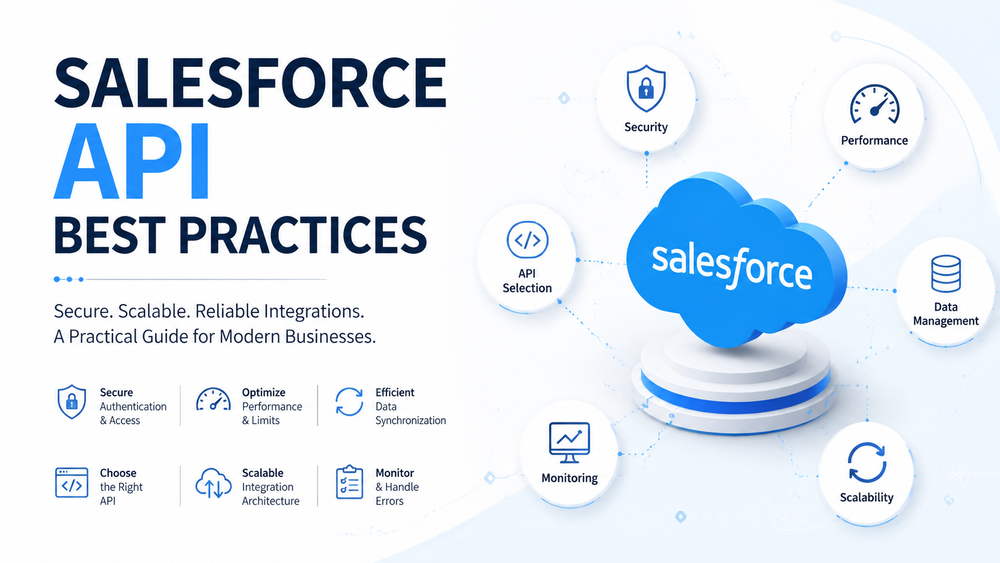
Following Salesforce API Best Practices is essential for building secure, scalable, and reliable integrations. A well-designed API strategy helps organizations protect sensitive data, optimize performance, avoid unnecessary API consumption, and create integration architectures that can support future growth.
However, many Salesforce integrations face similar challenges:
- excessive API requests;
- slow data synchronization;
- security vulnerabilities;
- poor error handling;
- difficult maintenance;
- limited scalability.
The challenge is usually not Salesforce itself. The challenge is creating the right integration architecture.
A successful Salesforce API integration requires more than connecting two systems. It requires choosing the right API, implementing secure authentication, managing API limits, optimizing data exchange, and monitoring integration performance.
This guide explains the most important Salesforce API Best Practices for building secure and scalable integrations.
What Are Salesforce APIs?
Salesforce APIs allow external applications and systems to communicate with Salesforce and exchange data.
Organizations use Salesforce APIs to:
- create and update records;
- synchronize customer information;
- connect third-party applications;
- automate business processes;
- exchange real-time events;
- integrate Salesforce with enterprise platforms.
Salesforce provides different APIs for different business scenarios. Choosing the correct API is one of the most important decisions when designing a Salesforce integration.
Using the wrong API approach can result in:
- unnecessary API usage;
- poor performance;
- complex maintenance;
- scalability problems.
Salesforce provides official API documentation covering available APIs and integration capabilities
Main Salesforce APIs
REST API
Salesforce REST API is one of the most widely used APIs for modern integrations.
It is commonly used for:
- web applications;
- mobile applications;
- external services;
- real-time data operations.
REST API uses HTTP requests and JSON responses, making it suitable for lightweight and flexible integrations.
Common examples:
- creating Salesforce records from external applications;
- retrieving customer information;
- updating CRM data;
- connecting Salesforce with external platforms.
SOAP API
SOAP API is designed for structured enterprise integrations.
It is commonly used with:
- legacy enterprise systems;
- WSDL-based integrations;
- complex business applications.
Organizations often use SOAP API when existing enterprise architecture already depends on SOAP-based communication.
Bulk API
Bulk API is designed for processing large volumes of Salesforce data.
It is commonly used for:
- data migrations;
- large imports;
- mass updates;
- scheduled synchronization jobs.
For example, updating thousands of customer records individually through REST API creates unnecessary requests.
A better approach is using Bulk API to process large datasets efficiently.
Composite API
Composite API allows multiple related Salesforce operations to be combined into fewer API requests.
It is useful when an integration needs to:
- create related records;
- execute several operations together;
- reduce the number of network requests.
Using Composite API can improve performance and help control API consumption.
Platform Events and Streaming API
Platform Events support event-driven integrations where systems react to changes instead of constantly requesting Salesforce data.
Traditional approach:
External System → Salesforce API → Check for updates
External System → Salesforce API → Check for updates
External System → Salesforce API → Check for updates
Event-driven approach:
Salesforce Event → External System receives updateBenefits:
- fewer unnecessary API calls;
- faster communication;
- better scalability.
Platform Events are commonly used for:
- order processing;
- notifications;
- integration workflows;
- real-time synchronization.
Salesforce API Best Practice #1 — Choose the Right API
One of the most common Salesforce integration mistakes is using the same API for every scenario.
Different business requirements require different API approaches.
| Scenario | Recommended API |
|---|---|
| Real-time operations | REST API |
| Large data processing | Bulk API |
| Multiple related operations | Composite API |
| Event-driven integrations | Platform Events |
| Legacy enterprise systems | SOAP API |
Avoid Using REST API for Everything
REST API is flexible, but it is not always the best choice.
For example:
A company needs to synchronize hundreds of thousands of customer records from an ERP system.
Incorrect approach:
ERP → REST API → Salesforce
(one request per record)
Problems:
- high API consumption;
- slower processing;
- increased risk of hitting limits.
Better approach:
ERP → Bulk API → SalesforceThe correct API selection improves reliability, performance, and long-term maintainability.
Salesforce API Best Practice #2 — Use Secure Authentication
Security should be considered at the beginning of every Salesforce integration project.
A common mistake is focusing only on data exchange while ignoring authentication design.
Secure integrations should avoid:
- storing passwords in code;
- hardcoded access tokens;
- excessive permissions;
- unmanaged credentials.
Use OAuth 2.0 Authentication
OAuth 2.0 is the recommended authentication approach for most Salesforce integrations.
Benefits:
- token-based authentication;
- no password sharing;
- better access control;
- improved security.
OAuth allows external applications to access Salesforce without exposing user credentials.
Use Named Credentials
Named Credentials simplify Salesforce integrations by securely managing authentication details and endpoints.
Benefits:
- secure credential storage;
- easier configuration;
- reduced custom code;
- simpler maintenance.
Instead of storing credentials inside Apex code:
Incorrect:
Apex Code → Username + Password + API TokenRecommended:
Apex Code → Named Credential → External SystemThis approach improves security and makes future changes easier.
Use External Credentials
External Credentials provide a modern way to manage authentication and identity settings.
They allow organizations to:
- define authentication providers;
- control external access;
- manage permissions;
- separate authentication logic from application code.
This is especially useful for enterprise environments with multiple integrations.
JWT Bearer Flow
JWT authentication is commonly used for server-to-server integrations where no user interaction is required.
Typical scenarios:
- ERP synchronization;
- automated data exchange;
- middleware integrations.
Salesforce API Best Practice #3 — Protect API Access and Data
Authentication is only one part of a secure Salesforce integration. A strong API security strategy also requires proper authorization, controlled access, and protection of sensitive information.
Poor API access management can lead to:
- unauthorized data exposure;
- excessive permissions;
- compliance risks;
- security vulnerabilities.
Every integration should follow the principle of least privilege and provide only the access required for its business purpose.
Apply Least Privilege Access
Integration users should not receive unnecessary administrative permissions.
Recommended practices:
- create dedicated integration users;
- use Permission Sets for access control;
- limit object permissions;
- restrict field visibility;
- regularly review integration access.
For example:
A payment integration may only require access to:
- Account;
- Order;
- Payment records.
It should not have access to unrelated business data.
Secure Connected Apps
Connected Apps define how external applications authenticate and interact with Salesforce.
Important security settings include:
- OAuth scopes;
- permitted users;
- session policies;
- authentication policies.
Poorly configured Connected Apps can create unnecessary security risks.
Related resources:
- Salesforce Connected Apps Security Changes
- Salesforce OAuth Security Best Practices
Protect Sensitive Data
Salesforce API integrations often exchange important business information:
- customer data;
- financial records;
- operational information;
- internal processes.
Security considerations should include:
- Field-Level Security;
- encryption;
- sharing rules;
- data access policies;
- audit requirements.
A well-designed integration should respect Salesforce security architecture instead of bypassing it.
Salesforce API Best Practice #4 — Manage API Limits and Optimize Performance
Salesforce API limits define how many API requests an organization can make within a specific period.
Efficient API usage is critical because poorly designed integrations can cause:
- failed requests;
- delayed synchronization;
- performance issues;
- unexpected integration failures.
A scalable Salesforce API strategy focuses on reducing unnecessary requests and processing data efficiently.
Reduce Unnecessary API Calls
One of the most important Salesforce API Best Practices is minimizing unnecessary communication between systems.
Common inefficient approaches:
- requesting the same data repeatedly;
- retrieving unused fields;
- updating records individually;
- checking Salesforce constantly for changes.
Better approaches:
- combine related operations;
- use the correct API;
- implement caching;
- process records in batches.
Example:
Incorrect:
Application → Salesforce API → Get Account
Application → Salesforce API → Get Contact
Application → Salesforce API → Get Opportunities
Better:
Application → Salesforce API → Optimized data retrievalReducing API calls improves performance and lowers the risk of reaching limits.
Use Bulk API for Large Data Volumes
Large datasets should be processed using bulk operations.
Example:
A company synchronizes 200,000 customer records from an ERP system.
Incorrect approach:
ERP → REST API → Update one record
ERP → REST API → Update one record
ERP → REST API → Update one record
Problems:
- excessive API consumption;
- slower processing;
- higher failure risk.
Recommended approach:
ERP → Bulk API → SalesforceBulk API is suitable for:
- migrations;
- large imports;
- scheduled synchronization;
- mass updates.
Use Composite API to Reduce Requests
Composite API helps combine multiple related actions into fewer requests.
Example:
Creating a new customer may require:
- Create Account.
- Create Contact.
- Create Opportunity.
Instead of three separate requests, Composite API can process related operations together.
Benefits:
- fewer API calls;
- improved performance;
- simpler integration logic.
Avoid Excessive Polling
Polling means repeatedly asking Salesforce whether something has changed.
Example:
External System:
"Any updates?"
"Any updates?"
"Any updates?"
This creates unnecessary API traffic.
For real-time scenarios, consider:
- Platform Events;
- Change Data Capture;
- Streaming API.
Event-driven integrations allow Salesforce to notify external systems when changes occur.
Salesforce API Best Practice #5 — Design Efficient Data Synchronization
Data synchronization is one of the most important parts of Salesforce integration architecture.
Poor synchronization strategies can create:
- duplicate records;
- inconsistent data;
- unnecessary API usage;
- difficult troubleshooting.
Before implementation, define:
- the source of truth;
- synchronization frequency;
- data ownership;
- conflict resolution rules.
Full Synchronization
Full synchronization transfers complete datasets between systems.
Common use cases:
- initial migration;
- system replacement;
- data warehouse loading.
Example:
ERP → Salesforce
(All customer records)
Advantages:
- simple approach;
- useful during initial setup.
Disadvantages:
- higher resource usage;
- slower processing;
- more API consumption.
Incremental Synchronization
Incremental synchronization transfers only changed records.
This is usually the preferred approach for ongoing integrations.
Common methods:
- Last Modified Date;
- SystemModstamp;
- Change Data Capture;
- Platform Events.
Example:
Instead of sending:
1,000,000 customer records every daysend only:
Records changed since the last synchronizationBenefits:
- lower API usage;
- faster processing;
- improved scalability.
Real-Time vs Batch Integration
Not every business process requires real-time updates.
Choosing the right approach reduces complexity.
Real-Time Integration
Best for:
- payments;
- order updates;
- customer actions;
- critical notifications.
Example:
Payment completed → Salesforce updated immediatelyBatch Integration
Best for:
- reporting;
- analytics;
- large data updates;
- background processes.
Example:
ERP → Salesforce
Nightly synchronization
A scalable architecture uses real-time processing only when business requirements justify it.
Salesforce API Best Practice #6 — Handle Errors and Failures
Reliable integrations must be designed for failure.
Even well-built Salesforce API solutions can experience:
- authentication errors;
- validation failures;
- timeout issues;
- API limit errors;
- temporary service interruptions.
Common Salesforce API Errors
Authentication Errors
Possible causes:
- expired tokens;
- incorrect credentials;
- changed permissions.
Solutions:
- implement token refresh;
- monitor authentication failures;
- review access policies.
Validation Errors
Possible causes:
- missing required fields;
- incorrect data formats;
- Salesforce validation rules.
Solutions:
- validate data before sending;
- return meaningful error messages.
API Limit Errors
Possible causes:
- excessive requests;
- inefficient architecture.
Solutions:
- optimize API usage;
- implement throttling;
- use bulk processing.
Error Handling Best Practices
A reliable integration should include:
- detailed logging;
- retry mechanisms;
- monitoring;
- alerts;
- error queues.
Example:
API Error
↓
Log error
↓
Retry operation
↓
Notify administrator
Salesforce API Best Practice #7 — Build Scalable Integration Architecture
The architecture behind an integration determines how well it can scale.
Point-to-Point Integration
Simple approach:
System A → SalesforceAdvantages:
- quick implementation;
- low initial complexity.
Disadvantages:
- difficult maintenance;
- duplicated logic;
- limited scalability.
Suitable for:
- small integrations;
- simple business processes.
Middleware Architecture
Middleware creates a centralized integration layer.
Example:
ERP
 |
Middleware
 |
Salesforce
 |
Other Systems
Benefits:
- centralized transformation logic;
- better monitoring;
- reusable integrations;
- easier scaling.
Event-Driven Architecture
Event-driven integrations use Salesforce events instead of constant API requests.
Common technologies:
- Platform Events;
- Change Data Capture.
Benefits:
- real-time communication;
- reduced API consumption;
- improved scalability.
Salesforce API Monitoring and Governance
Launching an integration is not the final step.
Continuous monitoring helps identify issues before they affect business operations.
Monitor:
- API consumption;
- failed requests;
- response times;
- authentication failures;
- synchronization problems.
Good governance practices include:
- documenting integrations;
- assigning ownership;
- reviewing security settings;
- tracking API usage trends;
- maintaining integration documentation.
Salesforce API integrations should be treated as long-term business assets, not one-time development tasks.
Common Salesforce API Integration Mistakes
Organizations often make similar mistakes:
- using REST API for every scenario;
- ignoring API limits;
- storing credentials insecurely;
- creating unnecessary requests;
- missing error handling;
- avoiding monitoring;
- poor synchronization design;
- lack of documentation.
Avoiding these mistakes helps organizations build more reliable and maintainable Salesforce integrations.
Salesforce API Best Practices Checklist
API Selection
✓ Choose the right API for the scenario
✓ Use Bulk API for large datasets
✓ Use Platform Events for event-driven integrations
Security
✓ Use OAuth authentication
✓ Use Named Credentials
✓ Apply least privilege access
✓ Review Connected App permissions
Performance
✓ Reduce unnecessary API calls
✓ Optimize queries
✓ Use pagination and caching
✓ Use asynchronous processing
Reliability
✓ Implement error handling
✓ Add retry mechanisms
✓ Monitor API usage
✓ Document integration architecture
How Success Craft Can Help
Building successful Salesforce integrations requires expertise in architecture, security, development, and long-term optimization.
Success Craft helps organizations with:
- Salesforce API integrations;
- enterprise integration architecture;
- custom Salesforce development;
- automation solutions;
- Salesforce consulting.
Our team helps businesses create Salesforce solutions that are secure, scalable, and prepared for future growth.
Conclusion
Salesforce API integrations are essential for connecting CRM systems with modern business applications. However, successful integrations require more than simple data exchange.
Following Salesforce API Best Practices helps organizations:
- improve security;
- reduce API consumption;
- optimize performance;
- build scalable architectures;
- create reliable integrations.
The strongest Salesforce API solutions combine the right API selection, secure authentication, efficient data synchronization, proper error handling, and continuous monitoring.
A well-designed Salesforce API architecture creates a foundation for integrations that can support business growth over time.
What are Salesforce API best practices?
Salesforce API best practices include choosing the right API for each use case, implementing secure authentication, managing API limits, optimizing performance, handling errors properly, and monitoring integrations after deployment.
Which Salesforce API should I use?
The right Salesforce API depends on the integration scenario. REST API is commonly used for real-time operations, Bulk API is designed for large data volumes, Composite API helps combine multiple operations, and Platform Events support event-driven integrations.
How do I secure Salesforce API integrations?
Salesforce API integrations should use secure authentication methods such as OAuth 2.0, Named Credentials, and External Credentials. Organizations should also apply least privilege access, review Connected App permissions, and protect sensitive data.
How can I avoid Salesforce API limits?
To avoid Salesforce API limits, reduce unnecessary requests, use Bulk API for large datasets, optimize queries, implement caching, use Composite API when appropriate, and choose asynchronous processing for complex operations.
How can I improve Salesforce API performance?
Salesforce API performance can be improved by reducing API calls, retrieving only required data, optimizing queries, using pagination, implementing caching, and designing efficient synchronization strategies.
How do I monitor Salesforce API usage?
Salesforce API usage can be monitored through Salesforce administration tools, API usage reports, logs, and external monitoring solutions. Regular monitoring helps identify failed requests, performance issues, and potential limit problems.