

Salesforce Architecture Best Practices: How to Build a Scalable and Future-Proof CRM System
Salesforce Architecture Best Practices are essential for building scalable, secure, and future-proof CRM systems. Without a clear Salesforce architecture strategy, organizations often accumulate technical debt, unstable integrations, automation conflicts, and risky release processes.
Many companies focus heavily on implementation but underestimate system design. Over time, weak architectural decisions lead to performance degradation, inconsistent data, and fragile integrations. Applying Salesforce Architecture Best Practices early ensures long-term system stability and predictable business growth.
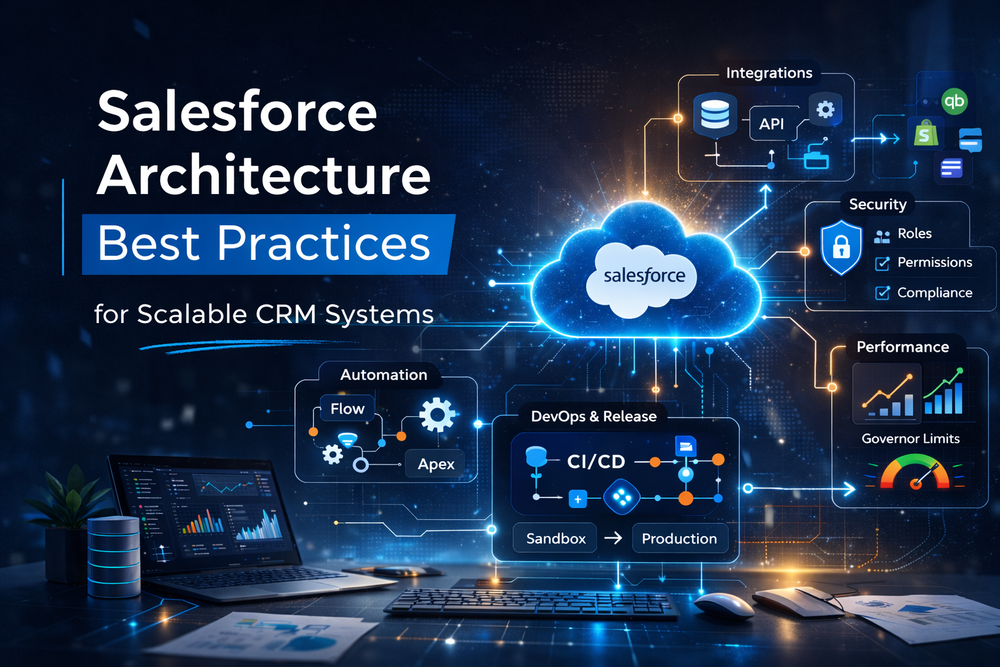
What Is Salesforce Architecture and Why It Matters
Salesforce architecture defines how your CRM is structured across:
- Data model
- Automation logic
- Integrations
- Security and access
- Release and DevOps strategy
- Performance governance
Architecture is not configuration — it is system design.
Salesforce provides extensive flexibility, but without structured architectural planning, complexity increases rapidly.
Salesforce’s official Architecture Center provides foundational guidance
The Salesforce Well-Architected Framework expands on scalable and secure design principles
Core Principles for Scalable CRM Architecture
Designing a Clean and Flexible Data Model
Your data model is the structural backbone of your CRM.
Common issues include:
- Duplicate objects
- Redundant custom fields
- Inconsistent naming standards
- Incorrect relationship structures
- Hardcoded dependencies
A scalable data model should:
- Represent business entities clearly
- Avoid duplication of responsibility
- Support reporting without workarounds
- Remain adaptable as the company grows
Poor data modeling directly affects integration stability and reporting reliability.
For structured architecture reviews and data audits, see
Building a Stable Integration Layer
Integration complexity grows as new tools are introduced.
Without architectural governance, organizations experience:
- Data synchronization failures
- Reporting discrepancies
- API performance issues
- Increasing system fragility
A scalable integration layer should:
- Clearly define system ownership
- Separate business logic from integration logic
- Implement monitoring and retry mechanisms
- Avoid uncontrolled point-to-point connections
Salesforce REST API documentation
Common integration examples include:
- Enhance Your Salesforce Capabilities with Stripe Integration
- Enhance Your Salesforce Capabilities with QuickBooks Integration
- Level Up Your Commerce Stack: Shopify Meets Salesforce
Strong integration architecture reduces operational risk and financial inconsistencies.
Governing Automation and Business Logic
Automation is powerful — but unmanaged automation creates instability.
Modern environments may contain:
- Flow
- Apex
- Validation rules
- Approval processes
Without clear governance:
- Logic overlaps
- Deployments fail
- Performance suffers
- Maintenance becomes unpredictable
Best practices include:
- Clear ownership of automation layers
- Centralization of complex logic
- Version control and testing discipline
- Documentation of architectural decisions
Many architecture stabilization projects begin when releases become risky due to unmanaged automation growth.
Designing an Effective Security Model
Security and access control must scale with the organization.
Common mistakes:
- Excessive profile cloning
- Over-permissioning
- Complex sharing logic without documentation
Best practices:
- Use Permission Sets instead of profile duplication
- Apply least-privilege access
- Structure role hierarchy intentionally
- Conduct periodic access reviews
Official Salesforce guidance on permission sets
Security architecture directly impacts compliance and operational control.
Release Governance and DevOps Discipline
Architecture includes how safely changes move to production.
Weak release processes cause:
- Metadata inconsistencies
- Deployment failures
- Production incidents
- Difficult rollback scenarios
Strong release governance includes:
- Defined sandbox strategy
- Controlled promotion paths
- CI/CD alignment
- Post-deployment validation
Stable release governance reduces risk and increases deployment confidence.
Planning for Performance and Scalability
Salesforce enforces governor limits to ensure platform stability.
Architectural considerations:
- Efficient data processing
- Optimized queries
- Asynchronous logic where appropriate
- Clear data retention strategy
- Long-term storage planning
Performance issues often surface only when data volume grows — which is why early architectural discipline is critical.
Common Architectural Pitfalls
- “We’ll fix it later” mentality
- Lack of architectural ownership
- Integration sprawl
- No documentation
- Over-customization
- Inconsistent development standards
Over time, these issues create technical debt that slows innovation and increases operational risk.
When to Review Your CRM Architecture
You may need an architectural assessment if:
- Deployments feel risky
- Integrations fail repeatedly
- Reports are unreliable
- System performance degrades
- Automation changes create side effects
- Teams describe the system as “fragile”
A structured review identifies systemic weaknesses before they impact business continuity.
How Success Craft Approaches System Architecture
At Success Craft, architecture is treated as a strategic discipline — not just technical configuration.
Our structured approach includes:
Assessment
- Data model audit
- Automation mapping
- Integration landscape analysis
- Security review
- Performance evaluation
Roadmap Development
- Technical debt reduction
- Scalable system design
- Governance framework
Controlled Implementation
- Sandbox governance
- Risk-managed deployments
- Validation of business-critical workflows
Final Thoughts
Salesforce Architecture Best Practices ensure that your CRM remains scalable, secure, and aligned with business growth.
A disciplined Salesforce architecture strategy reduces technical debt, stabilizes integrations, and enables predictable system evolution.
Architecture is not about features — it is about sustainability.
What are Salesforce Architecture Best Practices?
Salesforce Architecture Best Practices are structured system design principles that ensure your CRM remains scalable, secure, and maintainable over time. They cover data modeling, automation governance, integration strategy, security design, DevOps processes, and performance planning. Instead of focusing only on configuration, these practices define how the entire Salesforce ecosystem should operate as a stable and evolving business platform.
Why are Salesforce Architecture Best Practices important?
Without proper architecture, Salesforce environments gradually accumulate technical debt. This results in unstable integrations, automation conflicts, slow deployments, inconsistent reporting, and performance issues. Applying Salesforce Architecture Best Practices reduces operational risk, improves release predictability, and ensures that the system can scale alongside business growth without requiring costly rework.
Does Salesforce architecture include integrations?
Yes. Integration architecture is a core component of Salesforce system design. It defines how Salesforce communicates with external systems such as finance platforms, eCommerce solutions, marketing tools, and support software. A well-structured integration architecture establishes system ownership, API governance, monitoring, and data consistency rules, preventing synchronization failures and reporting discrepancies.
How often should Salesforce architecture be reviewed?
Salesforce architecture should be reviewed at least once per year, or whenever significant business changes occur — such as rapid growth, new integrations, mergers, or process restructuring. Regular architectural reviews help identify emerging technical debt, performance bottlenecks, and security gaps before they become operational risks.
Can an existing Salesforce org be re-architected?
Yes. Even complex Salesforce environments can be stabilized and optimized through a structured architecture assessment and phased redesign. This typically involves data model cleanup, automation consolidation, integration restructuring, security alignment, and release governance improvements. Re-architecture should be planned carefully to minimize business disruption and protect production stability.
What are common signs of poor Salesforce architecture?
Common warning signs include frequent deployment failures, inconsistent reports, duplicate data, slow system performance, unstable integrations, and automation that breaks when minor changes are introduced. When teams describe the system as “fragile” or “too complex to modify safely,” it is often an indicator that architectural governance needs to be strengthened.
Get in touch to
grow your business
Success Craft is a team of more than 140+ Salesforce developers,
Technical Architects and QA Engineers who delivered 300+ successful
Salesforce projects.
Location
Wałowa 40/89Gdansk, 80-858
Poland