

6 Common AppExchange Security Review Findings and How to Avoid Them
For many Salesforce ISVs, building a great product isn’t the hardest part of launching on AppExchange.
Passing AppExchange Security Review is.
You’ve spent months designing features, writing Apex code, testing functionality, and preparing releases. Then Salesforce returns a list of findings that delays your launch by weeks—or even months.
Security Review often feels unpredictable. However, teams that go through the process repeatedly start noticing a pattern: packages rarely struggle because of obscure vulnerabilities. Most findings stem from a handful of recurring issues that could have been addressed much earlier.
Understanding these common pitfalls can save time, reduce remediation costs, and significantly improve your chances of passing AppExchange Security Review on the first submission.
What Is AppExchange Security Review and Why Does It Matter?
Before publishing an application on AppExchange, Salesforce requires ISVs to complete AppExchange Security Review. The process evaluates whether your application meets Salesforce security standards and adequately protects customer data.
Security Review isn’t designed to slow down innovation. Its purpose is to maintain trust in the AppExchange ecosystem.
A failed review can lead to:
- delayed releases;
- additional development costs;
- repeated remediation cycles;
- postponed revenue opportunities;
- increased pressure on engineering and product teams.
The earlier security becomes part of your development lifecycle, the smoother AppExchange Security Review tends to be.
What Actually Happens During Security Review?
Many ISVs assume AppExchange Security Review is simply an automated code scan.
In reality, the process is much broader.
Salesforce Product Security teams combine automated analysis, manual testing, and documentation reviews to determine whether an application is safe for AppExchange customers.
Reviewers evaluate much more than code. They examine:
- package configuration;
- authentication mechanisms;
- external integrations;
- data access controls;
- installation procedures;
- testing instructions;
- supporting documentation.
In many ways, reviewers behave like both customers and security analysts. They install your solution, configure it, follow your documentation, test its functionality, and attempt to identify weaknesses before your customers do.
Successful AppExchange Security Reviews rarely result from last-minute fixes. They usually reflect security practices embedded throughout the entire product lifecycle.
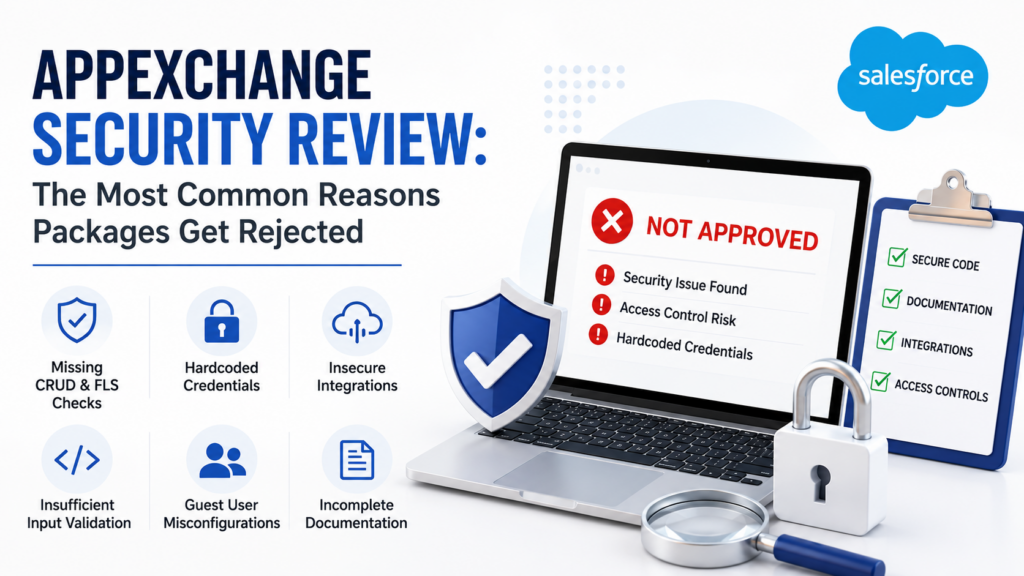
1. Missing CRUD and Field-Level Security Checks
One of the most common AppExchange Security Review findings involves insufficient enforcement of CRUD and Field-Level Security (FLS).
Your application may work exactly as intended. However, if users can access or modify data beyond their permissions, Salesforce reviewers will flag it.
Common examples include:
- querying records without checking object accessibility;
- updating fields users shouldn’t modify;
- exposing sensitive data through Apex controllers;
- assuming administrative access during execution.
Salesforce reviewers frequently identify missing CRUD/FLS checks even in mature applications because developers often test using System Administrator profiles.
Why this happens
During rapid product development, teams prioritize functionality first and plan to address security later.
Unfortunately, Security Review tends to expose those shortcuts.
How to avoid it
Build security checks into your coding standards from the beginning.
Ask yourself:
- Does the user have access to this object?
- Can they create or update this record?
- Are all fields validated appropriately?
Security enforcement should be part of development—not a post-development task.
2. Hardcoded Credentials and Secrets
Improper credential management is another frequent cause of AppExchange Security Review findings.
Reviewers carefully assess how applications store and use sensitive information.
Common problems include:
- hardcoded API keys;
- embedded passwords;
- authentication tokens in Apex classes;
- secrets stored directly in source code;
- environment-specific credentials committed to repositories.
While these shortcuts may simplify development, they introduce serious security risks.
Better approaches include:
- Named Credentials;
- protected custom metadata where appropriate;
- encrypted configuration approaches;
- environment-based configuration strategies.
A simple rule applies:
If changing credentials requires modifying code, your implementation probably needs improvement.
3. Insecure External Integrations
Many AppExchange applications depend on third-party services.
Examples include:
- payment gateways;
- communication platforms;
- ERP systems;
- marketing tools;
- external data providers.
Integrations increase product value—but they also expand the attack surface.
Security reviewers frequently examine:
- endpoint management;
- authentication methods;
- data transmitted externally;
- response validation;
- protection of sensitive information.
Reviewers may also ask why specific data leaves Salesforce and whether the transfer is actually necessary.
Poorly documented integrations often trigger unnecessary findings and delays.
How to avoid it
Document your integration architecture before submission.
Clearly define:
- what data leaves Salesforce;
- where it goes;
- how it is protected;
- how authentication works;
- which external dependencies exist.
This benefits reviewers and simplifies future maintenance.
If your AppExchange product relies heavily on integrations, explore our experience building secure Salesforce integrations.
Reviewers should never have to guess how your integrations work.
4. Insufficient Input Validation
Security isn’t only about controlling access.
It’s also about validating what enters your application.
Applications that accept unvalidated user input may become vulnerable to attacks.
During AppExchange Security Review, reviewers commonly assess protections against:
- SOQL injection;
- unsafe dynamic queries;
- cross-site scripting (XSS);
- improper URL handling;
- unvalidated request parameters.
Dynamic SOQL built from user-controlled input receives particular attention during Security Review because seemingly harmless shortcuts can expose organizations to significant risk.
How to avoid it
Treat all external input as untrusted until validated.
Ask:
- Could this input manipulate a query?
- Can unexpected characters introduce risk?
- Is validation applied consistently?
- Are dynamic queries absolutely necessary?
The effort required to strengthen validation during development is significantly lower than addressing findings later.
5. Guest User Access Misconfigurations
If your package includes Experience Cloud functionality, guest user access configurations receive additional scrutiny during AppExchange Security Review.
Guest users should receive the minimum permissions necessary.
However, Security Reviews frequently uncover:
- excessive guest permissions;
- exposed records;
- overly permissive sharing configurations;
- unintended public access;
- access granted “temporarily” during development and never removed.
Because guest users don’t authenticate, Salesforce evaluates these scenarios particularly carefully.
How to avoid it
Start with restrictive access.
Then expand permissions only when justified by a legitimate business need.
Ask:
- What truly needs to be public?
- Can this functionality require authentication instead?
- Are we exposing more information than intended?
- Have guest permissions been reviewed recently?
The safest guest user configuration is often the simplest one.
6. Treating Security Review as a Final QA Step
One of the biggest strategic mistakes ISVs make is treating AppExchange Security Review as their security testing process.
It isn’t.
Salesforce reviewers expect security practices to already be embedded within your development lifecycle.
Their role isn’t to discover every issue on your behalf.
As Salesforce notes, Security Review shouldn’t replace internal security testing. Its purpose is to validate that security has already been considered throughout development.
Teams that postpone security until submission often experience:
- multiple review cycles;
- unexpected findings;
- delayed releases;
- increased remediation costs.
Successful ISVs incorporate security into:
- architecture decisions;
- coding standards;
- design reviews;
- internal testing;
- release preparation.
Documentation Matters More Than Most Teams Expect
Many Security Review delays happen because reviewers don’t have enough information to evaluate the application efficiently.
Your submission should include:
- installation instructions;
- administrator documentation;
- user documentation;
- integration architecture details;
- testing scenarios;
- setup guidance;
- explanations of external dependencies;
- reviewer credentials when applicable.
Reviewers shouldn’t have to reverse-engineer your product to understand how it works.
Use Salesforce Code Analyzer Before Submission
Salesforce strongly recommends using Salesforce Code Analyzer before Security Review.
Code Analyzer can help identify issues related to:
- CRUD enforcement;
- Field-Level Security;
- Apex security patterns;
- AppExchange review rules.
While Salesforce Code Analyzer doesn’t guarantee approval, it can identify common issues before reviewers do and reduce remediation effort.
However, Code Analyzer should complement—not replace—manual reviews, secure development practices, and internal testing.
A Simple Pre-Submission Checklist
Before submitting your package, ask your team the following questions:
✓ Have we reviewed CRUD and FLS enforcement?
✓ Have we removed hardcoded secrets?
✓ Have all integrations been documented?
✓ Are user inputs validated appropriately?
✓ Have guest user permissions been audited?
✓ Have we run Salesforce Code Analyzer?
✓ Are installation instructions complete?
✓ Have reviewer testing scenarios been prepared?
✓ Are authentication and authorization mechanisms documented?
✓ Can reviewers reproduce expected workflows without assistance?
A few additional days of preparation can prevent weeks of remediation.
How Success Craft Can Help
AppExchange Security Review isn’t something most teams navigate regularly.
At Success Craft, we help organizations design, build, and optimize AppExchange products throughout the entire product lifecycle.
We’ve worked with ISVs building products ranging from integration solutions to enterprise applications, helping teams prepare for release with security, scalability, and maintainability in mind.
Our team can assist with:
- AppExchange product architecture;
- Security Review readiness assessments;
- remediation of identified findings;
- secure integration design;
- package optimization;
- ongoing product enhancements.
Learn more about our AppExchange expertise
We also support organizations through Salesforce consulting initiatives involving security, architecture, and product evolution.
Or contact our Salesforce experts to discuss your AppExchange initiative.
Whether you’re preparing your first submission or trying to avoid another round of findings, early preparation almost always produces better outcomes.
Conclusion
Security Review shouldn’t be viewed as an obstacle standing between your product and AppExchange.
It should be viewed as an opportunity.
The strongest AppExchange products aren’t simply feature-rich. They’re secure, well-documented, maintainable, and designed with customer trust in mind.
Teams that pass AppExchange Security Review efficiently aren’t necessarily the fastest developers. They’re the teams that build security into their development process from the beginning, prepare comprehensive documentation, and proactively identify issues before submission.
Most importantly, passing Security Review isn’t the finish line.
Security expectations evolve. Products change. Integrations expand. New risks emerge.
Successful ISVs continuously reassess their applications and treat security as an ongoing responsibility throughout the product lifecycle.
Passing Security Review gets your product onto AppExchange. Building security into your product earns customer trust long after the review is complete.
The goal isn’t just to pass Security Review.
The goal is to build a product your customers can trust.
What is AppExchange Security Review?
AppExchange Security Review is Salesforce’s evaluation process that verifies whether applications published on AppExchange meet security standards and adequately protect customer data.
What is the most common AppExchange Security Review finding?
Missing CRUD and Field-Level Security (FLS) enforcement is one of the most common findings identified during AppExchange Security Review.
How long does AppExchange Security Review take?
The timeline varies depending on package complexity and reviewer findings, but many reviews take several weeks and may require additional remediation cycles.
Can I resubmit my package if it fails AppExchange Security Review?
Yes. Salesforce provides a report outlining the findings that need to be addressed before you can resubmit your package for review.
Does Salesforce Code Analyzer guarantee Security Review approval?
No. Salesforce Code Analyzer helps identify common issues before submission, but it does not replace manual reviews, internal testing, or the official AppExchange Security Review process.
Is AppExchange Security Review a one-time process?
No. Security should be treated as an ongoing responsibility. As products evolve, new integrations and features can introduce additional risks that require continuous review and improvement.