

5 Salesforce Customer Portal Mistakes That Hurt User Adoption
Launching a Salesforce customer portal is often seen as the finish line. The portal is built, users receive login credentials, and the project team moves on to the next initiative.
But going live doesn’t mean success.
The real question is whether customers actually use the portal. Do they find answers on their own? Do they submit cases through self-service instead of email? Do they return because the experience genuinely saves them time?
Organizations invest heavily in Salesforce Experience Cloud expecting lower support costs, higher customer satisfaction, and more efficient service delivery. Yet many portals struggle with low engagement because of avoidable implementation mistakes.
If you’re planning an Experience Cloud initiative, or trying to improve an existing portal, avoiding these mistakes can significantly increase user adoption and long-term ROI.
If you’re just getting started, we recommend reading our guide:
How to Create a Customer Portal in Salesforce Experience Cloud: Step-by-Step
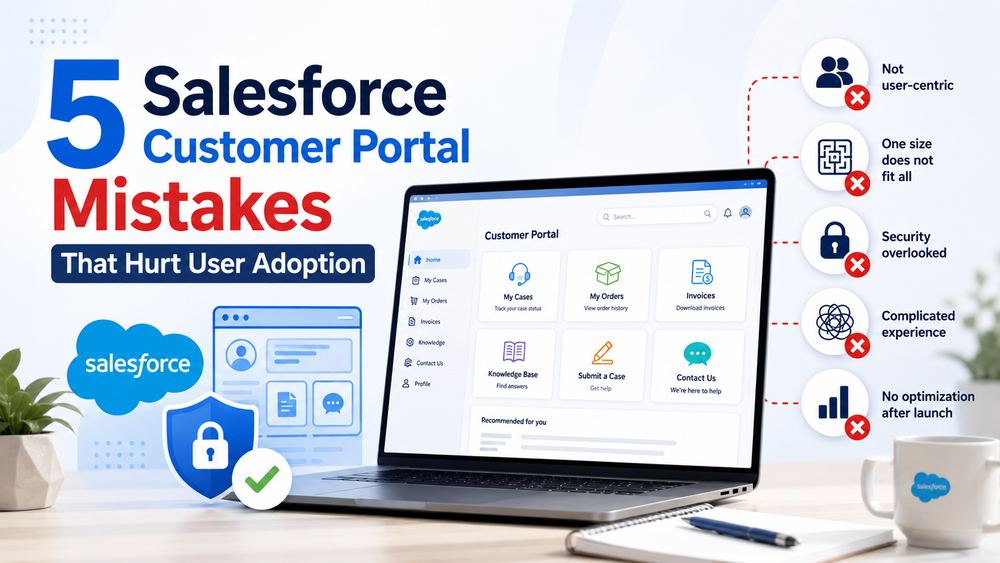
1. Designing the Portal Around Salesforce Instead of Customer Needs
One of the most common mistakes is exposing Salesforce exactly as it exists internally.
Administrators often structure portals around objects and processes they know well:
- Cases;
- Assets;
- Orders;
- Entitlements;
- Custom Objects.
While this makes sense from an implementation perspective, customers don’t think in terms of Salesforce architecture.
Customers simply want to:
- check the status of a request;
- download an invoice;
- access documentation;
- update information;
- get help quickly.
We’ve seen portals where users had to navigate through multiple layers of Salesforce terminology before completing basic actions. Unsurprisingly, adoption suffered.
How to avoid it
Start with customer goals, not objects.
Ask:
- What are the top five reasons customers contact support?
- What tasks do users perform most frequently?
- Which processes create the most friction?
Design the portal around those answers.
According to Salesforce, customer portals should empower users to resolve issues independently and efficiently.
2. Giving Every User the Same Experience
Not every portal user has the same expectations.
Yet many organizations create one experience for everyone.
A customer support portal and a partner portal should rarely look identical.
For example:
Customers may need:
- Case management;
- Knowledge articles;
- Order information.
Partners may require:
- Deal registration;
- Marketing materials;
- Pricing information.
Trial users often benefit from:
- Onboarding resources;
- Product tutorials;
- Success guides.
Showing identical content to all users creates confusion and reduces relevance.
Salesforce Experience Cloud supports audience targeting and personalized experiences that allow organizations to tailor content based on user attributes.
How to avoid it
Segment users by:
- Account type;
- Role;
- Permission Sets;
- Product ownership;
- Customer lifecycle stage.
Even small personalization improvements can dramatically improve adoption.
Trailhead offers practical examples of audience targeting
3. Making Self-Service More Complicated Than Contacting Support
Adding features isn’t always the same as delivering value.
Organizations sometimes overload portals with:
- dozens of menu options;
- duplicate pages;
- lengthy forms;
- unnecessary clicks;
- excessive content.
The result?
Customers abandon the portal and return to email or phone support.
If users need five or six clicks to complete their most common tasks, adoption usually suffers.
One of the biggest indicators of portal success is whether users can quickly find what they need.
How to avoid it
Focus on simplicity.
Ask yourself:
- Can users complete common tasks within three to four clicks?
- Is the search experience effective?
- Are forms truly necessary?
- Is navigation intuitive?
According to Salesforce’s self-service guidance, reducing customer effort is one of the main goals of digital experiences.
The best portals often aren’t the ones with the most features. They’re the ones that remove friction.
4. Ignoring Security Until the End
Security shouldn’t be an afterthought.
However, many Experience Cloud projects focus heavily on functionality and only review security shortly before launch.
This creates two problems.
Too much access
Users can see information they shouldn’t.
Too many restrictions
Users become frustrated because they can’t access the resources they actually need.
Successful Experience Cloud projects strike a balance between usability and security.
Common issues include:
- excessive permissions;
- poorly configured sharing rules;
- lack of access reviews;
- inconsistent permission management.
How to avoid it
Build security into the implementation from day one.
Best practices include:
- applying least-privilege principles;
- using Permission Sets effectively;
- reviewing sharing models regularly;
- conducting security testing;
- scheduling periodic access audits.
If your organization needs guidance defining secure Experience Cloud architecture, our Salesforce Consulting Services can help.
Trust is essential for adoption. Customers won’t use a portal they don’t feel confident using.
5. Treating Launch as the Finish Line
Perhaps the most expensive mistake is assuming adoption happens automatically after launch.
It doesn’t.
Customer expectations evolve.
Content becomes outdated.
Business processes change.
Without continuous optimization, even well-designed portals lose momentum.
Organizations should treat launch as the beginning of an ongoing improvement process.
How to avoid it
Track meaningful adoption metrics such as:
- portal login frequency;
- repeat visits;
- case deflection rate;
- search abandonment;
- knowledge article engagement;
- customer feedback.
Review these metrics regularly and ask:
- Which pages are rarely used?
- Where do users drop off?
- Which support requests could be prevented through self-service?
- What improvements would have the biggest impact?
One manufacturing organization simplified navigation and prioritized the five most common customer tasks after launch. Within months, portal engagement improved significantly because users could finally accomplish what they came to do.
Continuous improvement drives sustainable adoption.
Our Salesforce Product Support Services help organizations optimize and evolve their Salesforce solutions over time.
How Success Craft Can Help
Whether you’re launching your first Experience Cloud portal or trying to improve adoption of an existing one, Success Craft helps organizations build secure and user-friendly self-service experiences.
Our team can help you:
- define a customer-centric portal strategy;
- design scalable security models;
- personalize experiences for different audiences;
- simplify user journeys;
- integrate portals with third-party systems;
- continuously optimize portal performance after launch.
Learn more about our Salesforce Portals Development Services.
Or contact our Salesforce experts.
Conclusion
The most successful Salesforce portals aren’t necessarily the most sophisticated ones.
They’re the ones customers return to because they save time, reduce friction, and make getting help easier.
Technology alone doesn’t drive adoption.
Understanding customer needs, delivering relevant experiences, maintaining strong security, and continuously improving the experience do.
Before launching your next Experience Cloud initiative, ask yourself:
Are we building the portal our customers actually want to use?
The answer often determines whether your portal becomes a strategic asset or just another underutilized system.
What is the biggest mistake companies make when launching a Salesforce customer portal?
The biggest mistake is designing the portal around internal Salesforce processes instead of customer needs. Successful portals prioritize the tasks users actually want to complete.
How can I improve adoption of my Salesforce Experience Cloud portal?
Improve adoption by simplifying navigation, personalizing experiences, monitoring user behavior, and continuously optimizing the portal after launch.
Why do Salesforce customer portals fail?
Customer portals often fail because of poor user experience, lack of personalization, weak governance, security issues, and the assumption that launch automatically leads to adoption.
How do I know if my Salesforce customer portal is successful?
Beyond launch metrics, organizations should track login frequency, repeat usage, case deflection, search effectiveness, and customer satisfaction to evaluate long-term success.
How important is personalization in Salesforce Experience Cloud?
Personalization significantly improves user engagement by ensuring different audiences see relevant content, resources, and functionality based on their needs and roles.