

Salesforce Flow vs Apex: When to Use Each Approach
Salesforce offers multiple ways to automate business processes, but one question continues to appear in almost every implementation project:
Should we use Salesforce Flow or Apex?
As Salesforce continues investing in low-code development, Flow has become the preferred automation tool for many use cases. At the same time, Apex remains essential for complex business logic, large-scale processing, and advanced integrations.
The challenge is that many teams view Flow and Apex as competing technologies.
In reality:
The best Salesforce solutions rarely choose one over the other. They use the right tool for the right problem.
This article explains the differences between Salesforce Flow and Apex, when each approach makes sense, and how enterprise teams can build scalable automation strategies.
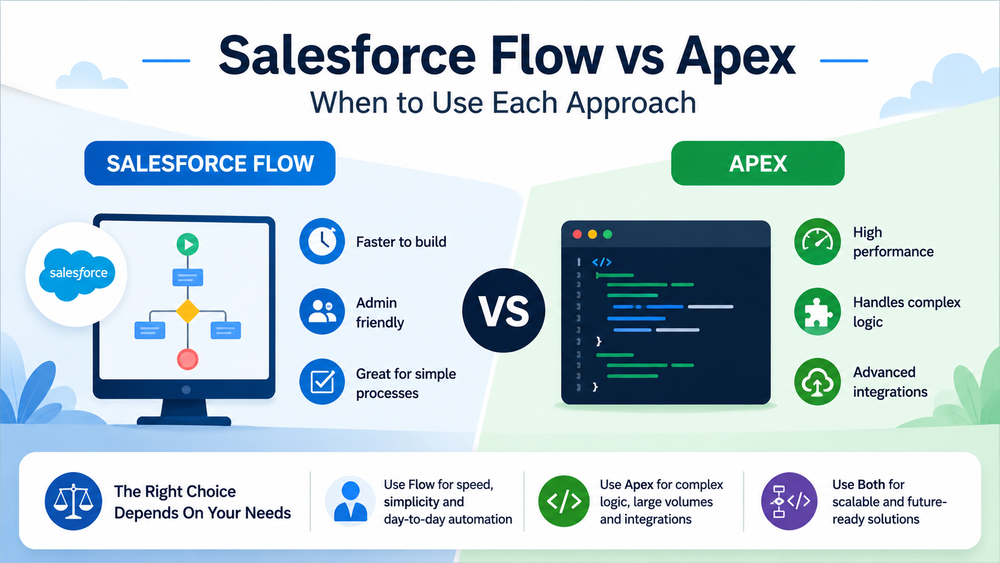
What Is Salesforce Flow?
Salesforce Flow is a declarative automation tool that allows users to automate business processes without writing code.
Official Salesforce documentation
With Flow, administrators and consultants can create automation through a visual interface instead of developing custom code.
Today, Salesforce supports several Flow types:
- Record-Triggered Flow
- Screen Flow
- Scheduled Flow
- Autolaunched Flow
- Platform Event-Triggered Flow
Flow is designed to simplify automation while reducing development effort.
Common use cases include:
- updating records;
- sending notifications;
- creating tasks;
- approval processes;
- guided user interactions;
- basic integrations.
For many business processes, Flow provides everything needed without involving developers.
Advantages of Salesforce Flow
Faster implementation
Simple automations can often be built in hours instead of days.
Lower maintenance costs
Business administrators can manage many changes without modifying code.
Visual design
The drag-and-drop interface makes automation easier to understand and document.
Strong Salesforce support
Salesforce continues investing heavily in Flow as its primary automation platform.
Because of these advantages, many organizations start automation projects with Flow first.
However, Flow is not always the best choice.
What Is Apex?
Apex is Salesforce’s proprietary programming language used to implement custom business logic.
Unlike Flow, Apex gives developers complete control over automation behavior.
Apex can be used for:
- triggers;
- custom business logic;
- integrations;
- asynchronous processing;
- batch operations;
- complex calculations;
- API interactions.
While Flow focuses on simplicity, Apex focuses on flexibility and scalability.
Common Apex Components
Triggers
Execute automatically when records are created, updated, deleted, or restored.
Apex Classes
Reusable business logic.
Batch Apex
Processes large datasets efficiently.
Queueable Apex
Handles asynchronous tasks.
Scheduled Apex
Runs jobs on a predefined schedule.
Salesforce Flow vs Apex: Key Differences
Although both tools automate business processes, they solve different problems.
| Area | Salesforce Flow | Apex |
|---|---|---|
| Development Speed | Fast | Slower |
| Coding Required | No | Yes |
| Maintenance | Easier | More Technical |
| Complex Logic | Limited | Excellent |
| Scalability | Moderate | High |
| Error Handling | Basic | Advanced |
| Integrations | Moderate | Strong |
| Large Data Volumes | Limited | Excellent |
| Admin Friendly | Yes | No |
| Testing Control | Limited | Full |
This comparison often leads teams to ask:
If Apex is more powerful, why use Flow at all?
The answer depends on the business requirement.
When Salesforce Flow Is the Better Choice
Flow works best when automation is straightforward, maintainable, and primarily managed by administrators.
Simple Record Updates
Examples:
- update lead status;
- populate fields automatically;
- assign record ownership;
- update related records.
These scenarios rarely require custom code.
Approval and Notification Processes
Flow is ideal for:
- email notifications;
- Slack notifications;
- task creation;
- approval routing;
- escalation processes.
These workflows are easy to build and maintain visually.
User-Guided Processes
Screen Flows allow organizations to create guided experiences for users.
Examples include:
- onboarding forms;
- support request processes;
- internal approval requests;
- service workflows.
In these situations, Flow often provides faster implementation than Apex.
Business-Owned Automation
One major advantage of Flow is ownership.
Many organizations want administrators to maintain automation without involving developers for every small change.
When business requirements change frequently, Flow usually offers greater agility.
Rapid Delivery Projects
When time-to-market matters, Flow can dramatically reduce development effort.
Instead of building custom classes and deployment packages, teams can often deliver solutions directly through configuration.
For this reason, many Salesforce consultants follow a simple principle:
Use Flow first unless there is a clear reason to use Apex.
When Apex Is the Better Choice
Although Flow has become increasingly powerful, there are still many situations where Apex is the superior solution.
Complex Business Logic
Some business processes involve:
- multiple objects;
- advanced calculations;
- dynamic decision trees;
- custom validation logic.
As complexity grows, Flow can become difficult to maintain.
Apex often provides a cleaner architecture for advanced requirements.
Large Data Volumes
Data volume is one of the most important factors when choosing between Flow and Apex.
For example:
- updating 10 records → Flow works well;
- updating 100 records → Flow usually works well;
- processing 100,000 records → Apex becomes the better choice.
Batch Apex and Queueable Apex are specifically designed for large-scale processing.
Advanced Integrations
Integrations frequently require:
- custom authentication;
- external APIs;
- data transformation;
- error handling;
- retry mechanisms.
While Flow supports integrations, Apex offers far more flexibility and control.
Examples include:
- ERP integrations;
- payment systems;
- middleware platforms;
- custom APIs.
In these scenarios, Apex is often the preferred option.
Advanced Error Handling
Enterprise applications require robust exception management.
Flow offers fault paths and basic error handling.
However, Apex allows developers to:
- catch exceptions;
- log failures;
- retry operations;
- create custom monitoring.
This level of control becomes important in mission-critical environments.
Asynchronous Processing
Some tasks should not run immediately.
Examples:
- mass updates;
- external API calls;
- data synchronization;
- background processing.
Apex provides multiple asynchronous options that Flow cannot fully replicate.
Common Salesforce Flow Limitations
Although Flow has evolved significantly, it still has limitations.
In fact, many organizations initially build everything with Flow and later discover that some processes become difficult to maintain.
Common challenges include:
- complex decision trees;
- large numbers of elements;
- performance issues;
- governor limits;
- difficult debugging;
- complicated integrations.
As automation grows, Flow diagrams can become harder to understand than well-structured code.
For a deeper look at these challenges, read
The key lesson is:
Just because something can be built in Flow does not mean it should be built in Flow.
How Flow and Apex Work Together
Many teams treat Flow and Apex as competing technologies.
This is often the wrong approach.
Modern Salesforce architecture frequently combines both.
Salesforce itself discusses this approach in its automation guidance
A common pattern looks like this:
Flow Handles
- user interactions;
- approvals;
- notifications;
- process orchestration;
- record updates.
Apex Handles
- complex calculations;
- integrations;
- asynchronous processing;
- large data volumes;
- advanced business logic.
This combination provides both flexibility and scalability.
Architecture Decision Framework: Flow or Apex?
When deciding between Flow and Apex, start by asking a few practical questions.
Use Flow If:
- the process is relatively simple;
- administrators will maintain it;
- implementation speed is important;
- data volumes are moderate;
- minimal custom development is required.
Examples:
- lead assignment;
- field updates;
- approval routing;
- task creation;
- email notifications.
Use Apex If:
- business logic is complex;
- integrations are involved;
- large datasets must be processed;
- advanced error handling is required;
- performance is critical.
Examples:
- ERP integrations;
- payment processing;
- custom API frameworks;
- large-scale data synchronization;
- advanced calculations.
Use Both If:
- the solution will grow over time;
- multiple systems are connected;
- business users need visibility into automation;
- enterprise scalability is important.
This hybrid approach is increasingly common in mature Salesforce environments.
Real-World Examples
Example 1: Lead Qualification
A company wants to:
- update lead status;
- assign owners;
- create follow-up tasks;
- notify sales representatives.
Recommended solution:
Salesforce Flow
The logic is straightforward and easy to maintain.
Example 2: ERP Integration
A company needs to:
- send orders to an ERP system;
- process responses;
- handle failures;
- retry failed transactions.
Recommended solution:
Apex
The integration requires flexibility, monitoring, and robust error handling.
Example 3: Customer Onboarding
A company wants to:
- guide users through onboarding;
- create records automatically;
- trigger integrations;
- calculate business-specific values.
Recommended solution:
Flow + Apex
Flow manages the user experience.
Apex handles the complex processing.
Common Mistakes When Choosing Between Flow and Apex
Mistake #1: Using Apex for Everything
Some development teams automatically choose Apex even when a simple Flow would solve the problem.
This increases:
- development time;
- maintenance effort;
- technical debt.
Mistake #2: Using Flow for Everything
The opposite mistake is becoming increasingly common.
Teams attempt to build highly complex solutions entirely with Flow.
The result is often:
- difficult maintenance;
- performance problems;
- complicated debugging.
Mistake #3: Ignoring Future Growth
A solution that works today may become a bottleneck tomorrow.
Always consider:
- expected record volume;
- future integrations;
- business growth;
- maintenance requirements.
The best architecture is scalable from the beginning.
How Success Craft Approaches Flow and Apex
At Success Craft, we rarely begin with the question:
“Should we use Flow or Apex?”
Instead, we ask:
“What is the simplest solution that remains scalable?”
Our typical approach is:
- Use Flow where declarative automation provides sufficient flexibility.
- Use Apex when complexity, integrations, or performance requirements justify custom development.
- Combine both technologies when building enterprise-grade solutions.
This strategy helps organizations avoid unnecessary complexity while maintaining long-term scalability.
Learn more about Salesforce automation and development services
Final Thoughts
The Salesforce Flow vs Apex debate often starts with the wrong question.
The goal should not be finding a single winner.
The goal should be selecting the right tool for each requirement.
Flow provides:
- speed;
- simplicity;
- administrator-friendly automation.
Apex provides:
- flexibility;
- scalability;
- advanced functionality.
The strongest Salesforce solutions use both technologies strategically.
Rather than choosing Flow or Apex, successful teams focus on building automation that is maintainable, scalable, and aligned with business needs.
Is Salesforce Flow replacing Apex?
No. Salesforce continues investing heavily in Flow, but Apex remains essential for complex logic, integrations, and large-scale processing.
When should I use Apex instead of Flow?
Use Apex when you need advanced business logic, external integrations, asynchronous processing, or better control over performance and error handling.
Is Flow easier to maintain than Apex?
In many cases, yes. Simple business processes are often easier to maintain in Flow because administrators can update them without modifying code.
Can Flow and Apex work together?
Yes. Many enterprise solutions use Flow for orchestration and user interactions while using Apex for complex processing and integrations.
What is the best automation tool in Salesforce?
There is no universal answer. The best choice depends on complexity, scalability requirements, maintenance needs, and long-term business goals.