

Salesforce Integration Best Practices: How to Build Reliable and Scalable Integrations
Salesforce integration best practices become critical as soon as a company connects CRM with billing, support, marketing, and internal systems. Very few organizations run Salesforce in isolation, and most operational issues appear not inside the CRM itself but between systems exchanging data.
Integration issues often appear long after implementation, when business processes become dependent on consistent data across systems rather than individual features.
Incorrect integrations typically lead to:
- slow record pages
- duplicate contacts
- incorrect reporting
- broken automation
- validation errors
- inconsistent financial data
These are rarely bugs — they are architectural consequences.
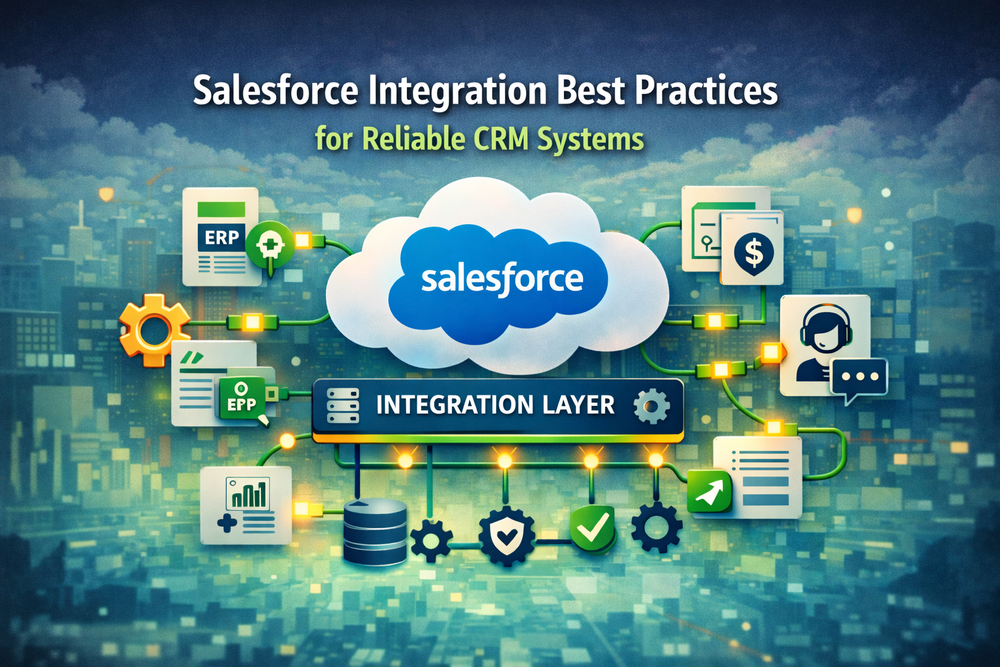
Salesforce integrations must be designed as part of an overall system architecture, not as technical connectivity. The platform itself enforces architectural constraints described in the Salesforce governor limits documentation.
Why Salesforce Integration Best Practices Are Often Ignored
Most integration failures are predictable. They happen when integration is treated as development instead of system design.
Salesforce Integration Architecture vs Using Salesforce as a Database
Companies often try to centralize all operational data in Salesforce.
Initially reporting improves, but over time Salesforce becomes responsible for product, billing, analytics and communication simultaneously.
This creates:
- record locks
- automation conflicts
- long transactions
- random failures
The platform orchestrates workflows — it is not designed to operate as an unlimited transactional database.
Real-Time Salesforce Integration vs Asynchronous Integration
Real-time integrations connect user actions to network stability.
A slow external API can block saving an opportunity.
Near-real-time architectures are usually more reliable because they separate user interaction from communication between systems.
Data Ownership in Salesforce Integration Architecture
The most common long-term failure:
multiple systems update the same entity.
CRM updates email
Billing updates email
Marketing updates email
Eventually nobody trusts the data.
Understanding these problems is the foundation of salesforce integration best practices — defining authority before connectivity.
Salesforce Limits in Integration Architecture
Salesforce enforces execution limits to maintain platform stability.
Sandbox success does not guarantee production success because volume patterns differ:
- imports
- peak hours
- integrations
- automation
Reliable integrations are designed for peak load, not average load.
Salesforce Integration Best Practices: Choosing the Right Pattern
The integration pattern determines long-term maintenance cost more than code quality.
Direct Salesforce Integration via API
Fast to build but operationally fragile.
Downtime propagates instantly between systems.
Batch Salesforce Data Integration
Highly reliable and easier to recover.
Most business processes do not require millisecond accuracy.
Event-Driven Salesforce Integration Architecture
Systems publish state changes instead of requesting data.
This approach follows modern distributed system principles used in scalable systems:
event-driven architecture patterns
Middleware in Salesforce Integration Architecture
Provides buffering, retries and monitoring.
Usually introduced after incidents, although cheaper to design early.
Core Salesforce Integration Best Practices
Define System of Record in Salesforce Integration
Every data entity must have a single owner:
- CRM — relationships and pipeline data
- ERP — invoices, payments, financial status
- Product platform — usage and activity data
Without a clearly defined system of record, integrations begin overwriting each other.
This leads to conflicts where automation behaves differently depending on which system updated the record last. Over time, teams lose trust in reporting because the same customer appears to have multiple states simultaneously.
Separate User Experience From Data Transfer
Preferred architecture:
- User action is saved in Salesforce
- Salesforce records intent
- Background processing communicates with external systems
Instead of blocking user operations with external calls, the system confirms the action immediately and completes synchronization asynchronously.
This approach ensures that user productivity does not depend on API latency, network reliability, or temporary downtime of connected systems.
Design for Failure
Reliable integrations include:
- retries
- queues
- replay
- reconciliation
If humans fix data manually, architecture is incomplete.
Move Only Changes
Use incremental synchronization instead of full replication:
- timestamps
- delta sync
- events
Monitoring in Salesforce Integration Best Practices
Monitoring is often added only after the first production incident.
However, integration reliability depends less on preventing failures and more on detecting them early and reacting predictably.
In distributed systems, silent failures are more dangerous than visible ones.
A request that fails immediately is usually fixed quickly. A request that fails quietly may corrupt data for days before anyone notices.
Typical examples include:
- invoices created without line items
- opportunities marked as paid but not invoiced
- contacts partially synchronized
- automation triggered on outdated status
These problems rarely break the system instantly. Instead, they gradually reduce trust in CRM data.
Salesforce integration best practices treat monitoring as part of the architecture, not an operational add-on.
Effective monitoring answers three different questions:
1. Did the message leave Salesforce?
Ensures outbound events and API calls are executed.
2. Was the message processed by the external system?
Confirms the receiving system accepted and applied the change.
3. Did business state actually change?
Verifies the expected business outcome, not just technical success.
Without the third level, integrations may appear healthy while business processes silently diverge.
Reliable implementations therefore include:
- delivery tracking
- retries with backoff
- dead-letter queues
- reconciliation jobs
- alert thresholds based on business metrics
The goal of monitoring is not only notifying engineers.
It allows operations teams to trust that failures are contained and recoverable.
In mature environments, monitoring dashboards become operational tools.
Support teams check integration status before investigating user issues, and finance teams rely on reconciliation reports instead of manual validation.
Following Salesforce integration best practices means designing integrations that are observable — because systems that cannot be observed cannot be operated reliably.
Salesforce Integration Best Practices in Real Architectures
CRM + Accounting
The financial system remains the source of truth for monetary state.
Salesforce reflects invoice status but does not calculate or control it.
Typical integration synchronizes:
- invoice status
- payment confirmation
- credit balance
This prevents sales users from modifying financial records while still giving them visibility.
CRM + Marketing
Marketing platforms require behavioral signals rather than full database replication.
Instead of syncing entire customer records, integrations usually transfer:
- lifecycle stage
- subscription status
- engagement events
This keeps marketing automation responsive without overloading the CRM.
CRM + Product
Product platforms generate high-volume activity data that should not be stored directly in Salesforce.
Instead, the integration typically provides:
- summarized usage metrics
- activation status
- onboarding completion
Salesforce stores business meaning, while the product system stores operational detail.
Salesforce Integration Best Practices for Middleware Usage
Middleware becomes necessary when:
- multiple integrations exist
- downtime affects operations
- transformations increase
- data volume grows
Companies usually introduce middleware after failures in direct communication between systems like Salesforce Slack integration
Integration becomes infrastructure.
Salesforce Integration Best Practices in Project Delivery
Stable integration delivery follows:
- process analysis
- ownership definition
- interaction design
- failure modeling
- implementation
- monitoring
Skipping architecture leads to rebuilding later.
Applying Salesforce Integration Best Practices in Real Projects
In many organizations integrations start as technical tasks — connecting systems one by one.
Initially they work because usage is limited.
Problems appear later when business depends on reliability rather than connectivity.
Typical symptoms companies experience:
- nightly sync jobs failing
- departments seeing different customer data
- finance reconciling records manually
- intermittent save errors
- performance degradation
These issues usually come from missing architectural boundaries rather than incorrect code.
Continuous Architecture Ownership
Reliable integration environments require ongoing decisions:
- who owns business entities
- behavior during downtime
- correction propagation
- load absorption
Success Craft works with clients as an engineering extension responsible for maintaining integration architecture as systems evolve.
Architectural Approach
Projects start from operational behavior rather than APIs:
- map processes across systems
- identify authoritative sources
- define allowed change direction
- introduce asynchronous boundaries
- design monitoring
Implementation follows architecture definition.
Operating Integrations After Go-Live
As companies grow:
- workflows change
- volume increases
- systems expand
Integrations degrade without supervision even if code does not change.
Success Craft helps maintain predictable behavior by continuously adjusting synchronization strategies and monitoring operational health.
Reliable integrations allow departments to trust data — sales trusts pipeline, finance trusts invoices, support trusts status.
Discuss your integration architecture with a Salesforce architect → Contact Success Craft
Conclusion
Salesforce rarely fails because of missing features.
It fails when multiple systems begin depending on each other without clear communication rules.
At early stages integrations appear simple — connect systems, exchange data, automate workflows.
However, as the organization grows, the role of integration changes. It becomes the foundation of operational reliability rather than a technical convenience.
Most long-term CRM problems are not caused by incorrect configuration or platform limitations.
They emerge from architectural decisions made when systems were smaller: real-time dependencies, undefined ownership of data, and uncontrolled synchronization.
Following salesforce integration best practices means designing how systems behave under stress — not only how they behave when everything works normally.
A well-designed integration architecture ensures that:
- users can continue working even if external systems slow down
- financial and operational data remain consistent
- automation behaves predictably
- scaling the business does not require rebuilding the CRM
Organizations that invest in integration architecture early gain stability as they grow.
Those that delay it often spend significantly more effort correcting inconsistencies than implementing new functionality.
Salesforce becomes a reliable operational platform only when integrations are treated as part of system design, continuously maintained and adapted to business changes — not as one-time technical connections.
What are Salesforce integration best practices?
Salesforce integration best practices define how systems exchange data reliably while maintaining performance and consistency. They include defining a system of record, using asynchronous communication, implementing monitoring, and preventing uncontrolled bidirectional updates so departments can trust shared data.
Do all Salesforce integrations require middleware?
Not always. Small integrations between two systems with low data volume can work with direct APIs. Middleware becomes necessary when reliability, transformation, or multiple dependencies appear, acting as a protective operational boundary.
Why do Salesforce integrations create duplicate records?
Duplicates typically appear when several systems update the same entity without ownership rules. The long-term solution is defining which system controls specific fields and restricting synchronization direction.
Can Salesforce handle real-time integrations at scale?
Salesforce supports real-time operations but not unlimited synchronous processing. Most scalable architectures rely on near-real-time or event-driven processing.
How do API limits affect reliability?
When API limits are exceeded, operations fail and systems diverge. Architectures that batch requests and buffer spikes remain stable under load.