

Node.js Security Best Practices: How to Secure a Backend Application
Node.js applications often sit at the center of modern digital products. They process API requests, authenticate users, communicate with databases, receive webhooks, connect third-party services, and handle sensitive business data.
This position also makes the backend an attractive target for attackers.
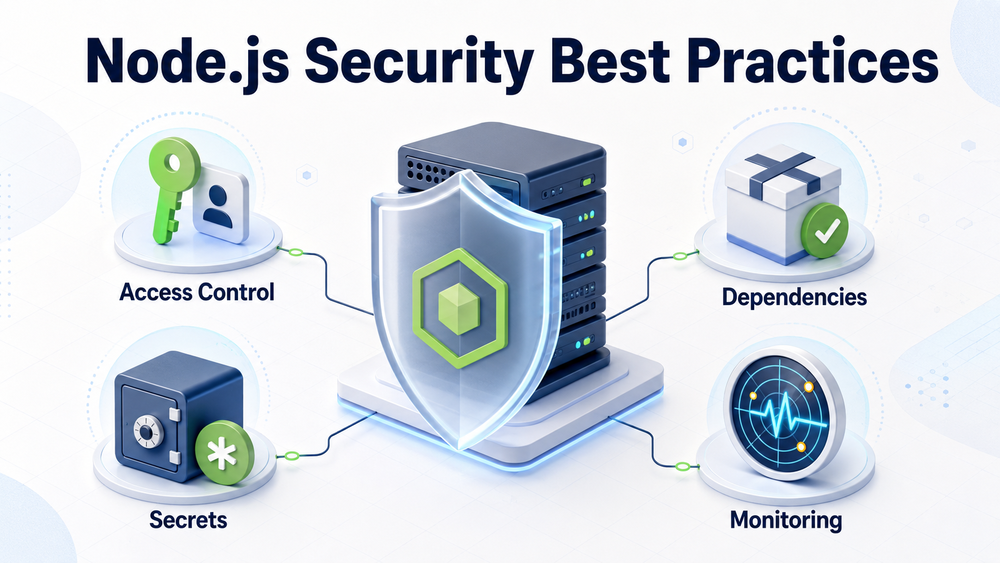
Following Node.js security best practices requires more than installing security middleware or running npm audit before deployment. A production-ready security strategy must cover application code, API design, dependencies, access control, secrets, external integrations, infrastructure, monitoring, and incident response.
Security should therefore be treated as an architectural requirement rather than a final checklist completed shortly before launch.
This guide explains how to secure a Node.js backend application, which risks require the most attention, and what development teams should build into their production workflows.
Why Node.js Backend Security Requires a Layered Approach
Node.js is an asynchronous, event-driven JavaScript runtime commonly used for APIs, integrations, SaaS platforms, real-time applications, and microservices.
If you need a closer explanation of the runtime, event loop, and non-blocking I/O, read our guide to what Node.js is and how it works.
Node.js provides the runtime capabilities, but application security depends on the complete system around it:
- application code;
- frameworks and middleware;
- npm packages;
- authentication providers;
- databases;
- third-party APIs;
- cloud infrastructure;
- CI/CD pipelines;
- logging and monitoring;
- operational processes.
A vulnerability in any of these areas can affect the entire backend.
For example, an application may use HTTPS and strong authentication but still expose another customer’s records because object-level authorization is missing. A backend may validate every incoming request but remain vulnerable because a compromised dependency executes during installation. A secure access token may still be exposed if the application writes it to production logs.
Effective Node.js security is therefore based on defense in depth. Each layer should reduce either the probability of a compromise or the damage an attacker can cause.
Node.js Security Priorities
Not every security issue has the same potential impact. Teams should prioritize controls based on the application’s data, architecture, users, and external integrations.
| Risk | What to check | Priority |
|---|---|---|
| Broken authorization | Object, function, tenant, and administrator access | Critical |
| Exposed credentials | Repositories, logs, CI/CD, builds, and backups | Critical |
| Injection and unsafe input | Request validation, database queries, files, and object properties | Critical |
| Vulnerable dependencies | Package review, audit results, provenance, and updates | High |
| Resource exhaustion | Rate, size, timeout, memory, and concurrency limits | High |
| SSRF and unsafe outbound requests | URL validation, destinations, redirects, and private networks | High |
| Information leakage | Error responses, logs, debug endpoints, and headers | High |
| Missing monitoring | Security events, alerts, escalation, and incident response | High |
This table is not a universal ranking. A payment platform, internal integration service, public SaaS API, and healthcare application will have different threat models.
1. Start with a Threat Model
Before selecting security libraries, teams should understand what they are protecting and how the application could be attacked.
A practical threat model should identify:
- sensitive data handled by the backend;
- users, administrators, services, and external systems;
- public and private API endpoints;
- trust boundaries;
- authentication and authorization flows;
- third-party integrations;
- privileged operations;
- potential abuse scenarios;
- expected consequences of a compromise.
Consider a Node.js service that receives a request to retrieve an invoice:
GET /api/invoices/5842Authentication answers one question:
Who is making this request?
Authorization must answer another:
Is this user allowed to access invoice 5842?
If the backend verifies only that the user is authenticated, an attacker may change the identifier and access another customer’s invoice.
The OWASP API Security Top 10 identifies broken object-level authorization, broken authentication, unrestricted resource consumption, server-side request forgery, security misconfiguration, and unsafe consumption of third-party APIs among the major risks affecting APIs.
A threat model helps teams connect those general risks to the application’s actual data and business processes.
2. Validate and Normalize Every External Input
A backend should treat all external data as untrusted.
This includes:
- URL parameters;
- query strings;
- JSON request bodies;
- HTTP headers;
- cookies;
- uploaded files;
- webhook payloads;
- data received from external APIs;
- message queue events;
- environment variables;
- imported documents.
Validation should happen at the boundary of the application, before input reaches business logic or database operations.
A validation schema should define:
- expected data type;
- required and optional fields;
- permitted values;
- maximum and minimum lengths;
- numeric ranges;
- accepted formats;
- whether unknown properties are allowed.
For example, an API accepting a user profile update should not automatically pass the entire request body to the database:
await users.update(req.body);An attacker could include fields the interface was never intended to expose:
{
  "name": "John",
  "role": "admin",
  "accountStatus": "approved"
}
A safer approach is to validate the request and explicitly select fields that the operation is permitted to change.
Input validation reduces the risk of:
- SQL and NoSQL injection;
- command injection;
- path traversal;
- cross-site scripting;
- mass assignment;
- malformed payloads;
- resource exhaustion.
Validation should be combined with parameterized database queries and context-appropriate output encoding. A validation library cannot compensate for unsafe query construction or incorrect rendering.
Prevent Prototype Pollution
Node.js applications should also protect against prototype pollution.
This vulnerability can occur when untrusted object properties modify Object.prototype or another shared prototype. Unsafe recursive merges and dynamic property assignments may allow special keys such as:
__proto__;prototype;constructor.
Possible protections include:
- rejecting dangerous property names;
- disallowing unknown properties;
- avoiding unsafe merge utilities;
- updating vulnerable dependencies;
- creating dictionary objects without a prototype where appropriate;
- explicitly mapping permitted fields.
Schema validation is valuable, but teams should also examine how validated objects are merged, transformed, and passed between application components.
3. Separate Authentication from Authorization
Authentication confirms an identity. Authorization determines what that identity may do.
These controls should be designed separately.
A secure authentication implementation may use:
- server-side sessions;
- short-lived access tokens;
- refresh tokens;
- OAuth 2.0;
- OpenID Connect;
- an external identity provider.
The appropriate model depends on the product, client applications, user population, regulatory requirements, and integration architecture.
Regardless of the mechanism, teams should:
- use established authentication libraries and providers;
- hash passwords with an appropriate password-hashing algorithm;
- never store plaintext passwords;
- protect login and token endpoints against brute-force attacks;
- rotate and revoke credentials;
- invalidate server-side sessions after logout;
- use short-lived access tokens;
- implement multi-factor authentication where appropriate;
- avoid exposing tokens in URLs or logs.
Authorization should then be enforced on every protected operation.
Do not rely only on frontend controls such as hidden buttons or disabled menu options. Attackers can call backend endpoints directly.
Authorization checks should consider:
- user identity;
- role;
- permissions;
- tenant or organization;
- resource ownership;
- operation;
- resource state;
- business rules.
A multi-tenant system should verify the tenant boundary when reading, updating, or deleting every tenant-owned object.
Access should be denied by default and granted explicitly. Authorization must be checked at both the function and object levels rather than assuming authentication is sufficient.
4. Protect Tokens, Cookies, Sessions, and Browser Requests
Authentication credentials are valuable targets. If an attacker obtains a valid session or access token, the backend may treat malicious requests as legitimate.
Session cookies should normally use:
HttpOnlyto prevent client-side scripts from reading them;Secureso they are sent only over HTTPS;- an appropriate
SameSitepolicy; - a limited lifetime;
- a narrow domain and path.
Session identifiers should be regenerated after authentication or privilege changes to reduce session fixation risk.
If the application uses JWTs, teams should validate:
- signature;
- permitted algorithm;
- issuer;
- audience;
- expiration;
- not-before time;
- expected token type.
Do not use token payloads as trusted authorization data without verifying the token and, where necessary, checking the current state of the user or account.
Long-lived tokens increase the period in which stolen credentials remain useful. Refresh-token rotation, server-side revocation, and token reuse detection can reduce this risk.
Add CSRF Protection Where Required
Applications that use cookies for authentication must consider cross-site request forgery.
Depending on the architecture, protection may include:
- CSRF tokens;
SameSitecookies;- Origin or Referer validation;
- restrictions on state-changing HTTP methods;
- reauthentication for sensitive operations.
SameSite is a useful security layer, but it should not automatically be treated as a complete replacement for CSRF protection in every application.
Configure CORS Deliberately
Cross-Origin Resource Sharing controls whether browsers allow frontend code from one origin to access resources from another.
CORS is not an authentication or authorization mechanism.
A restrictive CORS configuration does not prevent non-browser clients from calling an API. The backend must still authenticate requests and enforce permissions.
Allowed origins, methods, headers, and credential behavior should reflect the actual application architecture. Avoid using unrestricted origins together with credentials.
5. Control npm Dependency and Supply Chain Risk
The npm ecosystem is one of Node.js’s greatest strengths, but every dependency expands the application’s attack surface.
A package may introduce risk through:
- known vulnerabilities;
- malicious installation scripts;
- compromised maintainer accounts;
- dependency confusion;
- typosquatting;
- abandoned packages;
- unexpected transitive dependencies;
- vulnerable development tooling.
Before adding a package, evaluate:
- whether the dependency is actually necessary;
- its maintenance activity;
- release history;
- number and quality of maintainers;
- dependency tree;
- security history;
- package provenance;
- whether a smaller or built-in alternative exists.
The official npm documentation recommends using npm audit to identify known vulnerabilities in direct and transitive dependencies.
However, npm audit should not be treated as a complete security guarantee. It can identify reported vulnerabilities, but it cannot determine whether every package is trustworthy or whether a vulnerability is exploitable in the application’s specific architecture.
Production workflows should also include:
- dependency lockfiles;
- reproducible installations with
npm ci; - automated dependency scanning;
- controlled dependency updates;
- review of major version changes;
- removal of unused packages;
- separation of production and development dependencies;
- security checks in CI/CD;
- monitoring for newly disclosed vulnerabilities.
Avoid applying npm audit fix --force automatically in production pipelines without reviewing the resulting changes. Forced upgrades may introduce breaking changes or unexpected behavior.
For packages published by the organization, trusted publishing with OIDC can reduce reliance on long-lived npm publishing tokens.
6. Keep Secrets Out of Source Code
Database passwords, API keys, signing keys, encryption keys, OAuth client secrets, and service credentials should never be committed to the repository.
Removing a secret from the latest commit does not guarantee that it has disappeared. It may remain in:
- Git history;
- forks;
- build artifacts;
- caches;
- logs;
- developer machines;
- backups.
Production secrets should be stored in a dedicated secrets-management system or a secure environment-specific configuration mechanism.
Teams should:
- use different credentials for development, testing, and production;
- grant only the permissions each service requires;
- rotate credentials regularly;
- rotate them immediately after suspected exposure;
- record secret access;
- avoid placing secrets in command-line arguments;
- prevent secrets from appearing in logs or error messages;
- scan repositories and build artifacts for exposed credentials.
Environment variables may be suitable as a delivery mechanism, but they do not solve the entire secrets-management problem. Teams must still control how values are created, stored, accessed, rotated, and audited.
Whenever possible, use short-lived credentials or workload identity instead of permanent static secrets.
7. Apply the Principle of Least Privilege
A Node.js process should have access only to the resources required for its function.
This principle applies to:
- operating-system users;
- file-system permissions;
- databases;
- cloud roles;
- message queues;
- storage buckets;
- external APIs;
- network access;
- administrative operations.
A backend that only reads from a storage location should not have write or deletion permissions. A reporting service should not use the same database credentials as an administrative migration tool.
Modern Node.js versions provide a Permission Model that can restrict access to capabilities such as file-system operations, child processes, worker threads, native addons, and other resources.
The Permission Model can help reduce the potential impact of mistakes in trusted application code. However, it is not designed to serve as a complete security boundary against an intentionally malicious or already compromised process.
It should be used as an additional security layer, not as a substitute for:
- container isolation;
- operating-system permissions;
- cloud IAM;
- network policies;
- secure application code;
- dependency controls.
The Node.js process should also run as a dedicated non-root operating-system user whenever possible.
8. Secure HTTP, TLS, Headers, and Proxy Configuration
Production traffic should use HTTPS. Sensitive information should not travel over unencrypted HTTP.
TLS is normally terminated by a load balancer, reverse proxy, API gateway, or the Node.js application itself.
Whichever architecture is used, teams should confirm that:
- HTTP is redirected to HTTPS;
- certificates are valid and renewed automatically;
- insecure protocol versions are disabled;
- internal service communication is protected where required;
- proxy headers cannot be forged by untrusted clients.
Express applications require particular care when configuring trust proxy. If the setting does not match the real proxy topology, the application may trust attacker-controlled forwarding headers.
Production applications should also use appropriate HTTP security headers. Depending on the product, these may include:
- Content Security Policy;
- HTTP Strict Transport Security;
X-Content-Type-Options;- frame protection;
- referrer policy;
- permissions policy.
Middleware can simplify header configuration, but teams still need to understand what each header does and how it affects the application.
The official Express production security guide also recommends TLS, input validation, secure cookies, protection against brute-force attacks, and reducing framework fingerprinting.
9. Secure Outbound Requests and Third-Party APIs
Node.js is frequently used as an integration layer between business systems. A backend may communicate with CRMs, payment services, ERPs, cloud platforms, and third-party SaaS applications.
Outbound connections create their own security risks.
Prevent Server-Side Request Forgery
Server-side request forgery can occur when an application retrieves a URL influenced by the user without validating the destination.
An attacker may attempt to make the backend access:
- internal services;
- localhost;
- private network addresses;
- cloud metadata endpoints;
- administrative interfaces;
- unexpected protocols;
- attacker-controlled redirect destinations.
Protection should include:
- allowlisting permitted domains where possible;
- restricting protocols;
- resolving and validating destination addresses;
- blocking private, loopback, and link-local networks when not required;
- validating every redirect destination;
- limiting redirects;
- setting connection and response timeouts;
- limiting response size;
- controlling outbound network access at the infrastructure level.
String checks alone may be insufficient because redirects, DNS changes, alternative IP representations, and URL parsing differences can bypass simplistic validation.
Validate Third-Party Responses
Applications often trust data from established external services more than user input. That trust can be dangerous.
Third-party responses should be validated before they:
- update database records;
- determine prices;
- change permissions;
- trigger payments;
- create users;
- affect business workflows.
Teams should also verify:
- webhook signatures;
- timestamps;
- replay protection;
- expected content types;
- response schemas;
- idempotency;
- retry behavior.
A trusted integration can still return malformed data, become compromised, or change its API contract.
10. Add Rate Limits and Resource Boundaries
Attackers do not always need to bypass authentication. They may attempt to exhaust application resources until legitimate users can no longer access the service.
Potential targets include:
- login endpoints;
- password-reset flows;
- search functions;
- file uploads;
- expensive reports;
- data exports;
- AI-powered operations;
- webhook receivers;
- GraphQL queries;
- external API calls.
Rate limiting should reflect the cost and risk of each operation rather than applying one universal limit to the entire application.
A login endpoint may need restrictions by account and IP address. An expensive report endpoint may need limits by organization. A public webhook receiver may require signature verification, payload limits, replay protection, and queue-based processing.
Teams should also configure:
- maximum request size;
- upload size and file type limits;
- request timeouts;
- database query timeouts;
- maximum pagination size;
- concurrency limits;
- queue depth limits;
- external API timeouts;
- retry limits;
- circuit breakers where appropriate.
In distributed environments, rate-limit state may need to be shared across application instances rather than stored only in one process.
These controls protect availability and reduce the risk of unrestricted resource consumption.
11. Avoid Blocking the Event Loop
The Node.js event loop allows a backend to coordinate many concurrent I/O operations. Blocking it with expensive synchronous work can delay every request handled by that process.
This becomes a security issue when an attacker can intentionally trigger costly work using carefully constructed input.
Potential causes include:
- synchronous file-system operations;
- expensive regular expressions;
- processing very large JSON payloads;
- unbounded loops;
- computationally expensive encryption;
- large data transformations;
- vulnerable parsing libraries;
- excessive serialization.
Applications should place strict boundaries on input size and computational cost.
CPU-intensive work may need to be moved to:
- Worker Threads;
- separate processes;
- background queues;
- dedicated compute services.
Load testing should include malicious or unusually expensive inputs, not only expected user traffic.
12. Handle Errors, Logging, Monitoring, and Incidents Safely
Detailed errors are useful during development but dangerous in public production responses.
A client should not receive:
- stack traces;
- database queries;
- internal file paths;
- environment variables;
- library versions;
- credentials;
- access tokens;
- infrastructure details.
Production APIs should return consistent error responses with enough information for the client to understand the result without exposing internal implementation details.
For example:
{
  "error": {
    "code": "ACCESS_DENIED",
    "message": "You do not have permission to access this resource.",
    "requestId": "req_7f29b"
  }
}
The backend can record the detailed exception internally using the request identifier for correlation.
Logs should capture events such as:
- repeated authentication failures;
- authorization denials;
- administrator actions;
- credential changes;
- suspicious input;
- rate-limit violations;
- dependency or configuration failures;
- unexpected outbound requests;
- changes to sensitive records.
At the same time, logs should not contain:
- passwords;
- session identifiers;
- complete access tokens;
- refresh tokens;
- secret keys;
- payment details;
- unnecessary personal data.
Security tests should include:
- authentication tests;
- object-level authorization tests;
- role and permission tests;
- tenant-isolation tests;
- input-validation tests;
- rate-limit tests;
- SSRF tests;
- file-upload tests;
- negative API scenarios;
- dependency scanning;
- static analysis;
- dynamic security testing where appropriate.
Monitoring should establish expected behavior and alert teams to meaningful anomalies. A sudden increase in failed logins, error rates, outbound traffic, memory use, or access to sensitive endpoints may indicate an attack or compromise.
An incident-response plan should define:
- who receives alerts;
- how incidents are classified;
- how credentials are revoked;
- how affected services are isolated;
- how evidence is preserved;
- how customers are informed;
- how systems are restored;
- how the root cause is reviewed.
Monitoring without an operational response process creates visibility but not protection.
What Success Craft Checks First in a Node.js Security Review
A practical security review should begin with the architecture and highest-impact business risks rather than a generic list of middleware packages.
Success Craft starts with questions such as:
- Which endpoints expose customer, tenant, financial, or administrative data?
- Where are authentication and authorization enforced?
- Are object ownership and tenant boundaries verified?
- Which external systems can the application call?
- Can user-controlled input influence an outbound request?
- Which credentials can each service access?
- Are webhook signatures, timestamps, and replay protections verified?
- What happens when a database or external API becomes unavailable?
- Can one expensive request affect other users?
- Which security events are recorded and monitored?
For integration-heavy backends, the review should also cover:
- outbound destination controls;
- third-party response validation;
- credential scopes;
- webhook authenticity;
- idempotency;
- duplicate operations;
- retry behavior;
- sensitive data exchanged between systems.
This approach connects security controls to actual data flows and business operations.
Node.js Security Checklist for Production
Before releasing a Node.js backend, verify that:
- external input is validated at every application boundary;
- database operations use safe, parameterized queries;
- unsafe object properties are rejected;
- authentication uses proven libraries or identity providers;
- authorization protects every sensitive object and operation;
- tenant boundaries are tested;
- tokens and cookies use secure settings;
- CSRF protection is implemented where required;
- CORS reflects the actual browser architecture;
- dependencies are reviewed, locked, scanned, and updated;
- production secrets are stored outside the repository;
- services use least-privilege permissions;
- the Node.js process runs as a non-root user;
- outbound requests use destination controls and timeouts;
- third-party responses are validated;
- webhook signatures and replay protections are checked;
- HTTPS is enforced;
- proxy configuration matches the real infrastructure;
- security headers are configured;
- request size, time, and concurrency limits are defined;
- expensive work cannot block the event loop indefinitely;
- production errors do not expose internal details;
- sensitive data is excluded from logs;
- security tests run in CI/CD;
- production monitoring and alerts are active;
- credential rotation and incident-response procedures are documented.
A checklist is useful, but it should not become a substitute for threat modeling and architecture review. Two Node.js applications can use the same framework and still require very different security controls.
Node.js Backend Security with Success Craft
Production security begins with understanding the application’s data, users, integrations, and operating environment.
Success Craft evaluates Node.js security across the complete backend lifecycle:
- architecture and threat modeling;
- API design;
- authentication and authorization;
- integration security;
- dependency governance;
- development and code review;
- automated testing;
- infrastructure configuration;
- deployment;
- monitoring and ongoing support.
For API architecture, validation, error handling, testing, and production considerations, explore our Node.js REST API development guide.
Technology selection also affects the available security ecosystem and operating model. Our Node.js vs Python for backend development comparison examines those broader architectural trade-offs.
Conclusion
Node.js security best practices are most effective when they are applied as part of the architecture rather than added shortly before deployment.
Input validation, authentication, authorization, dependency scanning, and secure headers are important, but they protect only part of the system.
A production-ready backend also needs:
- controlled privileges;
- protected secrets;
- secure outbound requests;
- validated third-party data;
- resource limits;
- safe error handling;
- security-focused testing;
- actionable monitoring;
- an incident-response process.
The objective is not to claim that an application can never be compromised. The objective is to reduce the likelihood of an incident, detect suspicious activity quickly, restrict the potential impact, and recover safely.
Teams that apply Node.js security best practices throughout development and operations can build backend systems that are more resilient, easier to maintain, and better prepared for evolving threats.
What are the most important Node.js security best practices?
The most important practices include validating external input, enforcing authentication and authorization, protecting secrets, reviewing npm dependencies, using least-privilege access, securing outbound requests, configuring HTTPS and secure headers, limiting resource consumption, and monitoring production activity.
Is Node.js secure for backend development?
Node.js can be used to build secure backend applications, but security depends on application architecture, code, dependencies, infrastructure, configuration, and operational practices. Using Node.js does not automatically make an application secure or insecure.
How can I secure a Node.js REST API?
Validate every request, use established authentication mechanisms, enforce object- and function-level authorization, protect tokens, use parameterized database queries, configure HTTPS, apply rate limits, limit payload sizes, control outbound requests, and avoid returning sensitive error details.
How can I secure a Node.js REST API?
Validate every request, use established authentication mechanisms, enforce object- and function-level authorization, protect tokens, use parameterized database queries, configure HTTPS, apply rate limits, limit payload sizes, control outbound requests, and avoid returning sensitive error details.
Get in touch to
grow your business
Success Craft is a team of more than 140+ Salesforce developers,
Technical Architects and QA Engineers who delivered 300+ successful
Salesforce projects.
Location
Wałowa 40/89Gdansk, 80-858
Poland