

How to Audit Salesforce Connected Apps After Security Changes
Salesforce security changes around Connected Apps, OAuth governance, and delegated access introduced a new reality for enterprise teams:
Integrations can no longer be treated as “set it and forget it.”
For years, many organizations connected marketing platforms, middleware, customer portals, analytics systems, and internal applications to Salesforce with little ongoing review. Integrations quietly exchanged data while teams focused on operations and delivery.
However, recent Salesforce security changes around connected apps and OAuth governance introduced a clear message:
Trusted integrations require governance.
Today, the biggest Salesforce risk for many organizations is no longer simply weak passwords or missing MFA.
It is:
Unmanaged trust.
This guide explains how to audit Salesforce connected apps after Salesforce security changes, what to review, where to look inside Salesforce, and how enterprise teams can reduce OAuth-related risk without disrupting business operations.
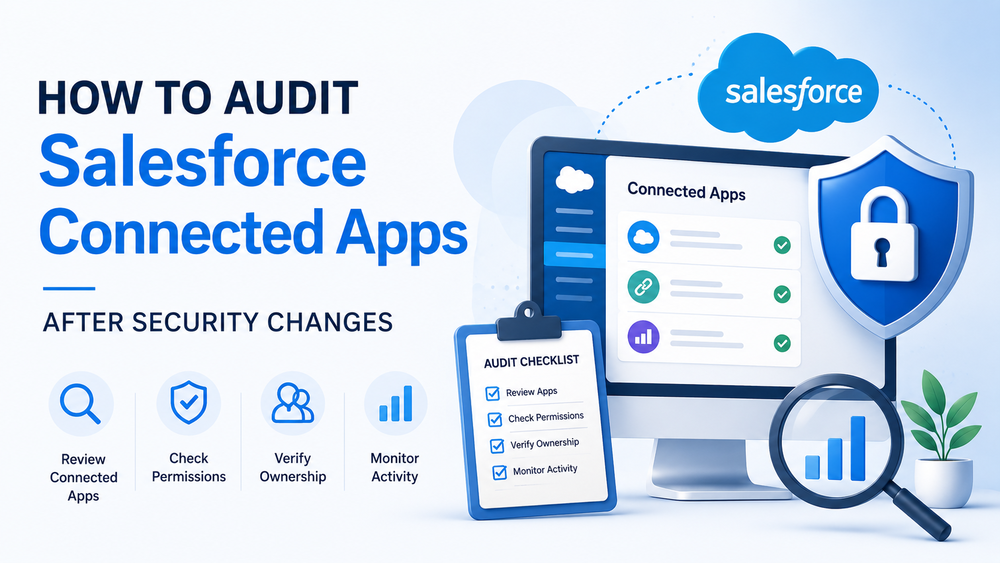
Why Connected App Audits Matter After Salesforce Security Changes
Salesforce tightened security expectations following growing concerns around:
- malicious OAuth approvals;
- social engineering;
- fake Salesforce tooling;
- risky delegated access;
- weak visibility into third-party integrations.
Official Salesforce guidance:
Connected Apps Security Updates
The important shift is this:
Salesforce security increasingly depends on governance, visibility, and trust management.
Many organizations already have integrations that:
- nobody owns;
- nobody reviews;
- still hold broad permissions;
- continue accessing Salesforce years after implementation.
A connected app audit helps answer a simple enterprise question:
Who currently has trusted access to Salesforce — and why?
Step 1: Review Connected Apps OAuth Usage
The first place to start is:
Setup → Connected Apps OAuth Usage
This view helps teams understand:
- which connected apps are active;
- who authorized access;
- what integrations currently interact with Salesforce;
- which OAuth access relationships exist.
Official Salesforce documentation:
Manage OAuth Access Policies for Connected Apps
At this stage, ask:
- Do we recognize this application?
- Does the integration still support an active business process?
- Who owns this integration?
- Was access approved intentionally?
A common enterprise problem is discovering integrations nobody remembers implementing.
For example:
A marketing automation platform connected three years ago still retains broad CRM access even though the business barely uses it.
Or a middleware integration deployed during a migration quietly remains active years later with OAuth access nobody reviews.
Stale integrations often become hidden security risks.
Step 2: Review Connected Apps and Ownership Policies
Next, go to:
Setup → App Manager → Connected Apps
This view helps organizations review:
- connected app configuration;
- access policies;
- ownership visibility;
- authentication expectations;
- permission governance.
Ask:
- Does this integration still have a business owner?
- Are approval rules still appropriate?
- Does this integration still support an active workflow?
- Should access policies be updated?
Connected app governance becomes much stronger when integrations are treated as managed business assets rather than background infrastructure.
Step 3: Review OAuth Permissions and Access Scope
The next step is understanding:
What can this connected app actually do?
Teams should review:
- OAuth scopes;
- API access permissions;
- delegated access rights;
- data access breadth;
- integration-level permissions.
Look for situations where integrations have more access than operationally necessary.
For example:
A reporting platform may only need read access but still holds broad permissions across customer records and APIs.
A marketing tool may still have permissions that were required during implementation but no longer reflect actual usage.
This violates one of the most important security principles:
Grant the minimum access necessary.
Overpermissioned integrations remain one of the most common enterprise Salesforce security risks.
What to Review in Connected Apps
Look for:
- OAuth scopes with unusually broad access;
- integrations no longer tied to active workflows;
- apps without business owners;
- unnecessary API access;
- inactive integrations retaining permissions;
- integrations nobody reviewed for years.
Step 4: Review Login Activity and Suspicious Access
Connected app audits should also include visibility into activity.
Teams should review:
Setup → Login History
and, where available:
Event Monitoring
Official Salesforce documentation:
Salesforce Login History Overview
Look for:
- unexpected API activity;
- unusual authorization behavior;
- integrations appearing unexpectedly;
- access patterns that no longer match business processes.
The goal is not paranoia.
The goal is:
Visibility into delegated trust.
Common Red Flags During Connected App Audits
Enterprise teams should pay attention to:
- integrations nobody owns;
- stale applications tied to past projects;
- overly broad connected app permissions;
- unused but active OAuth access;
- integrations with unclear business purpose;
- integrations nobody reviewed for years.
In practice:
The biggest risk is usually forgotten trust, not malicious intent.
What Enterprise Teams Should Expect Going Forward
Salesforce security changes signal a broader shift toward:
- recurring integration reviews;
- stronger connected app governance;
- OAuth access reviews;
- ownership visibility;
- periodic Salesforce integration audits;
- more observability around trusted access.
The direction is increasingly clear:
Connected apps must be actively governed, not passively trusted.
Organizations should also consider running audits after:
- major Salesforce implementations;
- vendor changes;
- migration projects;
- security incidents;
- Salesforce security updates.
Organizations that maintain integration visibility and recurring governance are better positioned to adapt to future Salesforce security changes.
When Organizations Usually Need External Expertise
Connected app governance becomes harder when organizations manage:
- many integrations;
- multiple business teams;
- sensitive customer data;
- enterprise automation;
- large Salesforce environments.
This often happens when teams struggle to understand:
- who owns integrations;
- what OAuth access exists;
- whether permissions are excessive;
- which systems introduce operational risk.
At Success Craft, we help organizations audit Salesforce integrations, improve OAuth governance, and design secure, scalable Salesforce environments focused on long-term maintainability, governance, and operational reliability.
Related resources:
- Salesforce OAuth Security Best Practices
- Salesforce Connected Apps Security Guide
- Salesforce Integration Security Best Practices
Final Thoughts
Salesforce connected app audits are no longer optional for enterprise teams.
Modern Salesforce security increasingly depends on understanding:
who has trusted access, what permissions exist, and whether integrations are still justified.
The strongest organizations treat connected apps as governed assets — not invisible background infrastructure.
How do I audit Salesforce connected apps?
Go to Setup → Connected Apps OAuth Usage to review connected applications, OAuth access, permissions, and ownership.
What should I look for during a connected app audit?
Look for stale integrations, excessive permissions, unclear ownership, inactive apps, and risky OAuth access.
Why are connected app audits important after Salesforce security changes?
Because Salesforce increasingly expects organizations to govern delegated access and review OAuth trust relationships.
What are common connected app security risks?
Overpermissioned integrations, forgotten apps, weak governance, stale OAuth access, and poor visibility.
Does MFA protect connected app access?
No. MFA protects authentication, while OAuth governs delegated access through connected applications.