

Salesforce Integration Security: Best Practices for Safe Integrations
Salesforce integration security has become a critical priority for modern businesses operating across connected digital ecosystems. Organizations integrate Salesforce with ERP systems, marketing platforms, support tools, payment systems, communication applications, and internal databases to automate operations and synchronize customer data.
At the same time, every new integration expands the organization’s attack surface. Poorly secured integrations can expose customer data, financial information, authentication credentials, internal APIs, and operational workflows.
As enterprise ecosystems grow more complex, integration security becomes both a technical and business challenge. Secure integrations are no longer only about authentication. They require proper architecture, governance, monitoring, API protection, operational visibility, and long-term security management.
Without a security-first approach, organizations often face:
- unauthorized access;
- token leaks;
- insecure API communication;
- overprivileged integrations;
- compliance risks;
- operational disruptions.
In this guide, we explore:
- common Salesforce integration security risks;
- authentication and API security best practices;
- integration monitoring strategies;
- secure enterprise integration architecture approaches;
- how organizations can reduce long-term operational risk.
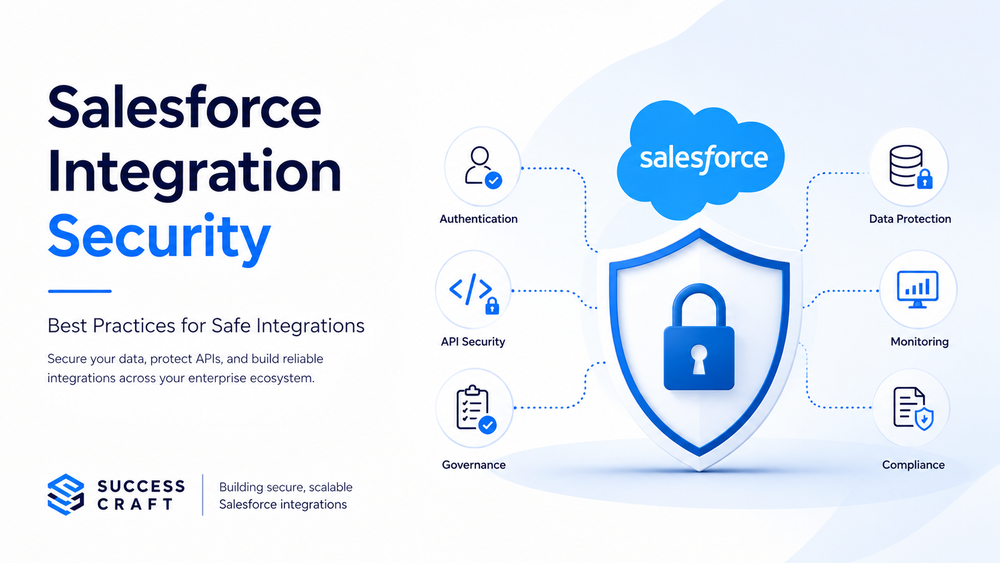
What Is Salesforce Integration Security
Definition and Core Purpose
Salesforce integration security is the practice of protecting data flows, APIs, authentication mechanisms, and synchronization processes between Salesforce and external systems.
The goal is not simply to secure a single API connection. Modern enterprise integrations involve multiple platforms, distributed systems, asynchronous workflows, third-party applications, cloud infrastructure, and middleware environments. Every additional connection introduces new security considerations and operational dependencies.
A secure integration strategy helps organizations:
- prevent unauthorized access;
- protect sensitive customer data;
- reduce operational risk;
- maintain compliance;
- improve integration reliability.
Salesforce integrations commonly connect with:
- ERP systems;
- marketing automation platforms;
- customer support tools;
- e-commerce systems;
- analytics platforms;
- internal enterprise applications.
As integration ecosystems grow, maintaining security consistency across all connected systems becomes significantly more difficult.
Why Salesforce Integration Security Matters
Business Risks of Insecure Integrations
Poor integration security can create serious operational and financial consequences for enterprise organizations.
Data Leaks and Unauthorized Access
Weak authentication or excessive permissions may expose:
- customer records;
- payment information;
- support data;
- internal operational information.
Because integrations often operate automatically and continuously, compromised access can affect multiple systems simultaneously.
API Abuse and Credential Exposure
Hardcoded credentials, insecure tokens, or poorly managed authentication processes can lead to unauthorized API access and operational instability.
Compliance Violations
Insecure integrations may create compliance issues related to:
- GDPR;
- SOC 2;
- HIPAA;
- internal governance standards.
For regulated industries, integration security directly affects legal and operational risk.
Operational Disruptions
Compromised integrations can interrupt:
- synchronization processes;
- automated workflows;
- reporting pipelines;
- customer-facing operations.
As organizations become more dependent on connected systems, integration failures increasingly affect day-to-day business operations.
Why Integrations Increase Security Complexity
Enterprise integration ecosystems introduce additional complexity because organizations rely on:
- multiple connected systems;
- third-party vendors;
- distributed architectures;
- asynchronous processing;
- API-driven workflows.
Over time, integrations evolve alongside the business itself. New workflows, APIs, automations, and external systems gradually increase the number of dependencies across the ecosystem.
Modern integration environments increasingly follow Zero Trust security principles, where every system, API request, and authentication flow must be continuously validated instead of implicitly trusted.
As organizations adopt more cloud services and SaaS platforms, integration security becomes increasingly dependent on centralized governance, operational visibility, and consistent security policies across the entire ecosystem.
Common Salesforce Integration Security Risks
Weak Authentication
Weak authentication remains one of the most common integration vulnerabilities.
Examples include:
- hardcoded credentials;
- shared integration accounts;
- outdated authentication methods;
- poor token lifecycle management.
These practices significantly increase the risk of credential exposure and unauthorized access.
Modern enterprise environments should avoid relying on static credentials whenever possible. Authentication should instead be centralized, monitored, and governed through secure token-based approaches.
Excessive API Permissions
Many integrations receive broader access than necessary.
Overprivileged integrations increase risk because compromised systems may gain access to:
- unnecessary objects;
- sensitive fields;
- administrative functionality;
- operational data.
Applying least-privilege access principles significantly reduces exposure and limits the impact of potential security incidents.
Insecure Data Transmission
Unsecured API communication may expose sensitive information during synchronization.
Organizations should avoid:
- unencrypted HTTP traffic;
- weak TLS configurations;
- insecure payload handling.
Secure communication should always use encrypted HTTPS/TLS connections to protect data flowing between systems.
Poor Monitoring and Visibility
Many organizations focus heavily on authentication security but fail to properly monitor integration behavior afterward.
This creates blind spots around:
- failed login attempts;
- suspicious API activity;
- synchronization anomalies;
- token misuse;
- operational failures.
Without proper observability, security incidents often remain undetected until they begin affecting operations or customer data.
Third-Party Integration Risks
Salesforce ecosystems frequently depend on:
- middleware platforms;
- external APIs;
- SaaS applications;
- vendor-managed integrations.
As a result, security weaknesses in third-party systems can affect the entire integration environment.
Organizations should evaluate:
- vendor security posture;
- authentication models;
- API governance;
- operational monitoring capabilities;
- auditability standards.
Third-party risk management is now a critical part of enterprise integration security.
Salesforce Authentication Best Practices
Use OAuth Instead of Basic Authentication
Modern Salesforce integrations should use OAuth authentication instead of basic authentication wherever possible.
OAuth provides:
- token-based access;
- reduced credential exposure;
- improved security controls;
- centralized authorization management.
Unlike static credentials, OAuth significantly reduces the risk of long-term credential compromise and improves access governance across connected systems.
Official Salesforce OAuth documentation
Related article:
Update Salesforce Integrations with OAuth Security
Implement Token Rotation
Long-lived credentials increase security risk significantly.
Organizations should implement:
- refresh token policies;
- token expiration management;
- credential rotation processes;
- automated token lifecycle handling.
Proper token management helps reduce exposure even if credentials are compromised.
Use Named Credentials
Salesforce Named Credentials simplify secure authentication management by centralizing credential configuration within Salesforce.
Benefits include:
- centralized credential storage;
- reduced hardcoded secrets;
- simplified API configuration;
- improved maintainability.
Official Salesforce documentation
Salesforce API Security Best Practices
Apply Least-Privilege Access
Integrations should only receive the permissions required for their functionality.
This includes restricting:
- object access;
- field visibility;
- API scopes;
- administrative permissions.
Reducing unnecessary access helps minimize exposure during security incidents and improves overall governance.
Secure API Endpoints
Organizations should secure integration endpoints using:
- HTTPS/TLS encryption;
- request validation;
- IP restrictions where appropriate;
- secure authentication mechanisms.
API endpoints should never expose unnecessary operational details or sensitive information.
Manage API Limits Properly
Poor API governance can create both operational instability and security issues.
Organizations should:
- monitor API consumption;
- detect unusual API spikes;
- prevent abuse and throttling;
- optimize synchronization patterns.
Large integration ecosystems often experience cascading failures when APIs are poorly managed or overloaded.
Related article:
Salesforce API Integration Best Practices
Salesforce Integration Monitoring and Observability
Monitor Integration Activity
Organizations should continuously monitor:
- API logs;
- authentication attempts;
- synchronization activity;
- suspicious traffic patterns;
- integration failures.
Monitoring improves both operational reliability and security visibility across connected systems.
Implement Alerts and Logging
Security monitoring should include:
- centralized logging;
- automated alerts;
- anomaly detection;
- failed synchronization visibility;
- token misuse detection.
Reliable logging is essential for troubleshooting, incident response, and long-term operational governance.
Improve Operational Visibility
Modern enterprise ecosystems require integration observability.
Organizations should maintain visibility into:
- authentication health;
- synchronization latency;
- queue backlogs;
- failed transactions;
- cross-system consistency.
Without operational visibility, integrations may fail silently for long periods while systems continue operating with inconsistent or outdated data.
Many enterprise organizations underestimate the risk of silent integration failures, where synchronization problems remain undetected for days or weeks before operational issues become visible.
Observability is no longer optional for large integration ecosystems. It is a critical part of maintaining secure and operationally reliable enterprise environments.
Data Protection and Compliance
Encrypt Sensitive Data
Sensitive information should be protected using:
- encryption in transit;
- encryption at rest;
- secure payload handling.
Encryption helps reduce exposure risks across distributed enterprise systems.
Handle Customer Data Securely
Organizations integrating Salesforce with external systems often process:
- personally identifiable information (PII);
- financial records;
- customer communication data;
- healthcare-related information.
Strong access governance and secure synchronization policies are essential for protecting sensitive business and customer data.
Support Compliance Requirements
Enterprise organizations frequently operate under compliance frameworks such as:
- GDPR;
- SOC 2;
- HIPAA;
- internal governance standards.
Integration architecture should support compliance requirements from the beginning instead of treating security as a later addition.
Organizations using Salesforce Shield can also improve:
- audit visibility;
- platform encryption;
- event monitoring capabilities.
Official Salesforce Shield page
Secure Salesforce Integration Architecture
Design Security Into the Architecture
One of the biggest integration mistakes is adding security controls after implementation.
Security should be built into:
- architecture planning;
- synchronization design;
- authentication flows;
- API governance;
- operational monitoring.
A security-first architecture approach significantly improves long-term scalability, observability, and operational stability.
Related article:
Salesforce Integration Architecture: Best Practices for Scalable Systems
Reduce Point-to-Point Complexity
Direct point-to-point integrations increase both operational and security complexity over time.
As environments scale:
- dependency chains grow;
- monitoring becomes harder;
- access governance weakens;
- operational visibility decreases.
Middleware-based integration architectures often provide:
- centralized governance;
- stronger monitoring;
- simplified authentication management;
- improved scalability.
Centralized integration management also helps organizations enforce consistent security policies across connected systems.
Use Event-Driven Architecture Carefully
Event-driven integrations improve scalability but also introduce new security considerations.
Organizations should secure:
- message queues;
- event consumers;
- asynchronous processing layers;
- event monitoring systems.
Asynchronous architectures require strong observability, governance, and monitoring to remain secure over time.
Real-World Salesforce Integration Security Scenarios
Salesforce + ERP Security
ERP integrations often process:
- invoices;
- billing data;
- customer financial records;
- operational transactions.
These integrations require:
- strong authentication;
- audit visibility;
- secure synchronization;
- strict access governance.
Because ERP systems often contain highly sensitive operational data, security controls must remain consistent across the entire synchronization process.
Salesforce + Marketing Platform Security
Marketing integrations frequently synchronize:
- leads;
- customer engagement data;
- campaign activity;
- segmentation information.
Organizations should carefully manage:
- API permissions;
- customer data access;
- token security;
- synchronization visibility.
Poor governance in marketing integrations may expose customer data across multiple external platforms.
Salesforce + Support System Security
Support integrations often contain:
- customer communications;
- ticket history;
- sensitive operational information.
Secure access governance is essential to prevent unauthorized exposure and maintain customer trust.
How Success Craft Helps Secure Salesforce Integrations
Success Craft helps organizations design and support secure Salesforce integration ecosystems.
Our expertise includes:
- Salesforce integration architecture;
- OAuth implementation;
- API security optimization;
- operational visibility improvements;
- secure synchronization strategies;
- enterprise integration governance.
We help businesses:
- reduce integration risk;
- improve authentication security;
- optimize API governance;
- strengthen operational monitoring;
- stabilize multi-system enterprise environments;
- support scalable and compliant Salesforce ecosystems.
Many organizations focus on securing authentication while underestimating the operational integration risks that appear later as systems evolve. Success Craft helps companies build integration architectures that remain secure, observable, scalable, and operationally reliable over time.
Related services:
Final Thoughts
Salesforce integration security is not only an authentication challenge. It is a long-term operational responsibility that affects scalability, compliance, reliability, and customer trust.
As enterprise ecosystems evolve:
- APIs expand;
- integrations multiply;
- operational dependencies increase;
- security complexity grows.
Organizations that invest in:
- secure integration architecture;
- operational visibility;
- API governance;
- monitoring;
- authentication security;
are significantly better prepared for long-term growth.
In modern enterprise ecosystems, integration security is no longer a secondary technical concern. It is foundational infrastructure that directly affects operational resilience, customer trust, and long-term scalability.
Reliable integrations must also be secure integrations.
What is Salesforce integration security?
Salesforce integration security is the practice of protecting APIs, authentication mechanisms, data flows, and synchronization processes between Salesforce and external systems.
How do you secure Salesforce integrations?
Organizations secure Salesforce integrations by using OAuth authentication, applying least-privilege access, encrypting API communication, implementing monitoring, and improving integration governance.
Why is OAuth important for Salesforce integrations?
OAuth improves security by replacing static credentials with token-based authentication, reducing credential exposure and improving access control.
What are common Salesforce integration security risks?
Common risks include:
- weak authentication;
- excessive API permissions;
- insecure data transmission;
- poor monitoring;
- token exposure;
- third-party integration vulnerabilities.
Can Success Craft help secure Salesforce integrations?
Yes. Success Craft helps businesses design secure Salesforce integration architectures, improve API security, optimize monitoring, and support scalable enterprise integration environments.