

Salesforce OAuth 2.0 Best Practices: Secure Authentication Guide
Modern Salesforce environments rarely operate in isolation. They exchange data with ERP systems, customer portals, mobile applications, marketing platforms, payment gateways, and dozens of third-party services. Every one of these integrations requires a secure authentication mechanism that protects sensitive business data without compromising usability.
This is where Salesforce OAuth 2.0 Best Practices become essential. OAuth 2.0 is Salesforce’s recommended authorization framework for securely connecting applications without exposing user credentials. Instead of sharing usernames and passwords, applications authenticate using temporary access tokens, improving both security and scalability.
Whether you’re building a custom integration, exposing Salesforce APIs to external systems, or developing AppExchange applications, understanding OAuth 2.0 is critical for designing secure enterprise architectures.
In this guide, you’ll learn how Salesforce OAuth 2.0 works, explore the available OAuth flows, understand Connected Apps, and discover how to choose the right authentication strategy for different integration scenarios.
If you’re also working with Salesforce APIs, check out our Salesforce REST API Best Practices guide.
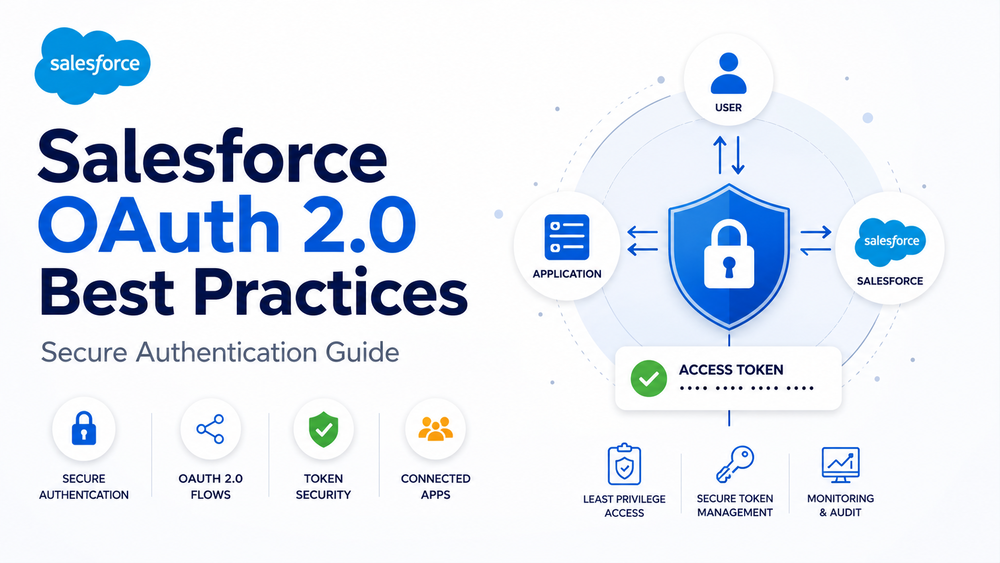
What Is Salesforce OAuth 2.0?
OAuth 2.0 is an industry-standard authorization framework that allows applications to securely access Salesforce resources without requiring users to share their passwords.
Instead of authenticating with usernames and passwords for every request, an application first obtains an Access Token from Salesforce. This token is then included in API requests, allowing Salesforce to verify the application’s identity while keeping user credentials protected.
OAuth 2.0 is supported across nearly every Salesforce platform, including:
- Salesforce REST API
- SOAP API
- Bulk API
- Experience Cloud
- Mobile SDK
- AppExchange applications
- External integrations
- Connected Apps
Salesforce recommends OAuth 2.0 for almost all modern integrations because it provides stronger security, centralized access management, and better support for enterprise identity providers.
Learn more in the official Salesforce documentation.
Authentication vs Authorization
Although often used interchangeably, authentication and authorization serve different purposes.
| Authentication | Authorization |
|---|---|
| Verifies who the user or application is | Determines what the authenticated user or application can access |
| Uses login credentials or OAuth flows | Uses permission sets, profiles, sharing rules, and OAuth scopes |
| Happens before API access | Applies after authentication succeeds |
For example:
- OAuth verifies the identity of an application.
- Salesforce determines which objects, fields, and records that application can access.
- Permission Sets, Profiles, Sharing Rules, and OAuth Scopes work together to enforce access control.
Understanding this distinction is important when designing secure Salesforce integrations. OAuth authenticates applications, while Salesforce security determines the actions they are allowed to perform.
Why Salesforce Uses OAuth 2.0
Traditional integrations often relied on stored usernames and passwords. This approach introduces significant security risks:
- passwords must be stored securely;
- password changes can break integrations;
- credentials are difficult to rotate;
- compromised accounts may expose entire environments.
OAuth addresses these challenges by replacing permanent credentials with temporary access tokens.
Key advantages include:
- improved security;
- no password sharing;
- centralized authentication;
- temporary access tokens;
- configurable token expiration;
- support for enterprise identity providers;
- fine-grained access control through OAuth scopes;
- simplified credential management.
These benefits make OAuth 2.0 the preferred authentication model for Salesforce APIs and enterprise integrations.
Understanding Connected Apps
Every OAuth integration in Salesforce begins with a Connected App.
A Connected App defines how an external application authenticates with Salesforce and what resources it can access. Rather than embedding authentication logic directly into your application, Salesforce centralizes these settings in a secure, configurable interface.
A Connected App stores information such as:
- Consumer Key (Client ID)
- Consumer Secret
- supported OAuth flows
- callback URLs
- OAuth scopes
- session policies
- IP restrictions
- refresh token policies
Because every OAuth request passes through a Connected App, it serves as the primary security gateway between Salesforce and external systems.
For example, if your organization integrates Salesforce with HubSpot, Stripe, or a custom customer portal, each integration typically uses its own Connected App with dedicated security settings and permissions.
Salesforce provides detailed guidance for configuring Connected Apps.
Key OAuth Components
Before exploring OAuth flows, it’s helpful to understand the main components involved in the authentication process.
| Component | Description |
|---|---|
| Resource Owner | The user who owns the Salesforce data |
| Client Application | The application requesting access |
| Authorization Server | Salesforce Identity Services |
| Resource Server | Salesforce APIs |
| Access Token | Temporary credential used for API requests |
| Refresh Token | Generates new Access Tokens without requiring the user to log in again |
| Connected App | Defines authentication policies and OAuth settings |
Together, these components enable secure communication between Salesforce and external applications while keeping user credentials protected.
Understanding Salesforce OAuth Flows
Different applications require different authentication approaches. Salesforce supports several OAuth 2.0 flows designed for specific use cases.
Choosing the appropriate flow improves security, simplifies implementation, and reduces operational complexity.
Authorization Code Flow
The Authorization Code Flow is the most common OAuth flow for traditional web applications.
The user signs in through Salesforce, grants access to the application, and Salesforce returns an authorization code. The application exchanges this code for an Access Token and, optionally, a Refresh Token.
Typical use cases include:
- web applications;
- customer portals;
- Experience Cloud websites;
- enterprise business applications.
Authorization Code Flow with PKCE
PKCE (Proof Key for Code Exchange) extends the Authorization Code Flow by protecting against authorization code interception.
Instead of relying solely on a client secret, the application generates a temporary cryptographic verifier during authentication. Salesforce validates this verifier before issuing tokens, making the flow significantly more secure for public clients.
PKCE is recommended for:
- mobile applications;
- desktop applications;
- single-page applications (SPAs);
- public clients that cannot securely store client secrets.
For new public applications, Salesforce recommends using Authorization Code Flow with PKCE whenever possible.
Client Credentials Flow
The Client Credentials Flow authenticates an application rather than an individual user.
Instead of requiring user interaction, the application uses its client credentials to request an Access Token directly from Salesforce.
This flow is ideal for:
- backend services;
- scheduled integrations;
- server-to-server communication;
- automated data synchronization;
- machine-to-machine authentication.
Because no user login is required, this flow simplifies many enterprise automation scenarios while maintaining strong security controls.
JWT Bearer Flow
The JWT Bearer Flow is designed for trusted server-to-server integrations.
Rather than authenticating through a browser, the application signs a JSON Web Token (JWT) using a private certificate. Salesforce validates the signature and returns an Access Token.
This approach is commonly used when organizations need highly secure, automated integrations without interactive logins.
Typical use cases include:
- enterprise middleware;
- CI/CD pipelines;
- backend microservices;
- internal automation platforms.
Username-Password Flow
The Username-Password Flow allows an application to authenticate by sending a Salesforce username and password directly.
Although Salesforce continues to support this flow for certain legacy scenarios, it is generally not recommended for new implementations.
Because the application must store user credentials, this approach introduces additional security risks and reduces flexibility.
Modern integrations should instead use:
- Authorization Code Flow;
- Authorization Code Flow with PKCE;
- Client Credentials Flow;
- JWT Bearer Flow.
Choosing the Right OAuth Flow
The best OAuth flow depends on your application’s architecture, security requirements, and whether user interaction is required.
| Scenario | Recommended OAuth Flow |
|---|---|
| Traditional web application | Authorization Code Flow |
| Mobile application | Authorization Code with PKCE |
| Single-page application (SPA) | Authorization Code with PKCE |
| Server-to-server integration | Client Credentials Flow |
| Enterprise backend services | JWT Bearer Flow |
| Legacy integrations | Username-Password Flow (only if no better alternative exists) |
Selecting the appropriate flow from the beginning simplifies implementation, improves security, and helps ensure your Salesforce integrations remain scalable as your business grows.
In the next section, we’ll cover Salesforce OAuth 2.0 Best Practices, including Connected App security, OAuth scopes, token management, monitoring, and common implementation mistakes.
Salesforce OAuth 2.0 Best Practices
Choosing the right OAuth flow is only part of building a secure Salesforce integration. Proper configuration of Connected Apps, careful permission management, secure token handling, and continuous monitoring are equally important.
The following Salesforce OAuth 2.0 Best Practices are recommended for enterprise environments and align with Salesforce security guidance.
Configure Connected Apps Securely
A Connected App acts as the security gateway between Salesforce and external applications. Incorrect configuration can expose sensitive business data or create unnecessary security risks.
When creating a Connected App, review the following settings carefully:
- Enable only the OAuth flows your application requires.
- Configure the minimum required OAuth scopes.
- Restrict Permitted Users whenever possible.
- Apply appropriate Session Policies.
- Configure IP Relaxation only when necessary.
- Define a secure Refresh Token Policy.
- Remove unused Connected Apps during periodic security reviews.
Organizations should also create separate Connected Apps for different environments (development, testing, and production) instead of reusing a single configuration across all systems.
Learn more in the official Salesforce documentation
Apply the Principle of Least Privilege
One of the most common security issues in Salesforce integrations is granting applications excessive permissions.
Every integration should receive only the access required to perform its intended tasks.
Instead of assigning System Administrator permissions, create dedicated Integration Users with carefully scoped Permission Sets.
The same principle applies to:
- OAuth scopes
- object permissions
- field-level security
- record access
- API permissions
Following the principle of least privilege provides several benefits:
- reduced attack surface;
- lower risk of accidental data exposure;
- simplified compliance;
- easier auditing;
- improved security governance.
Configure OAuth Scopes Carefully
OAuth scopes define which Salesforce resources an application can access after authentication.
Common OAuth scopes include:
| Scope | Purpose |
|---|---|
| api | Access Salesforce APIs |
| refresh_token | Request new Access Tokens |
| id | Access identity information |
| openid | Enable OpenID Connect authentication |
| web | Browser-based applications |
| full | Full Salesforce access |
Avoid requesting broader scopes than necessary.
For many integrations, api and refresh_token are sufficient. Using the full scope without a valid business requirement increases security risk and should generally be avoided.
Protect Access and Refresh Tokens
Access Tokens should be treated as sensitive credentials.
To protect them:
- never store tokens in source code;
- encrypt tokens at rest;
- use secure secret management solutions;
- transmit tokens only over HTTPS;
- avoid logging tokens;
- revoke compromised tokens immediately.
Refresh Tokens require even stronger protection because they can generate new Access Tokens without requiring users to authenticate again.
Organizations should periodically review active Refresh Tokens and revoke those associated with inactive integrations.
Rotate Credentials Regularly
Long-lived credentials increase the likelihood of unauthorized access if they become compromised.
Organizations should establish a regular rotation policy for:
- Consumer Secrets;
- JWT certificates;
- integration credentials;
- API secrets;
- signing certificates.
Credential rotation reduces the impact of security incidents and supports regulatory compliance.
Monitor OAuth Authentication
Authentication should never be considered a one-time configuration task.
Administrators should continuously monitor:
- successful logins;
- failed authentication attempts;
- Connected App activity;
- API usage;
- inactive integrations;
- unusual login locations;
- authentication errors.
Salesforce provides several monitoring tools, including:
- Login History
- Connected App Usage
- Event Monitoring
- Security Center
- Event Log Files
Regular monitoring helps identify suspicious behavior before it impacts production systems.
Use Named Credentials Whenever Possible
When Salesforce acts as the client application, Named Credentials provide a simpler and more secure way to manage OAuth authentication.
Instead of manually handling Access Tokens in Apex code, Named Credentials automatically manage:
- OAuth authentication;
- token storage;
- token refresh;
- endpoint configuration;
- credential security.
This reduces custom development while improving maintainability and minimizing the risk of exposing sensitive credentials.
Learn more in our Salesforce Named Credentials guide.
Common OAuth Authentication Mistakes
Even experienced development teams can introduce security vulnerabilities by implementing OAuth incorrectly.
The following mistakes are among the most common:
| Common Mistake | Recommended Approach |
|---|---|
| Using Username-Password Flow for new integrations | Use Authorization Code, PKCE, JWT Bearer, or Client Credentials |
| Granting excessive OAuth scopes | Request only the scopes that are required |
| Sharing one Connected App across multiple environments | Create separate Connected Apps for development, testing, and production |
| Using administrator accounts for integrations | Create dedicated Integration Users |
| Hardcoding Consumer Secrets | Store secrets in a secure credential manager |
| Logging Access Tokens | Never log sensitive authentication data |
| Ignoring token expiration | Implement automatic token refresh |
| Never reviewing Connected Apps | Perform regular security audits |
Avoiding these mistakes significantly improves the long-term security and reliability of Salesforce integrations.
OAuth Security Checklist
Before deploying an integration to production, verify the following:
- ✔ Use OAuth 2.0 instead of usernames and passwords.
- ✔ Choose the appropriate OAuth flow.
- ✔ Enable HTTPS for every connection.
- ✔ Configure only the required OAuth scopes.
- ✔ Apply the principle of least privilege.
- ✔ Protect Consumer Secrets and certificates.
- ✔ Encrypt stored Access and Refresh Tokens.
- ✔ Rotate credentials regularly.
- ✔ Monitor Connected App activity.
- ✔ Audit integrations periodically.
- ✔ Remove unused Connected Apps.
Completing this checklist helps reduce common security risks while improving the resilience of your Salesforce environment.
How Success Craft Can Help
At Success Craft, we help organizations build secure, scalable Salesforce integrations that follow modern authentication standards and enterprise security best practices.
Our expertise includes:
- Salesforce OAuth 2.0 implementation
- Connected App configuration
- Salesforce REST API integrations
- secure authentication architecture
- API security assessments
- enterprise integration strategy
Explore our Salesforce services
Conclusion
OAuth 2.0 is the recommended authentication framework for modern Salesforce integrations because it enables secure, token-based access without exposing user credentials.
However, implementing OAuth successfully requires more than selecting an authentication flow. Secure Connected App configuration, careful scope management, protected token storage, continuous monitoring, and regular security reviews all contribute to a reliable integration strategy.
By following these Salesforce OAuth 2.0 Best Practices, organizations can strengthen security, simplify authentication management, and build integrations that remain scalable as their Salesforce environments evolve.
What is Salesforce OAuth 2.0?
Salesforce OAuth 2.0 is the standard authorization framework used to securely authenticate applications and grant access to Salesforce APIs without exposing usernames or passwords. Instead, applications use temporary access tokens to interact with Salesforce resources.
Which OAuth flow should I use for my Salesforce integration?
The appropriate OAuth flow depends on your use case. Authorization Code Flow is recommended for web applications, PKCE for mobile and single-page applications, Client Credentials for machine-to-machine integrations, and JWT Bearer for trusted server-to-server communication.
What is a Connected App in Salesforce?
A Connected App is a Salesforce application that manages OAuth authentication for external systems. It defines supported OAuth flows, callback URLs, security policies, OAuth scopes, and the permissions granted to connected applications.
How can I improve the security of Salesforce OAuth integrations?
Follow Salesforce OAuth 2.0 best practices by using the principle of least privilege, requesting only the required OAuth scopes, protecting access and refresh tokens, configuring Connected Apps securely, rotating credentials regularly, and monitoring authentication activity.
Is the Username-Password Flow still recommended?
No. Although Salesforce still supports the Username-Password Flow for certain legacy scenarios, it is generally discouraged because it requires storing user credentials. Modern integrations should use Authorization Code Flow, PKCE, JWT Bearer Flow, or Client Credentials Flow whenever possible.