

Salesforce REST API Best Practices: Secure Enterprise Integration Guide
Salesforce REST API Best Practices are essential for building secure, scalable, and high-performance integrations between Salesforce and external applications. Whether you’re connecting Salesforce with ERP systems, e-commerce platforms, customer portals, AI solutions, or internal business software, following proven best practices helps improve security, optimize API usage, reduce maintenance costs, and ensure long-term reliability.
The Salesforce REST API is one of the most widely used integration technologies because it provides a simple HTTP-based interface for exchanging data with Salesforce using JSON. However, building enterprise-grade integrations requires much more than sending HTTP requests. Authentication, request optimization, API limits, error handling, monitoring, and security all play critical roles in a successful implementation.
In this guide, you’ll learn the most important Salesforce REST API best practices for designing reliable enterprise integrations, improving API performance, reducing unnecessary requests, and protecting your Salesforce environment.
If you’re building a broader Salesforce integration strategy, you may also find these resources helpful:
- Salesforce API Best Practices
- Salesforce API Integration Best Practices
- Salesforce Named Credentials
- Salesforce Pub/Sub API
For official technical documentation, Salesforce provides a comprehensive REST API Developer Guide covering resources, authentication, versioning, and supported operations.
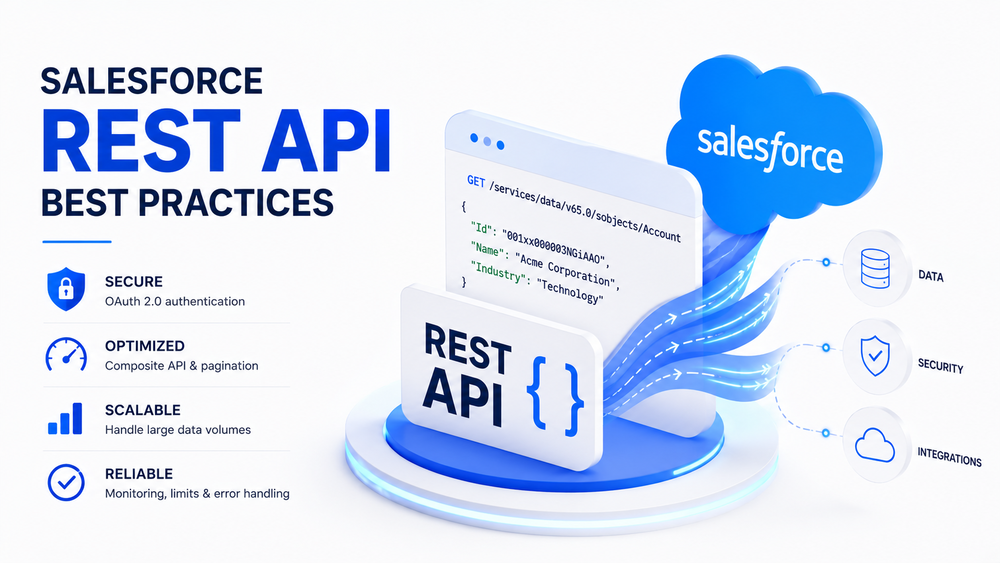
What Is Salesforce REST API?
The Salesforce REST API is Salesforce’s primary HTTP-based interface for accessing CRM data and platform services. It enables external applications to communicate securely with Salesforce using standard HTTP methods while exchanging lightweight JSON payloads.
Using the Salesforce REST API, applications can:
- create records;
- retrieve records;
- update records;
- delete records;
- execute SOQL queries;
- perform SOSL searches;
- execute Composite API requests;
- access Salesforce platform resources.
Unlike the Salesforce Pub/Sub API, which is designed for event-driven communication, Salesforce REST API follows a synchronous request-response model. A client sends a request, Salesforce processes it, and immediately returns a response.
A simplified architecture looks like this:
External Application
        │
     HTTPS REST
        │
Salesforce REST API
        │
 Salesforce Platform
        │
 Salesforce Org
Because of its simplicity, scalability, and extensive ecosystem support, Salesforce REST API has become the foundation of thousands of enterprise integrations.
How Salesforce REST API Works
Understanding how Salesforce REST API works is one of the most important Salesforce REST API best practices. Every interaction follows the same workflow.
Before accessing Salesforce data, an application authenticates using OAuth 2.0 and receives an access token. It then sends HTTPS requests to Salesforce REST endpoints and receives responses in JSON format.
The process looks like this:
Client Application
        │
OAuth Authentication
        │
 Access Token
        │
 HTTPS Request
        │
Salesforce REST API
        │
 JSON Response
A typical request consists of five steps:
- Authenticate using OAuth 2.0.
- Obtain an access token.
- Send an HTTPS request to a Salesforce REST endpoint.
- Salesforce validates and processes the request.
- Receive a JSON response.
Example:
GET /services/data/v65.0/sobjects/Account/001XXXXXXXXXXXXXXX
Authorization: Bearer <access_token>
Response:
{
  "Id": "001XXXXXXXXXXXXXXX",
  "Name": "Acme Corporation",
  "Industry": "Technology"
}
Salesforce documents every supported endpoint, resource, and request format in its official REST API documentation.
Salesforce REST API HTTP Methods
Salesforce REST API uses standard HTTP methods to perform CRUD operations.
| HTTP Method | Purpose | Typical Use |
|---|---|---|
| GET | Retrieve data | Read records and execute SOQL queries |
| POST | Create records | Create new Salesforce records |
| PATCH | Update records | Modify existing records |
| DELETE | Delete records | Remove Salesforce records |
These standard HTTP methods make Salesforce REST API easy to integrate with virtually any modern programming language or integration platform.
Salesforce REST API Resources
Salesforce organizes its REST API into multiple resources, each designed for a specific purpose.
The most commonly used endpoints include:
| Endpoint | Purpose |
|---|---|
/sobjects/ | Create, retrieve, update, and delete Salesforce records |
/query/ | Execute SOQL queries |
/search/ | Execute SOSL searches |
/limits/ | Retrieve current API usage and limits |
/composite/ | Execute multiple operations in a single request |
Using the appropriate resource is another important Salesforce REST API best practice, as it helps improve performance while reducing unnecessary API requests.
Why Salesforce REST API Remains the Most Popular Integration API
Salesforce offers several APIs, including SOAP API, Bulk API, Metadata API, Tooling API, GraphQL API, and Pub/Sub API. Despite these options, Salesforce REST API remains the preferred choice for most business integrations because it combines simplicity, flexibility, and strong platform support.
Key advantages include:
- lightweight JSON payloads;
- standard HTTP communication;
- excellent language compatibility;
- fast implementation;
- broad cloud support;
- extensive developer ecosystem.
Salesforce REST API is ideal for transactional business operations where applications need to create, retrieve, update, or delete records in real time.
However, different scenarios may require different APIs. Bulk API is better suited for processing millions of records, while Pub/Sub API is designed for real-time event streaming. Choosing the right API for the right workload is one of the core Salesforce REST API best practices for enterprise architecture.
Salesforce REST API Performance Best Practices
Optimizing performance is one of the most important Salesforce REST API Best Practices for enterprise integrations. As Salesforce environments grow, inefficient API usage can lead to slower response times, unnecessary API consumption, and increased infrastructure costs.
The goal is not simply to make requests faster, but to minimize network traffic, reduce API calls, and build integrations that remain scalable as your business grows.
Use Composite API to Reduce API Calls
One of the most common integration mistakes is sending multiple REST requests for operations that can be completed together.
For example, creating an Account, Contact, and Opportunity separately requires three independent API requests.
Instead, Salesforce recommends using the Composite API, which combines multiple operations into a single HTTP request.
Using Composite API provides several benefits:
- fewer API requests;
- lower network latency;
- improved transaction efficiency;
- better application performance.
Reducing unnecessary API calls is one of the core Salesforce REST API Best Practices for enterprise applications.
Retrieve Only the Required Data
Applications should never retrieve complete Salesforce objects when only a few fields are needed.
Instead, use selective SOQL queries that return only the required fields.
| Less Efficient | Better Practice |
|---|---|
| SELECT * equivalent | Select only required fields |
| Large JSON responses | Smaller payloads |
| Higher bandwidth usage | Faster responses |
Smaller payloads reduce response times while lowering API consumption.
Use Pagination for Large Result Sets
Large datasets should be retrieved incrementally instead of in a single request.
Salesforce supports pagination through nextRecordsUrl, allowing applications to process records efficiently.
Benefits include:
- reduced memory usage;
- improved response times;
- lower timeout risk;
- better scalability.
Cache Frequently Used Data
Not every request requires communication with Salesforce.
Frequently accessed information such as metadata, object descriptions, picklist values, and configuration data can often be cached safely.
Caching helps reduce unnecessary API calls while improving application responsiveness.
Reuse OAuth Access Tokens
Generating a new access token before every request creates unnecessary overhead.
Instead, applications should reuse valid OAuth tokens and refresh them only when required.
If you’re building integrations within Salesforce, our Salesforce Named Credentials guide explains how secure authentication can be simplified.
Salesforce REST API Best Practices for Large Data Volumes
Although Salesforce REST API performs exceptionally well for transactional operations, it is not intended for processing millions of records.
Salesforce recommends selecting the appropriate API based on the workload.
Use Bulk API for Massive Data Processing
REST API is ideal for:
- customer portals;
- CRM applications;
- web applications;
- mobile apps;
- real-time integrations.
For importing or exporting millions of records, Salesforce recommends Bulk API.
| Scenario | Recommended API |
|---|---|
| Real-time operations | REST API |
| Large data imports | Bulk API |
Choosing the appropriate API significantly improves scalability.
Optimize SOQL Queries
Poor SOQL queries directly impact REST API performance.
Salesforce recommends:
- retrieving only required fields;
- filtering indexed fields;
- limiting returned records;
- avoiding unnecessary queries.
Efficient SOQL is one of the simplest ways to improve API performance.
Salesforce REST API Limits and Error Handling Best Practices
Every Salesforce REST request contributes toward your organization’s API allocation.
Monitoring API usage helps prevent integrations from exceeding available limits.
Salesforce provides the Limits API for tracking current usage.
Some practical optimization techniques include:
| Less Efficient | Better Practice |
|---|---|
| Multiple requests | Composite API |
| Full object retrieval | Selective fields |
| Frequent authentication | Token reuse |
| Repeated metadata requests | Caching |
| Large imports through REST | Bulk API |
Handle Errors Properly
Enterprise integrations should always expect failures.
Applications should properly handle:
- authentication failures;
- validation errors;
- permission errors;
- rate limiting;
- temporary server failures.
| Status Code | Meaning | Recommended Action |
|---|---|---|
| 400 | Bad Request | Validate request |
| 401 | Unauthorized | Refresh token |
| 403 | Forbidden | Check permissions |
| 404 | Not Found | Verify record ID |
| 429 | Too Many Requests | Retry later |
| 500 | Server Error | Retry with backoff |
Proper error handling is another important Salesforce REST API Best Practice that improves reliability.
Monitor API Usage
Continuous monitoring helps identify integration issues before they impact business processes.
Monitor:
- API usage;
- response times;
- authentication failures;
- request latency;
- HTTP errors;
- integration availability.
Salesforce provides monitoring through:
- Limits API;
- Event Monitoring;
- Debug Logs;
- API Usage Metrics.
Salesforce REST API Security Best Practices
Before deploying a production integration, verify the following:
- Use HTTPS for every request.
- Authenticate using OAuth 2.0.
- Apply least-privilege access.
- Protect client credentials.
- Secure access and refresh tokens.
- Rotate credentials regularly.
- Monitor API activity.
- Audit authentication events.
Organizations implementing secure authentication can also benefit from Salesforce Named Credentials.
Common Salesforce REST API Mistakes
Many performance and reliability issues stem from common implementation mistakes.
| Common Mistake | Best Practice |
|---|---|
| Hardcoded credentials | OAuth 2.0 |
| One request per record | Composite API |
| Returning unnecessary fields | Optimize SOQL |
| Ignoring pagination | Use nextRecordsUrl |
| Ignoring API limits | Monitor usage |
| Large imports through REST | Use Bulk API |
| No centralized logging | Monitor integrations |
Avoiding these issues is a key part of following Salesforce REST API Best Practices.
Conclusion
Following Salesforce REST API Best Practices helps organizations build secure, scalable, and maintainable integrations. By optimizing requests, reducing API consumption, implementing secure authentication, monitoring usage, and choosing the right Salesforce API for each workload, teams can improve performance while ensuring long-term reliability.
For a complete Salesforce integration strategy, it’s also worth exploring Salesforce API Integration Best Practices, Salesforce Named Credentials, and Salesforce Pub/Sub API, as each addresses a different aspect of enterprise integration architecture.
What is Salesforce REST API?
Salesforce REST API is an HTTP-based interface that allows external applications to communicate with Salesforce using standard HTTP methods and JSON. It supports creating, retrieving, updating, and deleting records, executing SOQL queries, performing searches, and accessing Salesforce platform resources.
When should I use Salesforce REST API?
Salesforce REST API is best suited for real-time integrations, web applications, mobile apps, customer portals, and third-party systems that need fast access to Salesforce data. It is ideal for transactional operations where applications exchange data with Salesforce on demand.
How do I authenticate with Salesforce REST API?
Salesforce REST API uses OAuth 2.0 for secure authentication. Applications authenticate through a Connected App, receive an access token, and include it in the Authorization header of every API request. This approach provides secure access without exposing user credentials.
How can I optimize Salesforce REST API performance?
Performance can be improved by requesting only the required fields, using Composite API to reduce the number of HTTP requests, implementing pagination for large datasets, caching frequently accessed data, reusing OAuth access tokens, and writing efficient SOQL queries. These practices help reduce API consumption and improve response times.
What is the difference between REST API and Bulk API?
REST API is designed for synchronous, real-time operations involving individual records or small datasets. Bulk API is optimized for asynchronous processing of large volumes of data and is the preferred choice for importing, exporting, or updating millions of records. Choosing the appropriate API depends on your integration scenario and performance requirements.