

How to Prepare for a Salesforce Connected App Audit
Salesforce connected apps have become a critical part of enterprise integrations, automation, and third-party system connectivity. However, after recent Salesforce security changes around OAuth governance and delegated access, organizations can no longer assume integrations are secure simply because they work.
A connected application may access customer records, APIs, workflows, automation, and sensitive business processes for years without anyone reviewing whether those permissions are still justified.
This creates an important question:
If Salesforce audited your connected apps tomorrow, would you know exactly what has access to your data and why?
That question sits at the center of every Salesforce connected app audit.
Preparing for an audit is not just about compliance.
It is about understanding:
- what integrations exist;
- what permissions they have;
- who owns them;
- whether those permissions are still justified;
- how to reduce unnecessary risk.
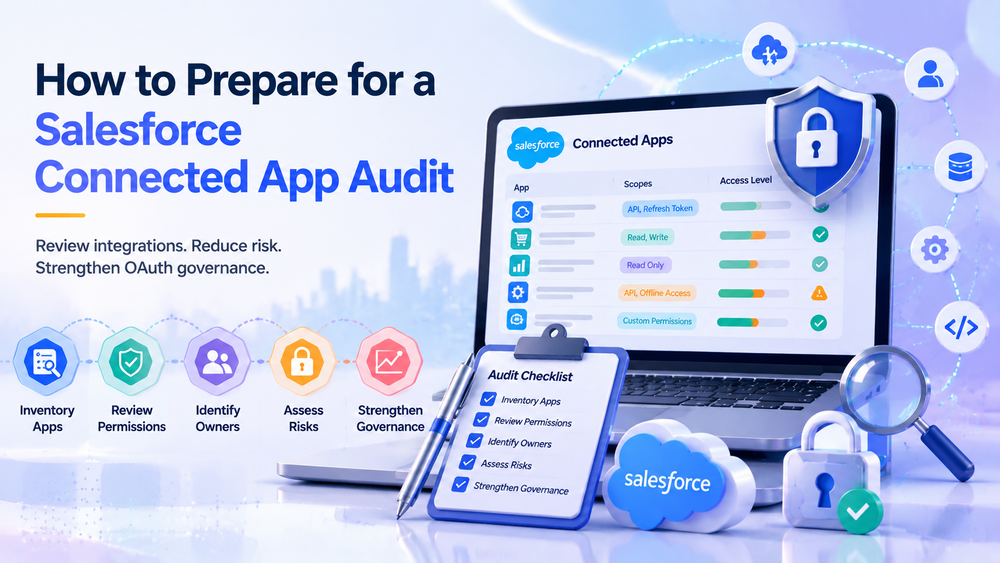
In this guide, we explain how enterprise teams should prepare for a Salesforce connected app audit, common mistakes organizations make, and practical steps to improve OAuth governance before an audit begins.
Why Salesforce Connected App Audits Matter More Today
Historically, many Salesforce organizations followed a simple process:
install integration → approve access → move on
If the integration worked, nobody revisited permissions.
Meanwhile, OAuth trust relationships accumulated across:
- middleware platforms;
- analytics tools;
- customer portals;
- marketing systems;
- ERP integrations;
- internal automation.
Over time, organizations often lose visibility into:
- who approved access;
- whether the integration is still needed;
- what permissions it currently holds;
- how risky that access may be.
Recent Salesforce security changes increased focus on:
- OAuth governance;
- delegated trust;
- application permissions;
- connected app policies;
- stronger access visibility.
As a result:
a working integration is not automatically a secure integration
Organizations now increasingly treat connected apps as part of their security and governance surface rather than invisible background infrastructure.
For additional context on recent Salesforce security changes, see:
What Salesforce Security Changes Mean for Existing Integrations
What Is a Salesforce Connected App Audit?
A Salesforce connected app audit is a structured review of:
- connected applications;
- OAuth permissions;
- authorization methods;
- integration ownership;
- refresh tokens and session behavior;
- business justification.
In simple terms:
an audit helps determine whether applications still deserve the access they currently have
The goal is not to remove integrations.
The goal is to answer questions like:
- Does this application still support an active business process?
- Does it need this level of access?
- Who owns the integration?
- Would we approve this application again today?
An audit often reveals:
- overpermissioned applications;
- stale OAuth access;
- forgotten integrations;
- duplicate tooling;
- unclear ownership.
When Should Organizations Prepare for a Connected App Audit?
Many teams wait for compliance requirements or incidents.
That approach usually creates problems.
Instead, organizations should prepare for a Salesforce connected app audit when:
Salesforce Security Changes Occur
Major Salesforce security changes frequently affect OAuth governance and integration trust.
Organizations should review integrations after security-related updates.
Useful background:
Salesforce Connected App Security Changes: What Actually Happened and What You Need to Do
New Integrations Are Added
Every new connected app introduces new delegated trust.
Preparation becomes especially important when:
- onboarding vendors;
- implementing middleware;
- connecting ERP systems;
- adding analytics tooling;
- deploying customer-facing applications.
Salesforce Environments Become Larger
The more integrations exist:
the harder governance becomes
Organizations managing dozens of connected apps typically struggle with:
- ownership visibility;
- permission sprawl;
- duplicate integrations;
- stale access.
Compliance or Security Reviews Are Approaching
Preparation is especially important before:
- SOC 2 reviews;
- GDPR assessments;
- internal IT audits;
- enterprise security reviews.
Step 1: Create a Complete Connected App Inventory
Before starting an audit:
know what exists
Many organizations believe they understand their integrations until they review Salesforce and discover:
- forgotten applications;
- duplicate systems;
- abandoned middleware;
- sandbox leftovers;
- user-authorized apps.
Go to:
Setup → Connected Apps OAuth Usage
and
Setup → App Manager → Connected Apps
Official Salesforce documentation:
Connected Apps Overview in Salesforce
For every connected app, document:
- business purpose;
- owner;
- OAuth scopes;
- integration type;
- approval method;
- risk level;
- whether it is still required.
A simple spreadsheet already improves governance significantly.
For example:
| Connected App | Owner | Purpose | Permissions | Still Needed? |
|---|---|---|---|---|
| Marketing automation | Marketing Ops | Lead sync | Read + Write | Yes |
| ERP integration | Finance IT | Invoice sync | API + Write | Yes |
| Unknown analytics app | Unknown | Unknown | Broad access | Review |
Even lightweight inventory work often uncovers hidden risk.
Step 2: Understand Ownership Before the Audit
One of the most common connected app problems is surprisingly simple:
Nobody knows who owns the integration
Enterprise teams frequently discover applications that:
- nobody requested;
- nobody maintains;
- nobody reviews;
- nobody understands.
Every connected app should have:
- business owner;
- technical owner;
- documented use case;
- support responsibility.
Helpful questions include:
- Why does this integration exist?
- What business process depends on it?
- Who requested approval?
- Would the company notice if this application disappeared?
If ownership is unclear:
the integration deserves review
Step 3: Review OAuth Permissions and Access Levels
After inventory and ownership review comes one of the most important preparation steps:
understanding what connected apps are actually allowed to do
Many organizations discover that integrations have far more access than required.
In practice, vendors often request broad permissions because implementation becomes easier.
However:
easy setup should never determine access level
During preparation, review:
- OAuth scopes;
- API access;
- object permissions;
- read/write access;
- refresh token policies;
- offline access.
Ask questions like:
- Does this application actually require write access?
- Is API access necessary?
- Does this integration still justify refresh tokens?
- Are permissions broader than the business need?
For example:
A reporting dashboard may only require:
read access
Meanwhile:
- ERP integrations may justify stronger API access;
- marketing systems may require controlled object permissions;
- customer-facing applications may require stricter governance.
The principle here is simple:
least privilege access
Meaning:
give applications only the permissions necessary to perform their business function
If you want a practical permission review framework, see:
Salesforce Connected App Security Audit Checklist for Enterprise Teams
Step 4: Review Refresh Tokens and Long-Term Access
OAuth trust should never be treated as permanent.
One of the biggest risks in Salesforce connected apps comes from:
long-lived access nobody reviews
Preparation should include reviewing:
- refresh tokens;
- persistent authorization;
- inactive integrations;
- stale OAuth access;
- suspicious session behavior.
Why?
Because many security incidents involving SaaS ecosystems happen not through compromised passwords, but through:
trusted delegated access
In simple terms:
the integration itself becomes the security risk
This matters even more for:
- middleware platforms;
- finance systems;
- analytics tools;
- customer portals;
- API-heavy enterprise environments.
A useful question during preparation:
Would we still approve this access if we were setting up the integration today?
If the answer is unclear:
review it
Step 5: Identify Common Audit Risks Before the Audit Starts
Good preparation means identifying problems before auditors or security teams find them.
Review the most common red flags:
Unknown ownership
Excessive OAuth scopes
Broad API permissions
Unused integrations
Long-lived refresh tokens
Administrator-level permissions without business need
Missing documentation
No recurring review process
In many organizations:
the biggest problem is forgotten trust
Integrations are approved once and never reviewed again.
That creates invisible security debt.
Step 6: Build a Repeatable Audit Preparation Process
Preparing for a Salesforce connected app audit should not happen only once.
Enterprise teams benefit from creating a repeatable governance process.
Typical best practice includes reviews:
- quarterly;
- after vendor onboarding;
- after Salesforce security changes;
- after major implementation projects;
- before compliance reviews.
Preparation should become:
part of governance, not a one-time activity
For a practical audit walkthrough, read:
How to Audit Salesforce Connected Apps After Security Changes
What Happens After Preparation?
Preparation is not the audit itself.
Instead:
preparation makes the audit meaningful
Once ownership, permissions, business purpose, and OAuth access are documented, teams can move into:
- access reduction;
- permission cleanup;
- governance decisions;
- stale integration removal;
- recurring monitoring.
Organizations that skip preparation usually struggle with:
- fragmented visibility;
- inconsistent ownership;
- unclear risk prioritization.
Organizations that prepare properly gain:
- stronger visibility;
- cleaner integrations;
- reduced risk;
- better compliance readiness.
How Success Craft Helps Enterprise Teams
Preparing for a Salesforce connected app audit becomes harder as ecosystems grow.
Many enterprise organizations manage:
- dozens of integrations;
- middleware platforms;
- customer-facing applications;
- business-critical API workflows.
At Success Craft, we help organizations:
- review Salesforce connected apps;
- improve OAuth governance;
- reduce excessive permissions;
- prepare for Salesforce security audits;
- build scalable integration governance models.
This becomes especially valuable when internal teams need practical guidance around permissions, connected app policies, and repeatable security processes.
Learn more:
Salesforce Connected App Permissions Best Practices for Teams
Final Thoughts
A successful Salesforce connected app audit begins long before anyone opens an audit checklist.
The strongest organizations prepare by understanding:
- what applications exist;
- who owns them;
- what permissions they have;
- whether those permissions are still justified.
Because secure Salesforce integrations rarely happen by accident.
They are the result of visibility, preparation, and intentional governance.
How do I prepare for a Salesforce connected app audit?Start by creating an inventory of connected apps, reviewing OAuth scopes, identifying owners, validating business purpose, and reviewing refresh tokens and sessions.
What should I review before a connected app audit?Review permissions, OAuth scopes, API access, ownership, refresh tokens, approval history, and whether integrations still support active business processes.
What are common connected app audit risks?Common risks include excessive permissions, forgotten integrations, unclear ownership, stale OAuth access, long-lived refresh tokens, and weak governance.
Does MFA secure connected apps?No. MFA protects authentication, while OAuth governs delegated application access and trust.
How often should Salesforce connected apps be reviewed?Enterprise teams should typically review connected apps quarterly or semi-annually, after Salesforce security changes, vendor onboarding, or major implementation projects.