

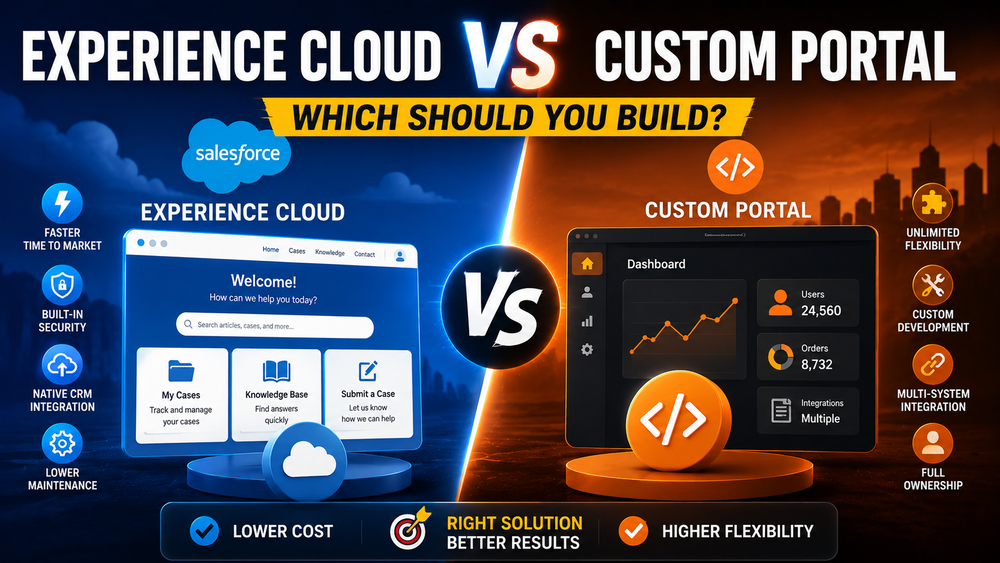
Salesforce Experience Cloud vs Custom Portal: Which Should You Build?
Many organizations need a portal where customers, partners, or employees can access information, submit requests, track cases, and collaborate with the business.
The question usually isn’t whether you need a portal—it’s what kind of portal you should build.
For Salesforce organizations, the decision often comes down to two options:
- Salesforce Experience Cloud
- Custom Portal Development
Both approaches can deliver excellent results, but they differ significantly in terms of implementation speed, cost, flexibility, security, and long-term maintenance.
In this guide, we’ll compare Salesforce Experience Cloud vs Custom Portal and help you determine which approach is right for your business.
What Is Salesforce Experience Cloud?
Salesforce Experience Cloud is a digital experience platform (DXP) that allows organizations to build branded portals, websites, self-service communities, and partner experiences directly on top of Salesforce CRM data.
With Experience Cloud, you can build:
- Customer portals
- Partner portals
- Self-service communities
- Knowledge sites
- Employee hubs
- Mobile experiences
Experience Cloud sites connect directly to Salesforce objects, workflows, and business processes, allowing organizations to extend CRM functionality to external users.
What Is a Custom Portal?
A custom portal is a fully bespoke application built using technologies such as:
- React
- Angular
- Vue
- Node.js
- .NET
The portal can still integrate with Salesforce through APIs, but the user interface, business logic, security model, and infrastructure are fully controlled by your organization.
Custom portals are often used when companies need:
- highly specialized user experiences;
- complex workflows;
- multiple back-end systems;
- complete control over architecture.
Why Businesses Compare Experience Cloud vs Custom Portal
This decision usually comes down to several trade-offs:
| Business Need | Experience Cloud | Custom Portal |
|---|---|---|
| Launch quickly | Yes | No |
| Unlimited flexibility | No | Yes |
| Native Salesforce integration | Yes | No |
| Full ownership | No | Yes |
| Lower maintenance | Yes | No |
The right answer depends on your business requirements rather than the technology itself.
Experience Cloud vs Custom Portal: Side-by-Side Comparison
| Area | Experience Cloud | Custom Portal |
| Time to Market | Weeks | Months |
| Initial Cost | Lower | Higher |
| Maintenance | Lower | Higher |
| Salesforce Integration | Native | API-Based |
| Security | Built-In | Custom |
| Scalability | High | Architecture Dependent |
| User Experience | Flexible | Unlimited |
| Ownership | Salesforce Platform | Full Ownership |
| Infrastructure | Managed by Salesforce | Self-Managed |
Advantages of Salesforce Experience Cloud
Faster Time to Market
Experience Cloud already provides:
- authentication;
- templates;
- navigation;
- content management;
- CRM connectivity.
Many portals can be launched in weeks instead of months.
Native Salesforce Integration
Experience Cloud sits directly on Salesforce data.
You don’t need to build:
- APIs;
- synchronization layers;
- custom authentication mechanisms.
This significantly reduces implementation complexity.
Built-In Security
Salesforce provides:
- profiles;
- permission sets;
- sharing rules;
- MFA;
- identity management.
Organizations with complex access requirements often benefit from these native capabilities.
Easier Maintenance
Salesforce manages:
- infrastructure;
- upgrades;
- availability;
- platform security.
Business teams can often make changes without engineering deployments.
Prebuilt Features
Experience Cloud includes features such as:
- Knowledge Base;
- Search;
- CMS;
- Case Management;
- Chatter;
- Mobile Publisher.
Many businesses never need to build these capabilities from scratch.
Limitations of Salesforce Experience Cloud
Licensing Costs
Licensing is often one of the biggest considerations.
As portal usage grows, Experience Cloud licensing can become a significant cost factor depending on the user model and scale.
UI Flexibility Limitations
Experience Cloud is highly customizable, but it isn’t completely unrestricted.
Extremely unique user experiences may require custom development.
Platform Dependency
You’re dependent on:
- Salesforce roadmap;
- platform limits;
- release cycles;
- licensing model.
Complex Requirements Can Become Expensive
Sometimes businesses attempt to force highly customized experiences into Experience Cloud and end up creating unnecessary complexity.
Advantages of a Custom Portal
Complete Flexibility
You control:
- architecture;
- user experience;
- integrations;
- deployment strategy;
- technology stack.
Unlimited User Experience Design
Custom portals allow:
- complex dashboards;
- advanced visualizations;
- highly interactive experiences;
- product-like interfaces.
Easier Multi-System Integration
If Salesforce is only one system among many, custom portals often provide a better long-term architecture.
Full Ownership
You own:
- code;
- infrastructure;
- roadmap;
- release process.
There are no portal licensing constraints.
Challenges of Custom Portals
Longer Time to Market
Building everything from scratch takes time.
You must create:
- authentication;
- security;
- APIs;
- administration tools;
- monitoring.
Higher Development Costs
Custom portals typically require:
- frontend developers;
- backend developers;
- QA engineers;
- DevOps specialists;
- security expertise.
Security Responsibility
Unlike Experience Cloud, all security responsibilities belong to your team.
You must design:
- authentication;
- permissions;
- access control;
- monitoring;
- compliance.
Higher Maintenance
Custom applications require ongoing engineering investment.
Experience Cloud vs Custom Portal: Cost Comparison
Many organizations focus only on initial implementation costs.
This is a mistake.
You should evaluate:
- development costs;
- licensing costs;
- maintenance costs;
- operational costs;
- total cost of ownership (TCO).
The cheapest option initially is not always the cheapest long-term solution.
Experience Cloud vs Custom Portal: Security Comparison
| Area | Experience Cloud | Custom Portal |
| Authentication | Built-In | Custom |
| MFA | Built-In | Custom |
| Sharing | Native | Custom |
| Compliance | Salesforce | Your Responsibility |
| Monitoring | Native Tools | Custom Tools |
If security and access management are highly complex, Experience Cloud often reduces implementation risk.
Experience Cloud vs Custom Portal: Scalability Comparison
Both approaches can scale successfully.
However, scalability means different things.
Experience Cloud scales well when:
- Salesforce is the source of truth;
- portal requirements are relatively standard;
- business teams need agility.
Custom portals scale well when:
- multiple systems are involved;
- user experience requirements are unique;
- engineering teams own the product long term.
When Salesforce Experience Cloud Is the Better Choice
Experience Cloud is often the right choice for:
- Customer portals
- Partner portals
- Self-service experiences
- Salesforce-first organizations
- Faster implementation requirements
- Lower operational overhead
When a Custom Portal Is the Better Choice
Custom portals are often the right choice for:
- highly specialized user experiences;
- complex workflows;
- multi-system architecture;
- full platform ownership;
- unlimited customization requirements.
Real-World Examples
| Scenario | Recommended Solution |
| Customer Self-Service Portal | Experience Cloud |
| Partner Portal | Experience Cloud |
| Marketplace Platform | Custom Portal |
| Product-Led B2B Platform | Custom Portal |
| Multi-System Enterprise Platform | Depends on Requirements |
The Hybrid Approach: Often the Best Answer
Many organizations don’t choose one or the other.
Instead, they combine both approaches.
Examples:
- React frontend + Salesforce APIs
- Experience Cloud + custom microservices
- Custom frontend + Salesforce backend
Hybrid architectures often provide the best balance between:
- speed;
- flexibility;
- scalability.
Decision Framework
Choose Experience Cloud If:
- Salesforce is your system of record.
- Standard portal capabilities are sufficient.
- Speed matters.
- Business teams need self-service administration.
Choose a Custom Portal If:
- User experience is highly specialized.
- Multiple systems are involved.
- Full architectural control is required.
Choose a Hybrid Architecture If:
- You need both flexibility and native Salesforce capabilities.
How Success Craft Can Help
At Success Craft, we help organizations design and implement:
- Customer Portals
- Partner Portals
- Hybrid Applications
- Salesforce Integrations
- Experience Cloud Solutions
Related resources:
Salesforce Portals Development
Customer Portal vs Partner Portal
Salesforce Experience Cloud Licensing
Salesforce Experience Cloud Security Best Practices
Conclusion
There is no universal answer to the Salesforce Experience Cloud vs Custom Portal question.
Experience Cloud is often the better choice when:
- speed;
- native CRM integration;
- lower operational overhead
matter most.
Custom portals become attractive when:
- flexibility;
- ownership;
- highly specialized user experiences
are the primary goals.
And in many cases, a hybrid architecture delivers the best of both worlds.
The right decision isn’t about choosing a technology—it’s about choosing the approach that best supports your business strategy and long-term growth.
What is the difference between Experience Cloud and a custom portal?
Experience Cloud is Salesforce’s native platform for building customer and partner portals with built-in CRM integration, security, and administration tools. A custom portal is fully developed from scratch and provides complete flexibility over architecture and user experience.
Is Salesforce Experience Cloud cheaper than building a custom portal?
Not always. Experience Cloud often has lower upfront development costs, but licensing costs can increase as the number of external users grows. A custom portal usually requires a larger initial investment but may have lower long-term licensing costs in some scenarios.
When should I build a custom portal instead of using Experience Cloud?
A custom portal is often the better choice when you need highly specialized user experiences, complex workflows, multi-system integrations, or complete control over the application’s architecture.
Can Salesforce Experience Cloud be customized?
Yes. Experience Cloud supports extensive customization through Experience Builder, Lightning components, custom development, and integrations. However, there are still platform limitations compared to a fully custom application.
Can I integrate a custom portal with Salesforce?
Yes. Custom portals commonly integrate with Salesforce using REST APIs, Platform Events, middleware, and other integration technologies.
Can I combine Experience Cloud and custom applications?
Yes. Many organizations use a hybrid approach by combining Experience Cloud with custom services or building custom frontends that use Salesforce as the backend system.