

10 Common Salesforce Flow Mistakes (and How to Avoid Them)
Salesforce Flow has become the primary automation tool for many organizations. As Salesforce continues investing heavily in Flow and retiring legacy automation tools, admins are using it to automate everything from simple field updates to sophisticated business processes.
But here’s the reality: Flow itself isn’t usually the problem.
The biggest challenges arise from how Flow is designed.
Poor architecture, inconsistent standards, and shortcuts taken during implementation often lead to performance issues, failed transactions, and automations that become difficult to maintain over time.
The best Flow builders don’t spend all their time dragging elements onto a canvas. They spend time designing, documenting, testing, and thinking about scalability before building anything.
Following Salesforce Flow best practices can help your organization avoid technical debt, improve performance, and build automations that continue delivering value long after deployment.
1. Building Monolithic Flows Instead of Using Subflows
One of the most common Salesforce Flow mistakes is trying to solve every requirement within a single Flow.
As business requirements evolve, these Flows become increasingly difficult to understand, test, and maintain.
Large Flows often contain:
- dozens of elements;
- multiple decision branches;
- duplicated logic;
- hidden dependencies.
Eventually, even small changes become risky.
Why it’s a problem
- Debugging takes longer.
- New admins struggle to understand the logic.
- Small updates can create unexpected side effects.
- Technical debt accumulates quickly.
Best practice
Break large automations into smaller reusable components using Subflows.
Subflows allow teams to:
- reuse logic;
- simplify maintenance;
- improve readability;
- isolate testing.
As SalesforceBen highlights in its Flow recommendations, reusable components make automation easier to manage as organizations grow.
The goal isn’t fewer Flows. The goal is simpler Flows.
2. Ignoring Entry Criteria
Many admins configure record-triggered Flows to run whenever a record changes.
While this approach works, it often creates unnecessary executions.
For example, imagine a Flow designed to update customer onboarding tasks. Should it run every time an Account is edited?
Probably not.
Why it’s a problem
Unnecessary executions can lead to:
- slower performance;
- harder troubleshooting;
- increased complexity;
- higher chances of hitting limits.
Best practice
Use specific entry criteria whenever possible.
Ask yourself:
What conditions actually require this automation to run?
The fewer unnecessary executions your Flow performs, the more scalable it becomes.
This simple habit is one of the most overlooked Salesforce Flow best practices.
3. Performing DML Operations Inside Loops
This remains one of the most common—and avoidable—Salesforce Flow mistakes.
Admins often place Update Records, Create Records, or Delete Records elements inside loops because it’s intuitive.
Unfortunately, Salesforce doesn’t always reward intuitive design.
Why it’s a problem
Performing DML operations inside loops can:
- increase processing time;
- contribute to governor limit issues;
- create failures during bulk operations.
The problem may never appear during testing with a single record.
It often appears when users import hundreds of records at once.
Best practice
Instead of updating records one by one:
- build collections;
- process records within the loop;
- perform DML once outside the loop.
A few extra minutes of design can dramatically improve performance.
If your Flow processes multiple records, always think in bulk.
4. Using Flow When Apex Is the Better Choice
Flow is powerful.
But it’s not the answer to every problem.
Some admins become so committed to “clicks not code” that they attempt to solve highly complex scenarios entirely through Flow.
Why it’s a problem
Certain requirements are simply better suited to Apex, including:
- highly complex calculations;
- sophisticated integrations;
- advanced error handling;
- scenarios requiring greater flexibility.
Trying to force Flow into these situations often produces fragile automations.
Best practice
Choose the right tool for the job.
Use Flow where it excels.
Use Apex where it provides clear advantages.
We explored this topic in more detail in our guide:
Salesforce Flow vs Apex: Which One Should You Choose?
Flow and Apex shouldn’t be treated as competitors. The strongest Salesforce implementations use both appropriately.
5. Not Testing Bulk Scenarios
A Flow that works perfectly for one record may fail spectacularly when processing hundreds.
Unfortunately, many admins only test with individual records.
Why it’s a problem
Real-world scenarios often involve:
- data imports;
- integrations;
- mass updates;
- scheduled processes.
Without bulk testing, problems frequently appear in production.
Best practice
Test Flows using realistic data volumes.
Ask:
- What happens with 200 records?
- Does the Flow still perform efficiently?
- Can users complete large operations successfully?
Testing for scale is just as important as testing functionality.
Salesforce admins often underestimate how quickly successful automations grow in usage.
Always test for the environment you’ll have—not the environment you have today.
Following this principle can prevent some of the most expensive Flow failures.
6. Skipping Fault Paths
No matter how carefully you design a Flow, things can go wrong.
Records may fail validation.
Integrations may time out.
Required data may be missing.
Yet many admins leave fault paths completely unconfigured.
Why it’s a problem
Without proper error handling:
- users receive generic error messages;
- failures become difficult to diagnose;
- troubleshooting takes significantly longer;
- business processes may stop unexpectedly.
The worst part?
You may not even realize something is failing until users start reporting issues.
Best practice
Use fault paths consistently.
Whenever possible:
- capture the error;
- notify the appropriate team;
- configure email alerts;
- log useful information;
- provide meaningful feedback to users.
Error handling shouldn’t be an afterthought. It should be part of the design.
A Flow that fails silently is often more dangerous than a Flow that fails visibly.
7. Hardcoding IDs and Values
Hardcoded values are one of the fastest ways to create fragile automations.
What works perfectly in a sandbox often breaks after deployment.
Common examples include:
- Queue IDs;
- Record Type IDs;
- User IDs;
- Email addresses;
- URLs.
Why it’s a problem
Hardcoded values create:
- deployment challenges;
- maintenance headaches;
- unexpected failures across environments.
Every new sandbox refresh becomes a risk.
Best practice
Store configurable values outside your Flow.
Use:
- Custom Metadata Types;
- Custom Settings;
- formulas when appropriate;
- centralized configuration approaches.
Admins should be able to update business configurations without editing Flow logic.
If changing a business rule requires opening Flow Builder, your automation may not be flexible enough.
8. Treating Documentation as Optional
This mistake rarely causes immediate failures.
But over time, it becomes one of the most expensive.
Many organizations have Flows named:
- “Test Flow”;
- “New Flow”;
- “Automation v2”;
- “Copy of Copy of Flow.”
No descriptions.
No owner.
No explanation.
No documentation.
Six months later, nobody remembers why the Flow exists.
Why it’s a problem
Lack of documentation leads to:
- fear of making changes;
- duplicated automations;
- unnecessary technical debt;
- slower onboarding of new team members.
Best practice
Document every Flow.
Use the Description field in Flow Builder and include:
- purpose;
- business requirements;
- entry criteria;
- assumptions;
- dependencies;
- owner.
Salesforce itself emphasizes the importance of standards and documentation.
Future you will thank present you.
9. Leaving Old Flows Active
Organizations often focus on creating new automations while forgetting to retire old ones.
Over time, multiple Flows begin operating on the same objects.
Some are active.
Some are outdated.
Some nobody remembers.
Why it’s a problem
Old Flows can create:
- duplicate updates;
- conflicting business logic;
- unexpected behavior;
- unnecessary processing.
Admins often spend hours troubleshooting issues caused by automations that should have been retired years ago.
Best practice
Conduct regular Flow audits.
Review:
- inactive Flows;
- duplicate automations;
- outdated requirements;
- unnecessary complexity.
Automation should evolve alongside the business.
Just because a Flow still runs doesn’t mean it still adds value.
10. Using After-Save Flows for Everything
Many admins default to after-save Flows without considering whether a before-save Flow would be more appropriate.
Why it’s a problem
After-save Flows:
- execute more slowly;
- consume more resources;
- may introduce unnecessary processing.
In scenarios where you’re simply updating fields on the triggering record, using an after-save Flow can be inefficient.
Best practice
If you only need to update fields on the same record that triggered the automation, use a before-save Flow whenever possible.
Choosing the right Flow type can significantly improve performance.
One of the simplest Salesforce Flow best practices is also one of the most impactful: use the right Flow for the right task.
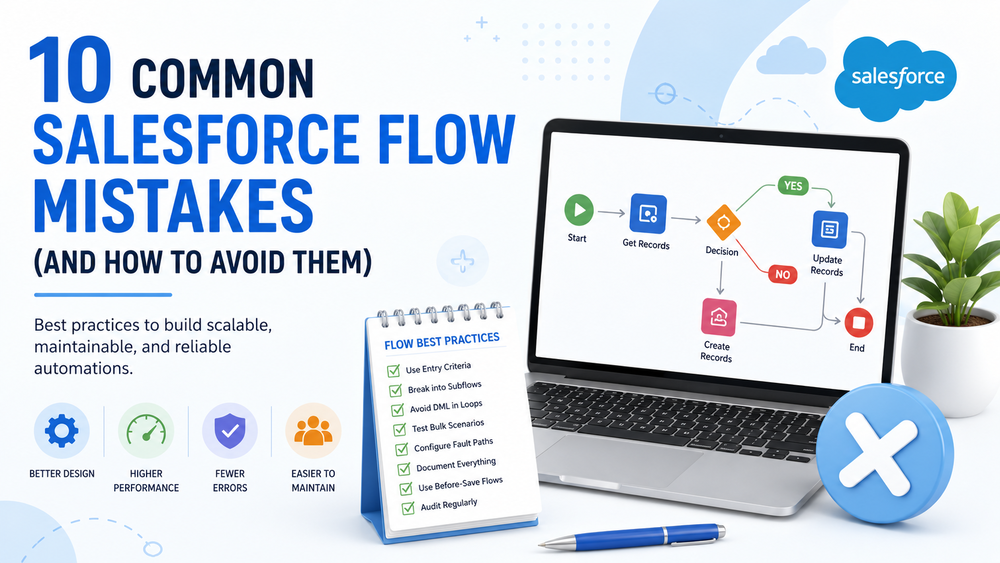
Salesforce Flow Best Practices Checklist
Before deploying a Flow, ask yourself:
✓ Have we designed the solution before building it?
✓ Can this logic be reused through Subflows?
✓ Are entry criteria specific enough?
✓ Have we avoided DML operations inside loops?
✓ Have we tested bulk scenarios?
✓ Are fault paths configured?
✓ Have we eliminated hardcoded values?
✓ Is the Flow properly documented?
✓ Have we reviewed existing Flows for duplication?
✓ Are we using before-save Flows where appropriate?
Following these Salesforce Flow best practices can help ensure your automations remain scalable, maintainable, and reliable.
How Success Craft Can Help
Salesforce Flow makes automation accessible.
Building scalable automations is a different challenge.
At Success Craft, we help organizations optimize and evolve their Salesforce environments by designing automations that remain reliable as businesses grow.
Our team can help you:
- audit existing Flows;
- improve automation performance;
- redesign overly complex implementations;
- establish Flow standards and governance;
- determine when Apex is the better choice;
- support ongoing Salesforce improvements.
Learn more about our Salesforce Consulting Services.
We also provide long-term optimization and support.
Need help reviewing your Salesforce automations?
Contact our Salesforce experts.
Conclusion
Salesforce Flow has transformed the way organizations build automation.
It empowers admins to solve problems faster and reduces the need for custom development in many scenarios.
But accessibility doesn’t eliminate the need for thoughtful design.
The most successful teams don’t simply build automations quickly.
They build automations that are reliable, scalable, maintainable, and easy for others to understand.
Avoiding these common mistakes won’t just help you prevent errors.
It will help you create Salesforce automations that continue delivering value long after deployment.
Following Salesforce Flow best practices isn’t about building perfect Flows.
It’s about building automations your business can depend on.
Great Salesforce automations aren’t measured by how quickly they’re built. They’re measured by how reliably they support the business months and years after deployment.
What are Salesforce Flow best practices?
Salesforce Flow best practices include using specific entry criteria, designing reusable Subflows, avoiding DML operations inside loops, implementing fault paths, and documenting automations properly.
What is the most common Salesforce Flow mistake?
One of the most common Salesforce Flow mistakes is building overly complex Flows that become difficult to maintain, troubleshoot, and scale over time.
Can Salesforce Flow replace Apex?
Not entirely. Salesforce Flow can handle many automation scenarios, but Apex remains the better choice for highly complex logic, advanced integrations, and specialized use cases.
How do I improve Salesforce Flow performance?
Improve Salesforce Flow performance by reducing unnecessary executions, testing bulk scenarios, avoiding DML operations inside loops, using before-save Flows where appropriate, and regularly auditing existing automations.
Why should I use Subflows in Salesforce?
Subflows allow you to reuse logic across multiple automations, making Flows easier to maintain, test, and understand while reducing technical debt.
What is the difference between before-save and after-save Flows?
Before-save Flows are optimized for updating fields on the triggering record and generally perform faster. After-save Flows are better suited for more complex actions, such as creating related records or invoking additional processes.
How often should Salesforce Flows be reviewed?
Organizations should review their Flows regularly, especially after Salesforce releases, major business process changes, or when signs of technical debt begin to appear.