

Salesforce Flow vs Apex: When to Use Each Approach
Salesforce Flow vs Apex is one of the most important architectural decisions in modern Salesforce development. As organizations scale their Salesforce environments, automation complexity grows rapidly. Businesses must decide whether to use declarative automation with Flow or custom development with Apex to build scalable, maintainable, and operationally reliable systems.
Both approaches are powerful, but they solve different categories of problems.
Salesforce Flow enables teams to build low-code automation directly inside the Salesforce platform. Apex provides full programmatic control for advanced business logic, integrations, asynchronous processing, and enterprise-scale operations. The challenge is that many organizations either overuse Flow for highly complex enterprise automation or overengineer simple business processes with Apex.
As Salesforce ecosystems become larger and more interconnected, choosing the wrong automation strategy can create:
- performance bottlenecks;
- operational instability;
- debugging complexity;
- difficult deployments;
- automation sprawl;
- long-term technical debt.
In mature Salesforce environments, automation decisions are no longer only about implementation speed. They directly affect scalability, governance, observability, and long-term operational stability.
In this guide, we explore:
- the differences between Salesforce Flow and Apex;
- when each approach works best;
- scalability and governance considerations;
- common automation mistakes;
- how enterprise teams combine Flow and Apex effectively.
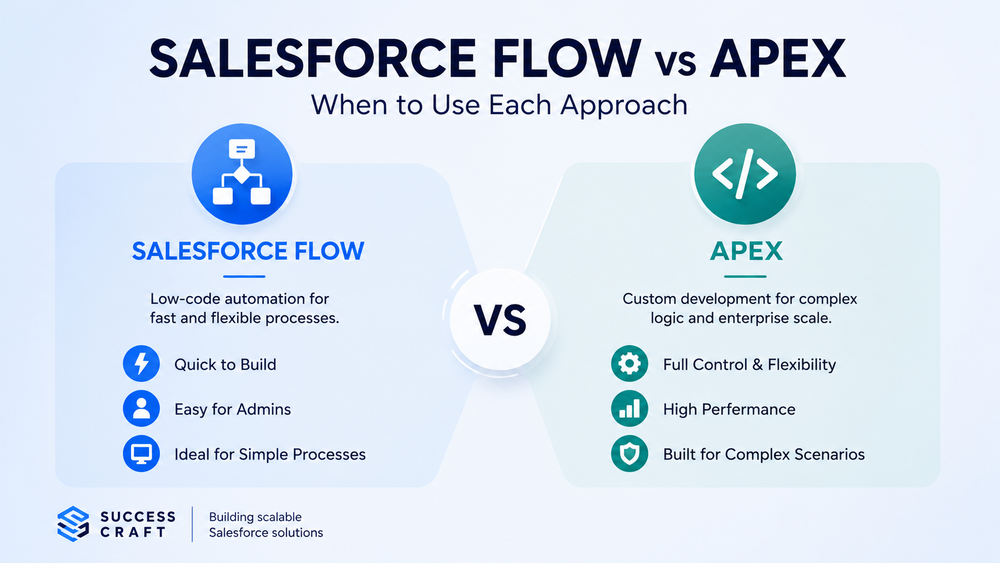
What Is Salesforce Flow
Definition and Core Purpose
Salesforce Flow is a declarative low-code automation framework that allows organizations to automate business processes without writing traditional code.
Flow enables teams to automate record updates, build guided user experiences, orchestrate business logic, create approval flows, and manage notifications directly inside Salesforce. Over the past few years, Salesforce has positioned Flow as the platform’s primary declarative automation framework, gradually replacing older tools such as Workflow Rules and Process Builder.
Common Flow types include:
- Record-Triggered Flow;
- Scheduled Flow;
- Screen Flow;
- Autolaunched Flow.
Official Salesforce Flow documentation
Advantages of Salesforce Flow
Salesforce Flow provides several important advantages for business automation, especially for organizations that prioritize operational flexibility and rapid implementation.
One of the biggest advantages is development speed. Flows can often be implemented significantly faster than custom Apex solutions, particularly for operational workflows and standard business processes. Because Flow is declarative, Salesforce admins can maintain and update automation without requiring deep software engineering expertise.
Flow also integrates naturally into the Salesforce ecosystem. It works directly with:
- Lightning Experience;
- page layouts;
- approval processes;
- user actions;
- screen-based workflows.
This makes Flow especially effective for:
- operational automation;
- guided forms;
- approval routing;
- notifications;
- user-driven processes.
For many organizations, Flow reduces development overhead while improving business agility.
Common Salesforce Flow Use Cases
Flow works especially well for business processes where automation logic remains relatively straightforward and operational flexibility is important.
Typical use cases include:
- lead routing;
- onboarding workflows;
- approval automation;
- notifications;
- guided customer experiences;
- screen-based data collection;
- lightweight orchestration.
For many operational scenarios, Flow provides the right balance between speed, flexibility, and maintainability.
What Is Apex
Definition and Core Purpose
Apex is Salesforce’s custom server-side programming language used for advanced business logic and enterprise automation.
Unlike Flow, Apex provides:
- full programmatic control;
- reusable services;
- advanced integrations;
- asynchronous processing;
- custom APIs;
- scalable architecture patterns.
Apex is commonly used when business requirements exceed the capabilities, scalability, or maintainability of declarative automation.
Advantages of Apex
The primary advantage of Apex is architectural flexibility.
Apex allows developers to implement highly customized business logic and enterprise workflows that would be difficult or impossible to manage declaratively. Developers gain much greater control over:
- transaction management;
- governor limits;
- asynchronous processing;
- query optimization;
- error handling.
This level of control becomes increasingly important as enterprise environments scale and automation ecosystems grow more interconnected.
Apex also supports:
- reusable services;
- centralized business logic;
- modular automation;
- cleaner governance models.
In large Salesforce environments, Apex often becomes critical for maintaining performance, scalability, and operational stability.
Common Apex Use Cases
Apex is commonly used for:
- enterprise integrations;
- complex business logic;
- asynchronous processing;
- high-volume operations;
- trigger frameworks;
- custom APIs;
- advanced orchestration.
Enterprise organizations frequently rely on Apex to maintain operational reliability in large and highly interconnected Salesforce ecosystems.
Salesforce Flow vs Apex: Key Differences
Low-Code vs Custom Development
The biggest difference between Salesforce Flow and Apex is the development model itself.
Flow uses:
- declarative automation;
- visual configuration;
- low-code process building.
Apex uses:
- custom programming;
- software engineering practices;
- code-based architecture.
Flow generally reduces implementation time and development overhead, while Apex provides significantly greater flexibility, scalability, and architectural control.
For smaller automation requirements, Flow may be the fastest and most maintainable option. However, as business logic becomes more advanced, organizations often require the deeper control that Apex provides.
Scalability and Performance
Scalability is one of the most important differences between Flow and Apex.
Salesforce Flow performs well for:
- simple automation;
- moderate transaction volume;
- guided workflows;
- admin-managed processes.
However, large-scale enterprise automation often introduces:
- recursive execution;
- transaction complexity;
- debugging difficulties;
- performance bottlenecks.
As organizations add more automations, integrations, and dependencies, Flow environments can gradually become difficult to manage.
Apex provides greater control over:
- governor limit optimization;
- transaction handling;
- bulk processing;
- asynchronous operations.
This makes Apex significantly better suited for:
- enterprise-scale operations;
- large-volume processing;
- advanced integrations;
- complex orchestration.
As automation ecosystems grow, performance optimization and operational visibility become increasingly important.
Error Handling and Debugging
Debugging Flow environments can become difficult as automation complexity increases.
Large organizations often struggle with:
- overlapping Flows;
- recursive execution chains;
- hidden dependencies;
- limited observability.
One of the biggest challenges in large declarative environments is that automation behavior becomes harder to predict as additional Flows are introduced.
Apex provides:
- structured logging;
- unit testing;
- reusable frameworks;
- stronger debugging visibility.
For enterprise systems, observability and troubleshooting capabilities become critical for maintaining long-term operational stability.
Deployment and Governance
Enterprise Salesforce environments require:
- version control;
- CI/CD processes;
- governance standards;
- deployment consistency;
- operational visibility.
Large Flow environments may become difficult to govern because organizations often accumulate:
- multiple active Flow versions;
- disconnected automation logic;
- decentralized ownership;
- inconsistent architecture patterns.
Apex development typically integrates more naturally into mature DevOps and software engineering workflows.
Related article:
Salesforce Integration Architecture: Best Practices for Scalable Systems
When to Use Salesforce Flow
Best Scenarios for Flow
Salesforce Flow works best for:
- simple business automation;
- guided user experiences;
- approval routing;
- notifications;
- low-to-medium complexity workflows;
- admin-managed operations.
Flow is especially effective when organizations need:
- faster implementation;
- lower development overhead;
- operational flexibility;
- rapid business changes.
In many operational environments, Flow allows teams to automate processes quickly while maintaining a strong level of agility.
When Flow Performs Best
Flow generally performs best when:
- automation logic remains relatively simple;
- transaction complexity is limited;
- data volumes remain manageable;
- integrations are minimal;
- governance requirements are moderate.
Well-designed Flow architectures can successfully support many operational business processes without requiring extensive custom development.
However, organizations should avoid treating Flow as a universal solution for every enterprise automation challenge.
When to Use Apex
Best Scenarios for Apex
Apex becomes necessary when organizations require:
- complex business logic;
- enterprise-scale automation;
- advanced integrations;
- reusable architecture;
- asynchronous processing;
- high-volume data operations.
As Salesforce ecosystems become larger and more interconnected, Apex often becomes essential for maintaining scalability and operational reliability.
When Apex Is the Better Long-Term Option
Apex is often the better choice when:
- automation complexity grows rapidly;
- multiple systems become interconnected;
- performance optimization becomes critical;
- operational visibility is required;
- advanced governance is necessary.
Enterprise organizations frequently rely on Apex to maintain long-term scalability, maintainability, and architectural consistency.
Using Flow and Apex Together
Hybrid Automation Architecture
In mature Salesforce environments, the best solution is often a hybrid automation architecture.
Organizations commonly use:
- Flow for orchestration and user interaction;
- Apex for complex processing and reusable logic.
This approach allows businesses to combine:
- declarative flexibility;
- enterprise scalability;
- centralized governance;
- reusable services.
For example:
- Flow may initiate automation;
- Apex handles complex calculations or integrations;
- Flow manages user-facing interactions.
Hybrid architectures are often the most sustainable approach for large Salesforce ecosystems because they balance operational agility with long-term maintainability.
Enterprise Best Practices
Successful hybrid architectures typically include:
- separation of concerns;
- reusable Apex services;
- modular Flows;
- centralized governance;
- operational observability.
Without governance, organizations often create automation sprawl that becomes increasingly difficult to maintain as the business grows.
Common Salesforce Automation Mistakes
Overusing Flow
One of the most common mistakes is attempting to build all enterprise automation entirely with Flow.
This often creates:
- recursive automation;
- performance bottlenecks;
- debugging complexity;
- operational instability.
Large interconnected Flow environments may become difficult to scale, troubleshoot, and govern over time.
Overusing Apex
At the same time, not every process requires custom development.
Using Apex for simple operational workflows may introduce:
- unnecessary complexity;
- higher maintenance costs;
- slower implementation cycles.
Organizations should avoid overengineering automation that can be handled declaratively.
Lack of Automation Governance
Many Salesforce environments gradually accumulate:
- overlapping automation;
- duplicated business logic;
- inconsistent naming conventions;
- deployment risks;
- poor operational visibility.
Without architecture standards and governance processes, automation ecosystems become increasingly difficult to manage as organizations scale.
How Success Craft Builds Scalable Salesforce Automation
Success Craft helps organizations design scalable Salesforce automation architectures that balance declarative flexibility with enterprise scalability.
Our expertise includes:
- Flow architecture optimization;
- Apex development;
- enterprise automation governance;
- integration architecture;
- performance optimization;
- operational scalability strategies.
We help businesses:
- choose the right automation approach;
- reduce automation complexity;
- improve maintainability;
- stabilize enterprise Salesforce environments;
- optimize hybrid Flow + Apex architectures.
Many organizations initially prioritize implementation speed but later encounter operational challenges as automation complexity increases. Success Craft helps companies build Salesforce architectures that remain scalable, maintainable, observable, and operationally reliable over time.
Related services:
Final Thoughts
The debate around Salesforce Flow vs Apex is not about choosing a universal winner. Both technologies are essential parts of the Salesforce ecosystem and solve different categories of business problems.
Flow provides:
- rapid low-code automation;
- operational flexibility;
- strong admin usability.
Apex provides:
- enterprise scalability;
- advanced customization;
- reusable architecture;
- greater operational control.
As Salesforce environments grow more complex, organizations often achieve the best results through hybrid automation strategies that combine Flow orchestration with Apex-based enterprise logic.
Long-term success depends not only on implementation speed, but also on:
- scalability;
- governance;
- observability;
- maintainability;
- operational reliability.
In modern enterprise ecosystems, the best automation architecture is the one that continues operating reliably as business complexity, integrations, and operational demands evolve over time.
What is the difference between Salesforce Flow and Apex?
Salesforce Flow is a declarative low-code automation tool, while Apex is a custom programming language used for advanced business logic and enterprise-scale automation.
What is the difference between Salesforce Flow and Apex?
Salesforce Flow is a declarative low-code automation tool, while Apex is a custom programming language used for advanced business logic and enterprise-scale automation.
Is Salesforce Flow replacing Apex?
No. Salesforce Flow reduces the need for some custom development, but Apex remains essential for complex enterprise automation and advanced integrations.
Can Salesforce Flow and Apex work together?
Yes. Many enterprise Salesforce environments use hybrid architectures where Flow manages orchestration and Apex handles complex processing and reusable logic.
Which is better for enterprise Salesforce automation?
Neither Flow nor Apex is universally better. The right choice depends on automation complexity, scalability requirements, governance needs, and long-term maintainability.