

Salesforce Automation Best Practices: How to Build Scalable Salesforce Automation
Modern businesses depend on automation to improve operational speed, reduce manual work, and create consistent business processes. In Salesforce, automation powers everything from lead routing and approvals to opportunity updates, integrations, notifications, and customer workflows.
Yet many organizations eventually discover the same challenge:
Automation that once improved efficiency becomes increasingly difficult to maintain, troubleshoot, and scale.
This usually happens because Salesforce automation evolves reactively. Teams add Flows, Triggers, validations, scheduled logic, and integrations over time to solve immediate business problems without consistent governance or architectural planning.
As complexity grows, organizations often experience duplicated logic, conflicting automation, troubleshooting challenges, performance bottlenecks, and poor visibility into business rules, making Salesforce harder to maintain over time.
This is why Salesforce automation best practices matter.
In this guide, we explain:
- how Salesforce automation works;
- common automation mistakes;
- when to use Flow vs Apex;
- how to build scalable automation architecture;
- best practices for maintainable enterprise automation.
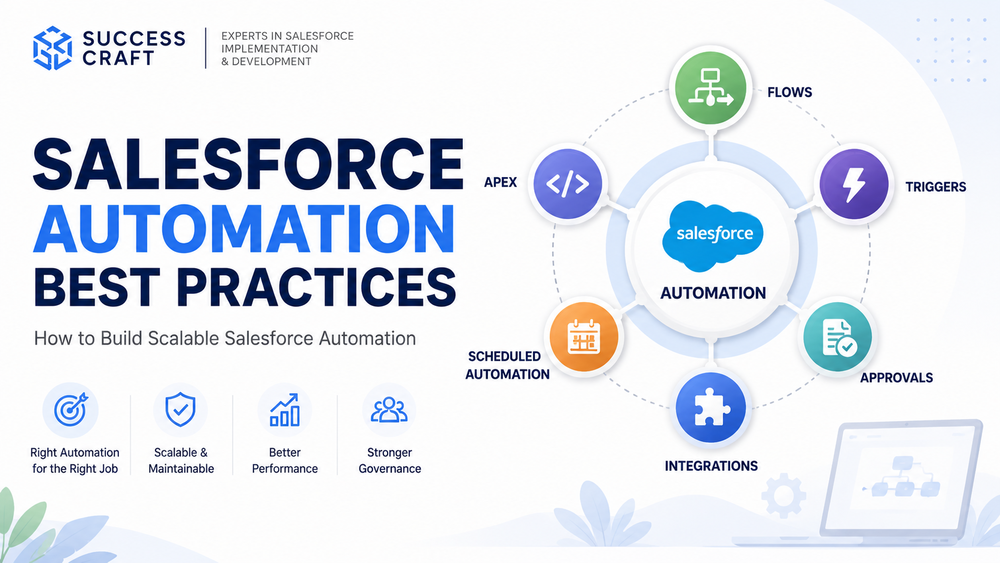
What Is Salesforce Automation
Salesforce automation refers to business logic that automatically performs actions, updates records, triggers workflows, and executes operational processes inside Salesforce.
In modern Salesforce environments, automation is increasingly built around:
- Salesforce Flow;
- Apex logic;
- Triggers;
- scheduled automation;
- approval processes;
- integrations and event-driven actions.
Official Salesforce documentation:
Salesforce Flow Documentation
Automation helps organizations:
- reduce manual work;
- standardize operations;
- improve process consistency;
- reduce human error.
However, automation only creates long-term value when it remains scalable, maintainable, observable, and easy to govern.
Without structure, enterprise Salesforce environments often become overloaded with overlapping logic and fragmented business processes.
Why Salesforce Automation Becomes Difficult to Scale
Most organizations start with simple automation.
A Flow updates a field.
Another automation sends an email.
A Trigger validates business logic.
At first, everything feels manageable.
Then more business requirements appear.
New departments add automation.
Different teams introduce independent logic.
Over time, Salesforce becomes harder to understand.
Teams stop asking:
“What should this automation do?”
And start asking:
“Why did Salesforce suddenly do this?”
That shift is often an early sign of growing automation debt.
Common warning signals include:
- duplicated business logic;
- automation conflicts;
- poor ownership visibility;
- difficult troubleshooting;
- performance degradation.
Common Salesforce Automation Mistakes
The biggest automation problems rarely come from Salesforce itself.
They usually result from weak automation governance.
Overlapping Automation
One of the most common enterprise problems occurs when multiple automations control the same business process.
For example:
A Flow updates Opportunity data.
An Apex Trigger performs similar updates.
Another automation executes after save.
Over time, teams lose visibility into which automation controls business logic.
Troubleshooting becomes slower.
Unexpected behavior becomes harder to explain.
One business process should ideally have one clearly governed source of logic.
Automation Without Ownership
Many organizations build automation without defining:
- ownership;
- documentation;
- lifecycle governance;
- testing expectations.
Months later, teams no longer understand:
- why automation exists;
- who built it;
- what dependencies it affects.
This becomes especially dangerous during deployments, process redesigns, or enterprise releases.
Overcomplicated Flow Design
Many organizations try solving every business problem with Flow.
While Salesforce Flow supports declarative and moderately complex business logic, excessive complexity often creates:
- hard-to-debug logic;
- deeply nested automation;
- long execution chains;
- maintenance challenges;
- scalability concerns.
At some point, business requirements become better suited for Apex architecture.
Official Salesforce guidance:
Apex Developer Best Practices
When to Use Flow vs Apex
One of the biggest Salesforce automation decisions is choosing between Flow and Apex.
In general:
Flow works best for:
- declarative business logic;
- moderately complex automation;
- approvals;
- notifications;
- field updates;
- guided processes.
Apex works best for:
- advanced business logic;
- reusable enterprise services;
- scalability requirements;
- large-volume processing;
- highly customized automation.
The real question is not:
“Flow or Apex?”
It is:
Which automation approach best fits business complexity, scalability, and maintainability requirements?
Related resources:
- Salesforce Flow vs Apex Guide
- Salesforce Flow Limitations
- Apex Best Practices for Salesforce Systems
- Salesforce Trigger Best Practices
Salesforce Automation Best Practices
The strongest Salesforce organizations treat automation as an architectural discipline rather than isolated configuration work.
Keep Automation Simple
One of the most effective practices is reducing unnecessary complexity.
Automation should remain:
- readable;
- reusable;
- documented;
- easy to troubleshoot.
Simple automation scales better than deeply layered business logic.
Avoid Overlapping Logic
Organizations should avoid placing competing business logic across:
- Flow;
- Apex;
- Triggers;
- scheduled automation.
When multiple systems control the same action, troubleshooting becomes difficult and releases become riskier.
Clear ownership reduces operational confusion.
Design for Scalability
Automation should work not only for today’s requirements but also future growth.
Enterprise teams should ask:
- Will this scale with higher business volume?
- Will future teams understand this logic?
- Can dependencies be maintained safely?
Scalable automation architecture reduces technical debt over time.
Build Governance Around Automation
Organizations should establish:
- naming conventions;
- ownership standards;
- documentation;
- testing requirements;
- release governance.
Automation without governance eventually becomes difficult to maintain.
Monitor and Troubleshoot Automation
Observability matters.
Enterprise teams should review:
- Flow failures;
- failed Flow interviews;
- debug logs;
- Trigger failures;
- automation behavior after deployments;
- unexpected record changes.
Better monitoring reduces troubleshooting time and improves operational reliability.
When Salesforce Automation Becomes Too Complex
Several warning signals suggest automation architecture may require redesign:
- business logic spread across too many Flows;
- repeated troubleshooting;
- duplicated rules;
- release instability;
- growing maintenance effort.
When automation becomes difficult to explain, maintain, or govern, architecture often matters more than adding another Flow.
When Organizations Usually Need External Expertise
Automation governance becomes significantly harder when organizations manage:
- enterprise workflows;
- multiple teams;
- complex approval logic;
- integrations across departments;
- large Salesforce environments.
This often happens when automation evolves across teams without consistent governance or architectural oversight.
Teams frequently struggle to understand which automation owns business logic, why failures happen, or how to scale automation safely.
At Success Craft, we help organizations design Salesforce environments around automation governance, scalability, maintainability, and operational reliability.
Our expertise includes:
- Flow and Apex architecture;
- enterprise automation strategy;
- automation governance;
- Salesforce performance optimization;
- release-safe automation design.
Related resources:
Final Thoughts
Salesforce automation best practices are not only about building automation faster.
They are about building automation that remains scalable, maintainable, observable, and reliable as business complexity grows.
The strongest enterprise teams understand a simple principle:
Automation should reduce operational complexity — not create it.
What are Salesforce automation best practices?
Salesforce automation best practices include keeping automation simple, avoiding overlapping logic, using Flow and Apex appropriately, and maintaining governance.
When should I use Flow vs Apex in Salesforce?
Flow works best for declarative and moderately complex business logic, while Apex is better for advanced logic, scalability, and reusable enterprise automation.
Why does Salesforce automation become difficult to manage?
Automation becomes difficult because of overlapping logic, poor governance, weak documentation, duplicated business rules, and growing complexity.
How do you build scalable Salesforce automation?
Build scalable automation through governance, maintainable architecture, testing, ownership, documentation, and observability.
What are common Salesforce automation mistakes?
Common mistakes include duplicated logic, overly complex Flows, automation without ownership, weak governance, and overlapping business processes.