

Salesforce Connected App Security Audit Checklist for Enterprise Teams
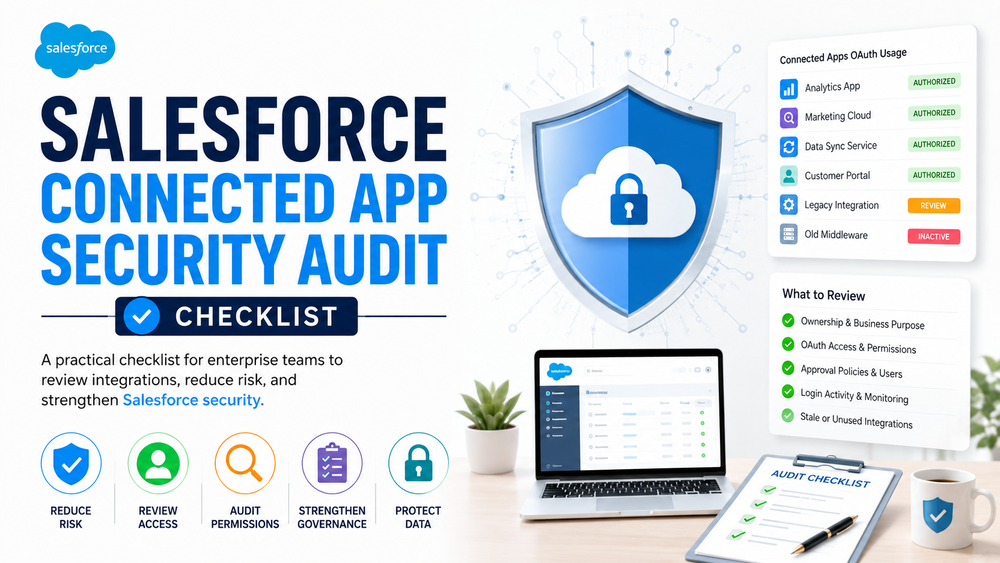
A Salesforce connected app audit has become an essential part of enterprise Salesforce security. Recent Salesforce security changes around Connected Apps, OAuth governance, and delegated access introduced a new reality for enterprise teams:
Integrations can no longer be treated as “set it and forget it.”
For years, Salesforce organizations connected marketing platforms, middleware, customer portals, analytics systems, support software, internal applications, and external APIs with minimal ongoing review. Once integrations worked, they often disappeared into the background.
However, Salesforce security changes shifted expectations around trust, access, and governance. As a result, enterprise teams increasingly need visibility into integrations, OAuth access, and connected app permissions.
The key message is simple:
Trusted integrations require active governance.
Many enterprise Salesforce environments contain dozens of connected applications. Some are business-critical. Others were created during implementation projects, vendor onboarding, proof-of-concept phases, or temporary migrations and quietly remained active long after the original business need disappeared.
This creates an uncomfortable question:
Who currently has trusted access to Salesforce — and why?
A Salesforce connected app audit helps answer that question.
In this guide, we explain:
- what a Salesforce connected app audit is;
- why audits matter after Salesforce security changes;
- what should be reviewed;
- common mistakes and red flags;
- how enterprise teams should structure ongoing governance.
Why a Salesforce Connected App Audit Matters After Security Changes
Salesforce security discussions increasingly focus on:
- OAuth governance;
- delegated trust;
- malicious app approvals;
- social engineering;
- risky integrations;
- access visibility.
Salesforce tightened security expectations after growing concerns around OAuth abuse, fake Salesforce tooling, and connected apps receiving excessive access through legitimate authorization flows.
Importantly, the shift is not that Salesforce suddenly wants to block integrations.
Instead:
Salesforce increasingly expects organizations to govern trusted access.
Historically, many organizations treated integrations as operational infrastructure.
If an integration worked, teams moved on.
No one reviewed permissions.
No one reassessed ownership.
No one checked whether access was still justified.
Today, this mindset creates risk.
For example:
A marketing platform integrated three years ago may still have broad CRM access even if the team barely uses it anymore.
Meanwhile, a middleware application created during a migration project may still hold OAuth permissions despite no longer serving an active workflow.
Enterprise teams often discover this type of integration sprawl during:
- Salesforce migrations;
- vendor changes;
- acquisitions;
- rapid platform expansion;
- security reviews.
Therefore, Salesforce organizations increasingly invest in integration governance and OAuth access reviews.
Poorly governed integrations can affect:
- compliance;
- customer data exposure;
- operational reliability;
- visibility into business-critical workflows.
A recurring Salesforce connected app audit helps reduce these hidden risks.
What Is a Salesforce Connected App Audit?
A Salesforce connected app audit is a structured review of:
- connected applications;
- OAuth access;
- connected app permissions;
- ownership;
- business justification;
- access policies;
- login activity;
- governance controls.
In simple terms:
It is a trust review.
The objective is not merely to identify malicious activity.
Instead, the objective is to understand:
Which systems have trusted access to Salesforce — and whether that trust is still appropriate.
Enterprise teams typically perform a Salesforce connected app audit to:
- reduce security risk;
- improve governance;
- satisfy compliance expectations;
- remove stale integrations;
- reduce excessive permissions;
- improve visibility.
Modern Salesforce security increasingly depends on:
visibility + ownership + least privilege
rather than assumptions.
What Salesforce Security Changes Actually Introduced
One of the biggest misunderstandings is that Salesforce security changes are purely technical.
They are not.
Instead, the changes introduced a broader governance expectation around connected apps.
Salesforce increasingly moved toward a more secure-by-default approach, including:
- stronger expectations around connected app governance;
- better visibility into OAuth access;
- restrictions around risky authorization behavior;
- increased focus on delegated trust;
- more scrutiny of connected app approval and access policies.
Practical implication:
Organizations now need repeatable connected app governance processes.
For enterprise teams, the real operational change is this:
Integrations must be reviewed continuously, not trusted indefinitely.
This becomes especially important for organizations with:
- many integrations;
- multiple Salesforce teams;
- sensitive customer data;
- large-scale automation;
- enterprise API usage.
Step 1: Understand Installed vs Authorized Connected Apps
Before starting a Salesforce connected app audit, teams should understand an important distinction.
Not all connected apps are managed in the same way.
Installed Connected Apps
Installed connected apps are formally managed inside Salesforce.
Admins can review:
- policies;
- permissions;
- user access;
- approval settings;
- session behavior.
Because these applications are centrally managed, they are generally easier to govern.
Authorized Connected Apps
Authorized connected apps are different.
These applications may be approved directly by users through OAuth authorization flows.
In practice:
A user may authorize access without a formal installation process.
This distinction matters because enterprise teams often discover applications that technically work but are poorly governed.
During a Salesforce connected app audit, ask:
- Was this app intentionally approved?
- Is it tied to an active business process?
- Does IT or Salesforce administration know about it?
- Who owns it?
- Is the vendor or application source trusted?
Practical signal:
Inside Connected Apps OAuth Usage, applications displaying Install are not installed in the org, while apps displaying Uninstall are already installed and managed.
Unknown application origin should always trigger additional review.
For example:
- Is this app from AppExchange?
- Is it an internally developed integration?
- Is the vendor recognized?
- Was the app approved through formal governance?
The goal is simple:
You cannot govern what you do not understand.
Step 2: Review Connected App Inventory
Start with visibility.
Go to:
Setup → Connected Apps OAuth Usage
and
Setup → App Manager → Connected Apps
Official Salesforce documentation
At this stage, review:
- active connected apps;
- business purpose;
- ownership;
- authorization history;
- inactive integrations;
- unusual app names or vendors;
- OAuth access relationships.
Questions to Ask During a Salesforce Connected App Audit
Ask practical questions:
- Do we recognize this application?
- Who approved it?
- Does this integration still support a real workflow?
- Is there a business owner?
- When was this integration last reviewed?
- Does the app still require Salesforce access?
Common Inventory Risks
A common enterprise issue is discovering integrations nobody remembers implementing.
Imagine:
A customer success team connected a reporting tool years ago.
The original owner left the company.
No one reviews permissions.
The integration still retains broad API access to Salesforce records.
This type of forgotten trust is one of the most common enterprise security problems.
The absence of ownership is itself a security signal.
Organizations performing Salesforce integration audits often discover:
- integrations tied to past projects;
- duplicate tooling;
- abandoned middleware;
- inactive but authorized applications;
- broad connected app permissions no longer justified by business needs.
Step 3: Review Connected App Policies
After visibility comes policy review.
Inside:
Setup → App Manager → Connected Apps
review:
- approval settings;
- permitted users;
- session timeout settings;
- access restrictions;
- authentication policies;
- OAuth access policies.
One of the most important areas is:
Permitted Users
Teams typically see configurations such as:
- All Users May Self-Authorize
- Admin Approved Users Are Pre-Authorized
For enterprise environments, excessive self-authorization can increase risk.
Enterprise teams often prefer:
Admin Approved Users Are Pre-Authorized for sensitive or business-critical integrations, while lower-risk internal scenarios may allow controlled self-authorization.
This approach is typically paired with permission sets and role-based access control.
The goal is not to make Salesforce harder to use.
Instead, the goal is:
Reduce unnecessary trust.
Poorly governed connected apps are not only a security concern. They can also create operational complexity, compliance issues, and unnecessary exposure to customer data.
What Else to Review in Connected App Policies
Additionally, review:
- outdated approval rules;
- inactive integrations still retaining access;
- policies that no longer reflect business requirements;
- applications with excessive authorization flexibility;
- session policies that exceed operational needs.
A common mistake is assuming:
“The integration works, therefore the configuration is fine.”
However, that assumption often survives years longer than it should.
Connected app audits should not happen only during security incidents.
Enterprise teams should also review integrations after:
- Salesforce implementations;
- vendor changes;
- acquisitions;
- migration projects;
- major Salesforce security updates.
Step 4: Review OAuth Permissions and Access Scope
After inventory and policy review comes one of the most important questions:
What can this connected app actually do?
Not all integrations require broad Salesforce access.
Therefore, teams should review:
- OAuth scopes;
- API permissions;
- delegated access rights;
- read/write privileges;
- integration-level permissions;
- connected app permissions;
- OAuth access relationships.
A useful principle is:
Grant the minimum access required.
This is commonly called:
least privilege access
For example:
A reporting platform may only need read access but still retain broad API permissions.
Similarly, a marketing automation platform may only require campaign or lead-related access but still maintain unnecessary permissions across customer records.
Meanwhile, a migration tool used during implementation may no longer need authorization after go-live.
Questions to Ask During OAuth Access Review
During a Salesforce connected app audit, ask:
- Does this integration still need the permissions it has?
- Are write permissions necessary?
- Is API access broader than business requirements?
- Could access be reduced without affecting operations?
Over time, permissions often expand but rarely shrink.
As a result, organizations face one of the most common Salesforce security problems:
Overpermissioned integrations
The issue is not usually malicious intent.
Instead:
excessive trust quietly accumulates over time
What to Review During OAuth Access Review
Look for:
- unusually broad OAuth scopes;
- integrations with unnecessary write access;
- excessive API permissions;
- duplicate integrations performing the same function;
- stale applications retaining broad access;
- permissions no longer aligned with business needs.
A Salesforce connected app audit should always include:
an OAuth access review
rather than simply confirming that integrations still function.
Step 5: Review Login Activity and Connected App Monitoring
Visibility matters.
A secure integration environment depends on understanding:
how connected applications behave over time
Teams should review:
Setup → Login History
and, where available:
Event Monitoring
Official Salesforce documentation
Look for:
- unexpected API activity;
- suspicious authorization behavior;
- unusual login patterns;
- integrations no longer tied to workflows;
- unexpected locations or access timing;
- repeated authorization attempts.
The goal is not paranoia.
Instead:
visibility into delegated trust
Many enterprise teams assume integrations are behaving normally simply because operations continue uninterrupted.
However:
Working integrations are not automatically governed integrations.
For example:
An old middleware service created during a migration project may still authenticate successfully months later despite no longer serving an active business process.
Without visibility, this type of risk remains invisible.
Common Salesforce Connected App Audit Red Flags
Across enterprise Salesforce environments, the same warning signals appear repeatedly.
Pay attention to:
- integrations nobody owns;
- stale middleware from old projects;
- inactive but authorized applications;
- broad connected app permissions;
- unknown vendors or app sources;
- integrations with unclear business purpose;
- OAuth access nobody reviewed for years;
- duplicate integrations solving the same problem.
A simple rule:
If nobody understands why an integration exists, it deserves review.
In practice:
Forgotten trust is often a bigger risk than malicious intent.
Common Salesforce Connected App Audit Mistakes
Many teams make the same mistakes during Salesforce integration audits.
Mistake 1: Reviewing Apps Only During Incidents
Governance should be proactive.
Not reactive.
A Salesforce connected app audit should not happen only after security incidents.
Enterprise teams should also review integrations after:
- Salesforce implementations;
- vendor changes;
- acquisitions;
- migration projects;
- major Salesforce security updates.
Mistake 2: Reviewing Permissions Without Ownership
Permissions alone are not enough.
Ask:
Who owns this integration?
No ownership often means:
No accountability
Mistake 3: Assuming MFA Solves Integration Risk
MFA protects authentication.
OAuth governs delegated trust.
An organization may enforce MFA successfully while still exposing excessive connected app access.
Secure login does not automatically mean:
secure integration governance
Mistake 4: Ignoring Connected App Policies
Many teams review integrations but ignore:
- approval settings;
- permitted users;
- OAuth policies;
- session behavior.
Governance depends on configuration, not assumptions.
How Often Should Teams Run a Salesforce Connected App Audit?
Connected app governance should be recurring.
Enterprise teams should review connected apps:
- quarterly or semi-annually;
- after Salesforce implementations;
- after vendor onboarding;
- after migrations;
- after acquisitions;
- after major Salesforce security changes;
- during compliance reviews.
Organizations with many integrations or sensitive customer data often require more frequent reviews.
The important principle is:
Connected apps should be actively governed, not passively trusted.
When Governance Becomes Operationally Difficult
Connected app governance becomes significantly harder when organizations manage:
- many integrations;
- multiple Salesforce teams;
- sensitive customer data;
- complex enterprise automation;
- large-scale API ecosystems.
This is where many organizations struggle.
Questions start appearing:
- Who owns what?
- Which OAuth access is still justified?
- Which integrations are redundant?
- Are permissions excessive?
- Which connected apps create operational or compliance risk?
At this stage, organizations often move from:
reactive clean-up
to
repeatable governance
At Success Craft, we help organizations review Salesforce integrations, improve connected app governance, reduce OAuth risk, and design secure, scalable Salesforce environments that remain maintainable as systems grow.
Related resources:
- How to Audit Salesforce Connected Apps After Security Changes
- Salesforce OAuth Security Best Practices: Secure Enterprise Integrations
- Salesforce Connected Apps Security Changes: What Enterprise Teams Need to Know
- Salesforce Integration Security: Best Practices for Safe Integrations
Final Thoughts
A Salesforce connected app audit is no longer optional governance work.
Modern Salesforce security increasingly depends on:
who has trusted access, what permissions exist, and whether integrations still deserve that trust
The strongest organizations treat integrations as governed business assets — not invisible background infrastructure.
Ultimately, a Salesforce connected app audit is not about bureaucracy.
It is about:
visibility, accountability, and controlled trust
What is a Salesforce connected app security audit?
A Salesforce connected app security audit is a structured review of connected apps, OAuth access, permissions, ownership, approval policies, and integration governance to reduce security and operational risk.
How do you audit Salesforce connected apps?
Review Setup → Connected Apps OAuth Usage and App Manager → Connected Apps, analyze OAuth access, connected app permissions, ownership, login activity, and business justification for integrations.
How do you audit Salesforce connected apps?
Review Setup → Connected Apps OAuth Usage and App Manager → Connected Apps, analyze OAuth access, connected app permissions, ownership, login activity, and business justification for integrations.
Why are connected app audits important after Salesforce security changes?
Because Salesforce increasingly expects organizations to govern delegated trust, monitor OAuth access, and reduce excessive connected app permissions.
What are common Salesforce connected app security risks?
Common risks include:
- overpermissioned integrations;
- forgotten middleware;
- inactive but authorized apps;
- weak governance;
- unknown app sources;
- OAuth access that nobody reviewed.
Does MFA protect connected app access?
No. MFA protects user authentication, while OAuth governs delegated application access. Organizations can enforce MFA and still expose unnecessary connected app permissions.
How often should Salesforce connected apps be audited?
Enterprise teams should typically review connected apps quarterly or semi-annually and after migrations, vendor changes, implementations, acquisitions, or major Salesforce security updates.
What is the difference between installed and authorized connected apps?
Installed connected apps are formally managed in Salesforce, while authorized connected apps may be approved directly by users through OAuth authorization flows. Both require governance but are reviewed differently.